









For years, writers, educators, and developers have relied on Markdown as a lightweight, human-readable format for drafting text, documentation, and web content. However, transforming a simple Markdown file into a live web page traditionally required a complex website setup, static site generators, or dedicated build processes. A versatile open-source project called Docsify-This aims to remove those technical barriers entirely, allowing creators to instantly publish, share, and reuse Markdown files without ever configuring a server or running a build script.
Built on top of the popular Docsify.js framework, Docsify-This offers a streamlined pathway to turn any publicly hosted Markdown file into a responsive, standalone web page. Beyond simple standalone publishing, the tool is designed to solve a common friction point in digital content management: embedding constraint-free Markdown or HTML directly into multiple third-party platforms, such as content management systems (CMS) and learning management systems (LMS), without losing visual consistency or requiring redundant file uploads.
What is Docsify-This?
At its core, Docsify-This operates as a dynamic rendering bridge. Users can take any publicly available Markdown file—typically stored on collaborative Git platforms like GitHub or Codeberg—and instantly generate a clean, responsive web page complete with a unique, shareable URL. Creators are not limited to single files; multiple Markdown documents can be linked together to form a cohesive, lightweight website structure simply by leveraging the underlying architecture of Docsify.js.

Designers and content managers looking to maintain brand consistency or match the aesthetic of a destination platform are given significant control over visual appearance. Adjustments can be made dynamically using either a point-and-click Web Page Builder interface available on the project’s website or by appending specific URL parameters. Furthermore, authors can incorporate a specialized set of Markdown CSS classes directly into their content or define custom CSS rules to tailor buttons, typography, and layout blocks to their exact preferences.

Because the project is fully open-source, organizations and individuals can deploy their own independent instances of Docsify-This under custom domains. This architecture completely eliminates the risk of platform lock-in, granting creators absolute ownership over their publishing pipeline and data accessibility. Additionally, when files are hosted on supported repositories like GitHub or Codeberg, the system can automatically generate an "Edit this Page" link, fostering a collaborative authoring environment where community contributions or peer reviews are just a click away.
Use the Docsify-This Web Page Builder
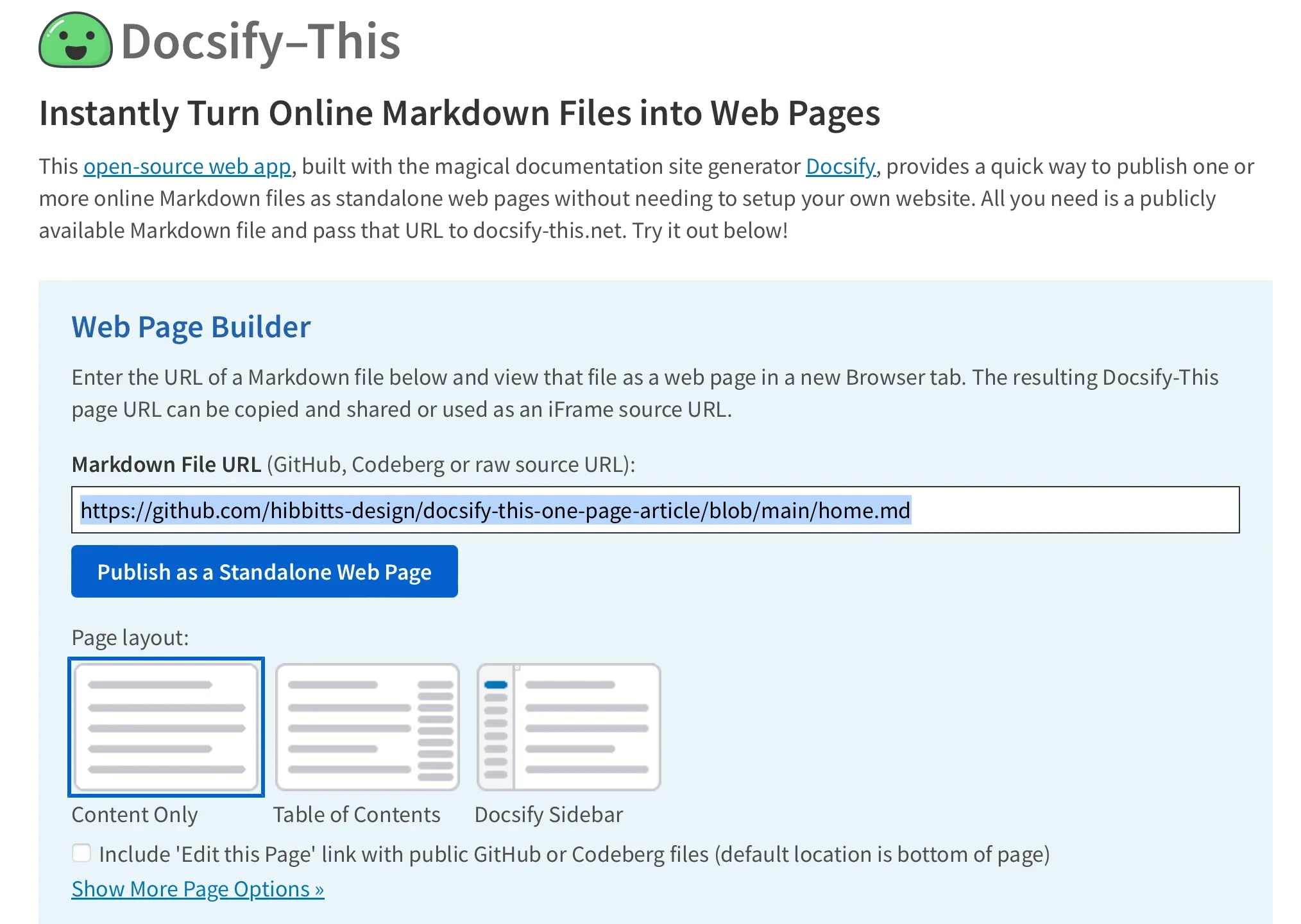
The primary entry point for creators looking to test the utility of the platform is the browser-based Web Page Builder hosted on the official Docsify-This website, or on any independently managed local instance. To generate a page, a user simply inputs the direct URL of a Markdown file residing within a public repository on platforms such as GitHub or Codeberg. While other Git hosts can be integrated through direct URL parameter configuration, the graphical Web Page Builder is optimized specifically for these major code-sharing networks.
Upon clicking the publishing button, Docsify-This processes the raw file and renders it instantly as a fully functional standalone web page. The resulting URL can be copied and distributed across social media, messaging channels, or academic portals. An example URL structure typically relies on a base path pointing to the raw repository content paired with a designated homepage parameter to dictate which file is rendered first.
Because these rendered pages are inherently responsive and lightweight, they excel in cross-platform embedding scenarios. Creators can fine-tune the visual presentation of the hosted file so that when it is loaded inside an external container, it blends seamlessly with the surrounding site infrastructure rather than appearing as an awkward, mismatched iframe.
Render Other Files in the Same Repository
Managing multi-page documentation or interconnected course materials within Docsify-This does not require creating separate repositories for every individual document. By understanding how the rendering engine parses URL parameters, administrators can easily direct the platform to display alternative Markdown files residing within the exact same Git repository.
This functionality is controlled primarily through the homepage parameter embedded within the Docsify-This URL string. If an author wishes to transition readers from an introductory document to a supplementary file, they simply update the parameter value to match the filename of the target document. This flexibility allows repositories to act as centralized content hubs where a single publishing instance can dynamically serve an entire library of documents simply by modifying the incoming link structure.
Modify the Web Page’s Appearance
A common challenge when embedding external content into established websites or learning management systems is typography and style clashing. Docsify-This addresses this limitation by allowing users to override default visual attributes directly via URL parameters. Common CSS properties such as font families, font sizes, link colors, and line heights can be passed
straight through the web address, ensuring that the rendered Markdown inherits the precise typographic feel of its host environment.
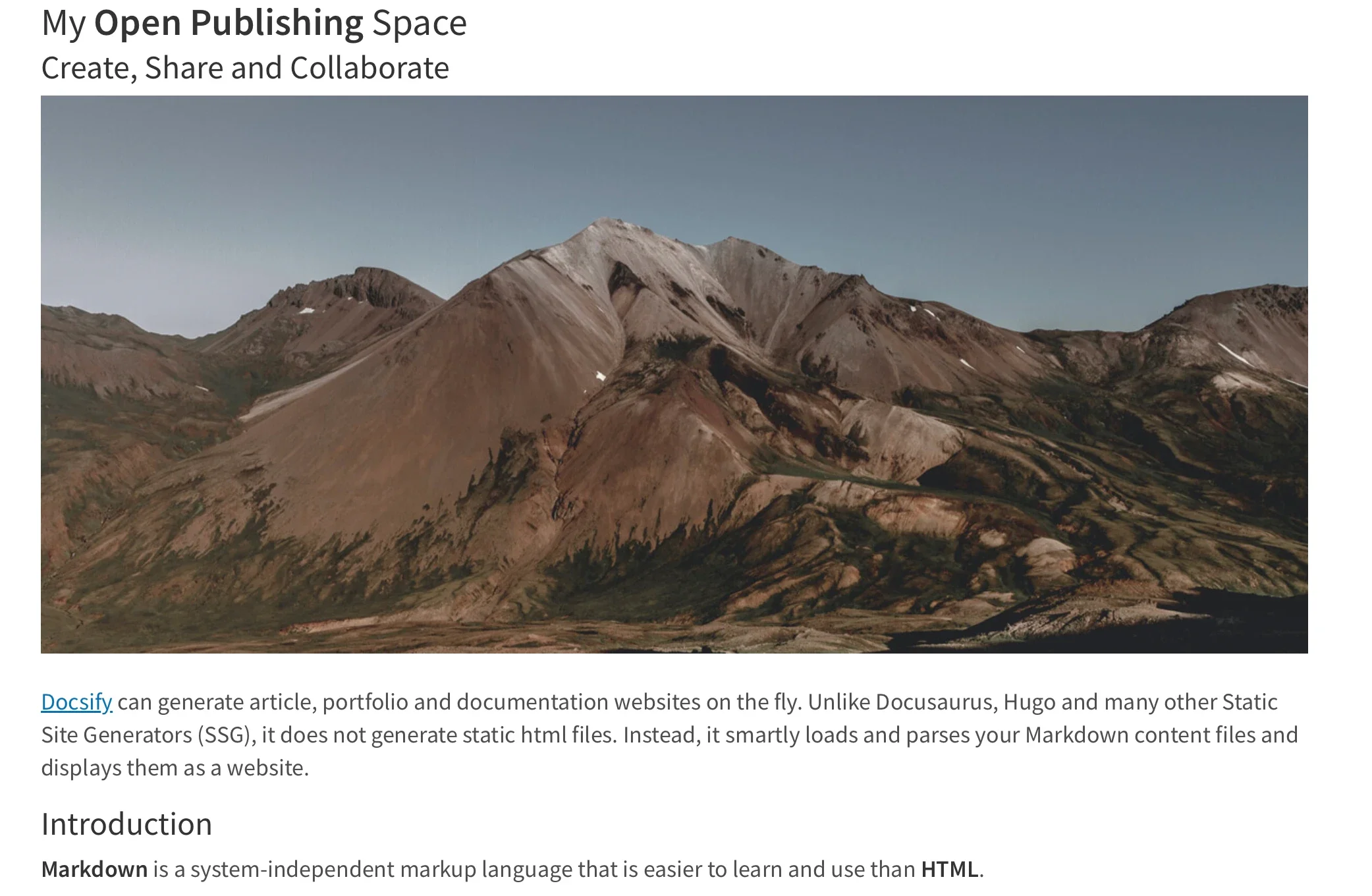
Beyond global style parameters, Docsify-This supports a specialized set of built-in Markdown CSS classes. For instance, authors can transform standard text links into styled interactive buttons by appending specific class identifiers to their link syntax. This capability proves particularly valuable in educational and corporate training environments where calls to action, assignment links, or quiz modules need to stand out clearly from body text.
For advanced designers seeking absolute creative freedom, Docsify-This also supports custom CSS blocks embedded directly within the Markdown files themselves. Authors can write standard style tags containing custom class definitions, hover states, border radiuses, and color palettes. When rendered by the platform, these custom styles apply instantly, enabling the creation of unique user interface components—such as specialized callout boxes, custom buttons, or highlighted notices—entirely from within a plain text Markdown document.
Include HTML Snippets
While Markdown is celebrated for its clean, minimalist syntax and readability, certain web publishing layouts require more advanced structural formatting than standard Markdown provides. True to the underlying specification of Markdown, Docsify-This fully supports the inclusion of raw HTML snippets within source files.
This capability allows content creators to weave sophisticated layout elements, such as multi-column grids or specialized container divs, directly into their documents. By combining standard Markdown text formatting with foundational HTML layout tags, authors can design complex, multi-column reading experiences that adapt fluidly to different screen sizes without breaking the responsiveness of the published page.

Embed Docsify-This as an iFrame
One of the most powerful deployment use cases for Docsify-This is its ability to integrate smoothly into existing digital ecosystems via standard HTML iFrames. Whether an organization is managing a corporate intranet, a custom web portal, or a sprawling educational platform, an iFrame deployment allows Markdown-based content to live natively inside another web page.
By coupling the iFrame embed code with specific Docsify-This URL parameters—such as directives to hide default platform credits, adjust font metrics, or normalize background colors—administrators can create an illusion of native integration. The embedded document appears as a seamless part of the host page, shielding readers from the underlying plumbing while providing authors with the immense convenience of updating content simply by committing changes to a remote Git repository.
Embed Docsify-This with an External URL
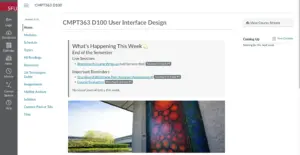
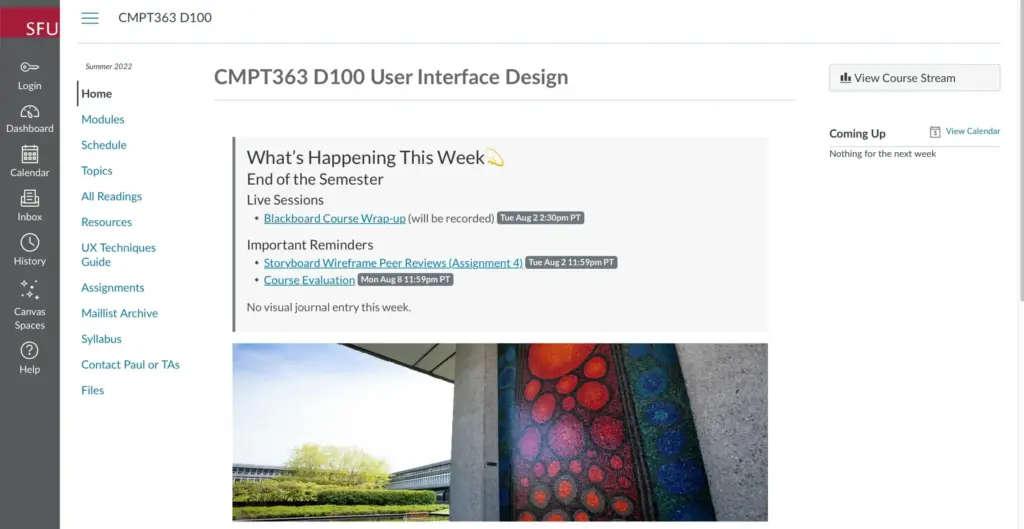
Beyond traditional iFrame embeddings, certain learning management systems offer advanced integration pathways that link external web resources directly into course navigation menus or module lists. Platforms like Moodle and Canvas allow administrators and instructors to incorporate external tools and pages without disrupting the student user experience.
For example, educators utilizing Canvas can deploy the platform’s Redirect Tool to link directly to a Docsify-This web page. By passing customized URL parameters that configure typography, hide unnecessary branding, and provide direct links back to the source repository for collaborative editing, instructors can maintain dynamic course syllabi, resource lists, and reading schedules that update automatically whenever the underlying Git repository is modified.

Integrate Docsify-This and Git
To unlock the full collaborative and version-controlled potential of Docsify-This, content creators typically store their Markdown files in remote repositories hosted on Codeberg or GitHub. This setup introduces robust change tracking, history logs, and the option to display automated "Edit this Page" links, inviting readers, students, or colleagues to suggest improvements or fix errors directly.
Managing these repositories requires little to no command-line expertise, thanks to a robust ecosystem of open-source Git tools. Graphical user interfaces such as GitHub Desktop, Git-Cola, and SparkleShare provide intuitive desktop environments for committing and pushing changes. Furthermore, popular source code editors and text environments feature deep native Git integration, allowing authors to draft, preview, and synchronize their Markdown files without ever leaving their writing workspace.
Markdown Publishing Made Easy
The movement toward lightweight, file-based publishing has transformed how technical documentation, educational curricula, and personal notes are shared across the internet. By bridging the gap between raw Markdown repositories and dynamic, highly customizable web pages, Docsify-This empowers individuals and organizations to distribute content anywhere it is needed—whether on a standalone domain, embedded in a learning management system, or integrated into a corporate portal—all while retaining total control over their data through open-source software and version control systems.