







By Software Development Desk
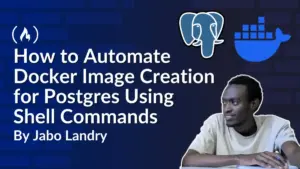
In the fast-paced ecosystem of modern software development, engineering teams constantly battle repetitive configuration tasks. While functions and modules solve code-level redundancy within individual applications, developers frequently find themselves recreating identical project infrastructures from scratch. Addressing this persistent workflow bottleneck, developer Jabo Arnold Landry has released an open-source command-line tool designed to automate the generation of PostgreSQL Docker images through custom shell scripting.
The project, which stems from Landry’s routine development work, bridges a common gap in modern application architecture. Many contemporary applications rely heavily on managed backend services such as Supabase for rapid deployment. However, these managed tiers often introduce strict resource limitations regarding database storage, network bandwidth, concurrent connections, and API request quotas as projects scale. Developers frequently need to spin up localized or self-hosted PostgreSQL environments to bypass these restrictions during development and testing phases.
Noticing that he was repeatedly writing identical configuration patterns across multiple projects—varying only in database credentials, container names, and port assignments—Landry turned to Bash scripting to build a lightweight, automated solution. The resulting utility transforms a tedious manual setup process into a single-line terminal command, offering a blueprint for engineers looking to optimize their local development workflows.

The Mechanics of Workflow Automation
At its core, the automation relies on Bash, the Unix shell and command language integral to most Linux and macOS operating systems. Bash scripts allow developers to execute sequential sequences of terminal instructions automatically, managing file systems, directory structures, and system processes without manual intervention.
The foundational setup begins with a basic script file utilizing a shebang directive—specifically #!/bin/bash—which instructs the operating system to interpret the file’s contents through the Bourne Again SHell. By incorporating conditional logic, the utility first scans the target directory to verify whether a configuration file, such as a docker-compose.yml template, already exists. Utilizing file-checking flags, the script assesses availability and permissions, ensuring that existing configurations are not accidentally overwritten unless explicitly intended.

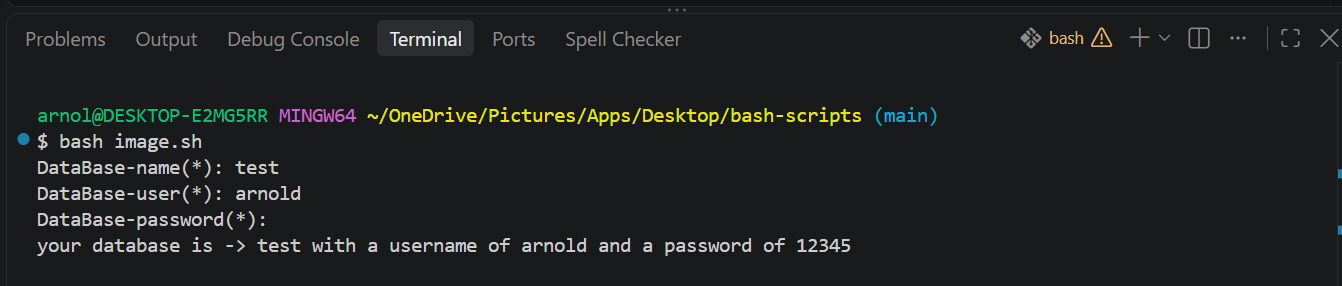
To make the automation dynamic, the utility incorporates interactive shell inputs. Because database names, user accounts, and administrative passwords change across different projects, the script prompts users for runtime input utilizing specific flags to handle sensitive data securely. For instance, hidden text prompts conceal passwords as they are typed into the terminal, preventing sensitive credentials from displaying on screen.
Furthermore, the script integrates robust input validation and sanitization measures. By employing empty-string checks, the utility halts execution if critical fields—such as the database name or user credentials—are left blank, returning descriptive error messages and exit codes to prevent misconfigured deployments. When optional parameters are omitted, the script falls back on intelligent default values, assigning standard container names, standard PostgreSQL ports, and default volume configurations automatically.
File Generation and Streamlined Execution
Once variables are validated, the utility programmatically generates the required infrastructure files. Using output redirection operators and concatenation techniques, the script dynamically populates a docker-compose.yml manifest with the user-defined parameters, establishing the container image version, environment variables, exposed ports, and persistent storage volumes in a single execution step.
For advanced users seeking maximum efficiency, the tool supports command-line arguments and options. Rather than responding to interactive prompts, developers can pass credentials directly on the execution line alongside optional flags. This capability allows CI/CD pipelines or experienced engineers to provision database containers instantaneously.

To make the utility globally accessible, developers can integrate the script directly into their operating system’s environment path. By modifying file execution permissions via change-mode commands and registering the working directory within the system’s profile configuration, the tool transforms from a local project script into a globally available command-line utility. Engineers can then execute the generator from any terminal window across their workstation using a simple, customized command.
The complete working codebase, alongside documentation and installation instructions, is publicly available via Landry’s repository on GitHub.