









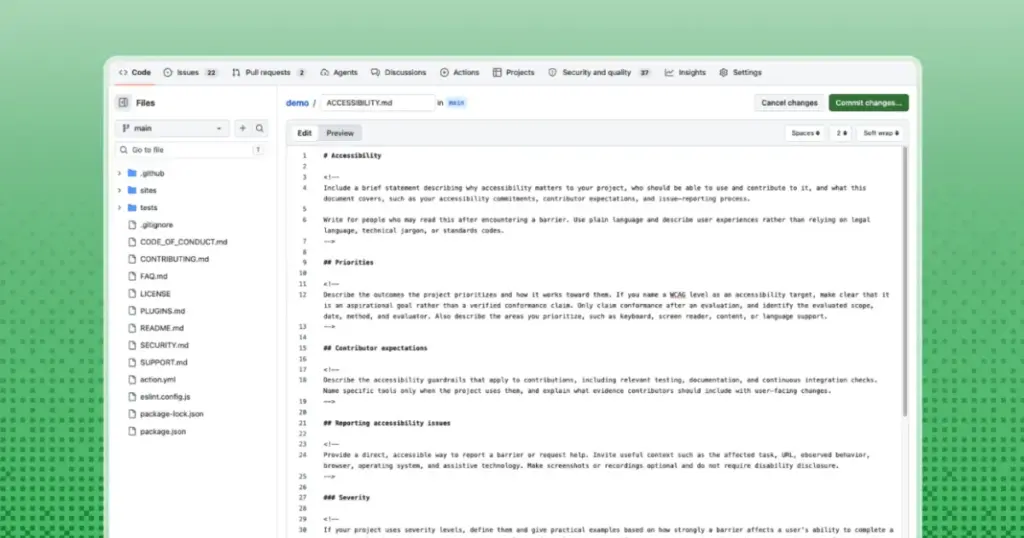
In a significant move to foster a more inclusive open-source ecosystem, GitHub has officially introduced support for ACCESSIBILITY.md files. This new feature allows project maintainers to centralize critical accessibility information, making it easier for users and contributors to understand a project’s goals, known limitations, and reporting procedures. By integrating this documentation directly into the repository overview, GitHub aims to move accessibility discussions out of fragmented issue trackers and disparate conversation threads, providing a durable, predictable home for essential project standards.
For years, the landscape of accessibility in open-source software has been challenging to navigate. Vital information regarding how a project handles screen reader compatibility, keyboard navigation, or color contrast often resides in scattered locations—buried within deep-seated issue threads, obscure audit reports, or known only to a handful of core maintainers. When this information lacks a centralized, standardized home, users who encounter barriers are often forced to engage in time-consuming searches, while maintainers risk losing institutional knowledge as project ownership shifts and new contributors join. The introduction of the ACCESSIBILITY.md file serves as a strategic intervention to solve these visibility issues.
GitHub Makes Accessibility Statements Easier to Find
GitHub’s new implementation allows for the ACCESSIBILITY.md file to be recognized when placed in the root of a repository, or within the .github/ or docs/ directories. Furthermore, organizations can benefit from inheritance, where a statement defined in an organization’s central .github/ repository can apply across its projects. This ensures that accessibility standards can be consistently applied at scale, whether a project is a small personal library or a massive corporate-backed initiative.

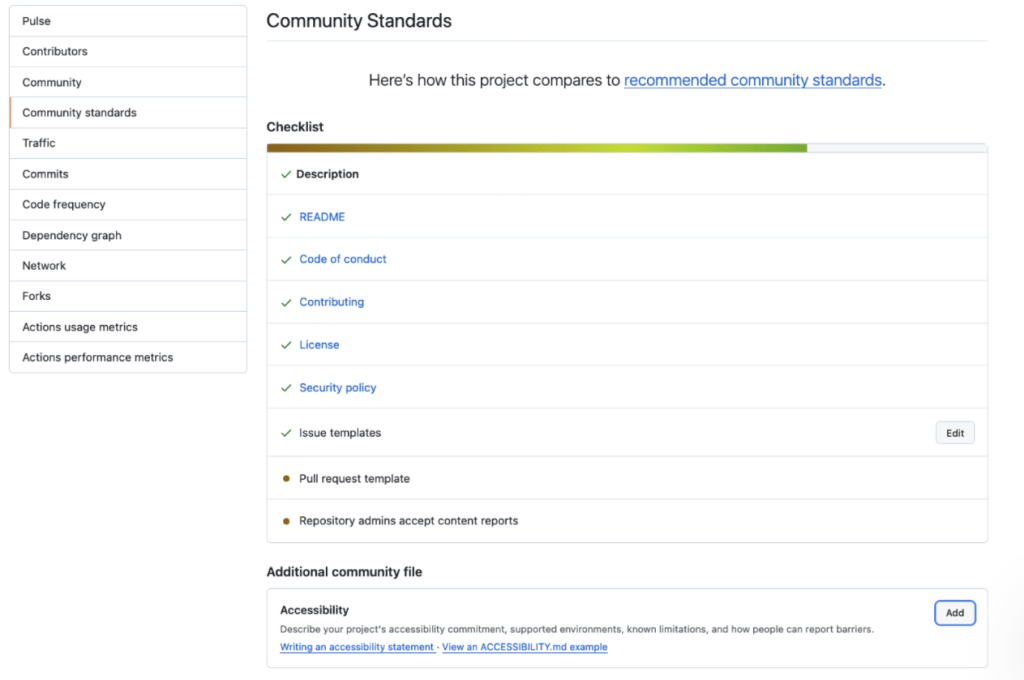
For public repositories, the process of adopting this new standard is streamlined through the "Community Standards" interface found under the "Insights" tab. GitHub provides a concise starter document that helps maintainers outline their project’s accessibility posture without requiring them to be experts in policy writing. This is part of a broader suite of community health files that GitHub provides to help developers understand the governance and culture of a project. By placing ACCESSIBILITY.md alongside established files like CONTRIBUTING.md or CODE_OF_CONDUCT.md, GitHub is signaling that accessibility is a core pillar of a project’s community health.
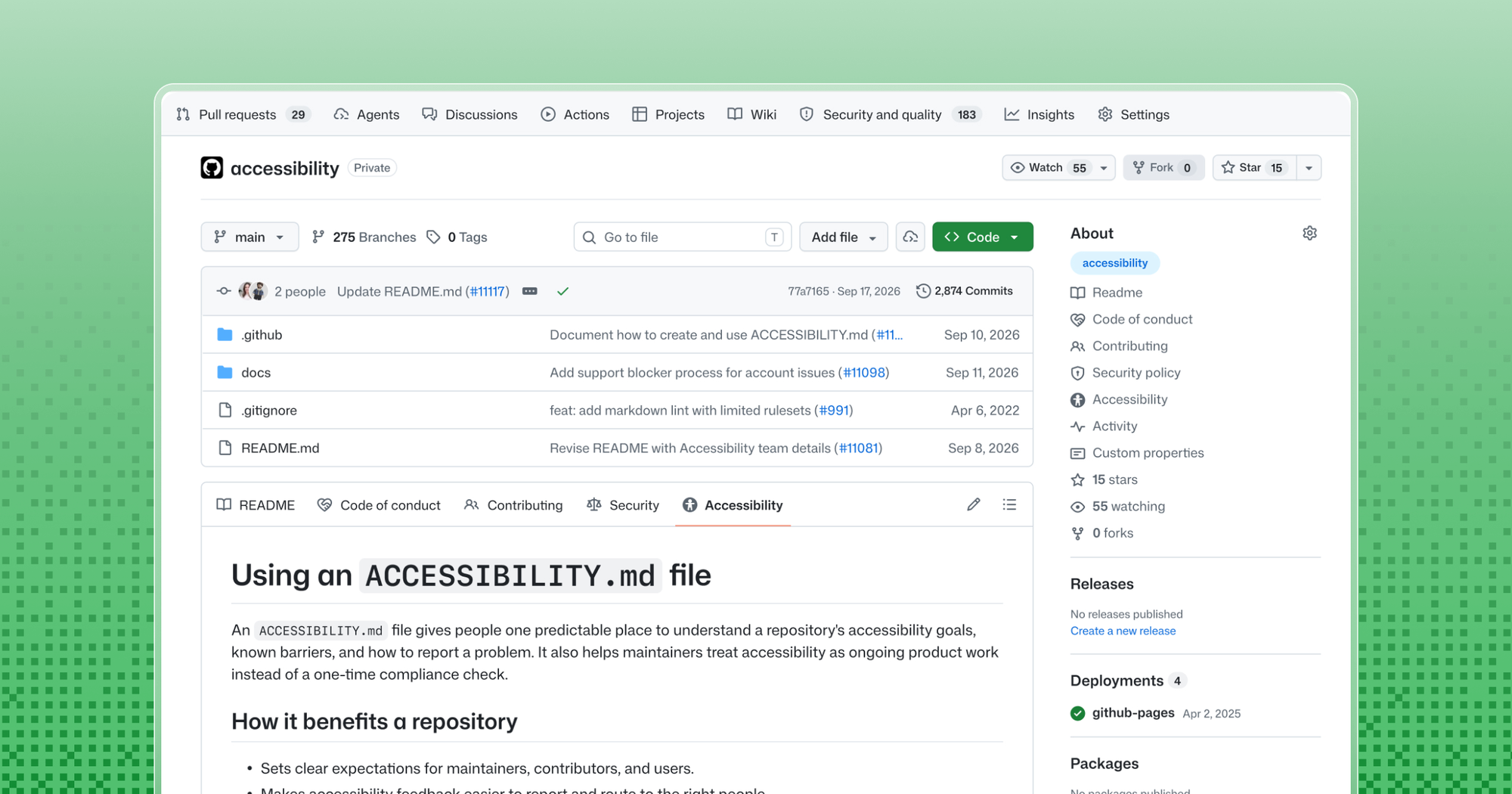
To further support this, new repositories created on the platform will now include an accessibility issue label by default. This label works in tandem with the documentation; while the ACCESSIBILITY.md file explains the philosophy and known boundaries of the project, the issue label provides a functional mechanism for maintainers to track, organize, and prioritize the remediation of specific barriers reported by the community.
Accessibility Statements Make Project Practices Visible
The impact of this transparency is already visible in several prominent projects. The GitHub CLI (gh), for instance, has utilized an accessibility statement to provide clarity on its technical constraints. The CLI’s documentation explains, for example, that the default table output can be difficult to parse with screen reader software. Instead of leaving users to struggle, the project uses its accessibility documentation to offer a specific workaround, such as a command-line flag that prints pull request information in a more accessible, single-line format. Crucially, the statement also sets expectations for contributors: those submitting pull requests that alter command prompts or output are asked to verify their changes using relevant accessibility settings. This creates a feedback loop where contributors are empowered to improve the tool for everyone, rather than inadvertently creating new barriers.
Similarly, the GitHub Annotation Toolkit has utilized this feature to document the inherent limitations of its Figma-based library. The toolkit relies on visual cues like canvas positioning, connecting lines, and matching numbers to convey relationships between design elements. The accessibility statement candidly acknowledges that these visual methods do not inherently communicate the same meaning to users who cannot see the canvas. To bridge this gap, the project provides clear instructions to collaborators on how to supply structured text descriptions for each annotated element. By documenting these expectations, the project ensures that developers and designers understand exactly what information is required to maintain the toolkit’s utility for all users. Furthermore, by explicitly stating that the library has not yet undergone comprehensive screen-reader testing, the project manages user expectations while fostering a culture of honest, iterative improvement.
Documenting What the Project Can Maintain
A common misconception is that an accessibility statement must be a perfect, legally binding policy. GitHub emphasizes that there is no single "correct" format for an ACCESSIBILITY.md file. The needs of a command-line tool differ vastly from those of a large-scale web application, and the documentation should reflect the specific capacity and context of the project. The primary goal is to provide accurate, up-to-date information that the maintainers can realistically support.
Maintainers are encouraged to define their targets—such as adherence to specific versions or levels of the Web Content Accessibility Guidelines (WCAG)—but they should be careful to distinguish between a target and a formal conformance claim. A true conformance claim is a significant undertaking that requires a detailed evaluation of scope, methodology, and the identity of the evaluator. For many open-source projects, the value of the statement lies not in meeting a rigid legal threshold, but in clearly naming existing gaps and documenting the project’s trajectory toward better accessibility.
What the Most Useful Accessibility Files Contain
The most effective accessibility statements are those that prioritize the needs of a user who has encountered a roadblock. Rather than focusing on jargon or defensive legal language, these files excel when they utilize plain, accessible language and provide direct, actionable paths for feedback. The most useful documents are those that respect the user’s time and experience, offering clear instructions on how to report a barrier.
Effective reporting guidance should invite the specific context necessary for a fix—such as the operating system, browser, and assistive technology being used—without requiring the user to disclose private information or prove their disability. By explicitly stating what a user can expect after filing a report—such as an estimated timeline for acknowledgment or the availability of temporary workarounds—projects can build trust and encourage a more collaborative environment.
Starting with an Example and Adapting It
For developers looking to get started, the Open Source Accessibility Toolkit offers a robust example of a detailed, professional accessibility statement. However, for most projects, the best approach is to start with the starter template provided by GitHub’s Community Standards workflow. This template offers a series of prompts that guide maintainers through the essential categories, such as supported environments and contribution guidelines.
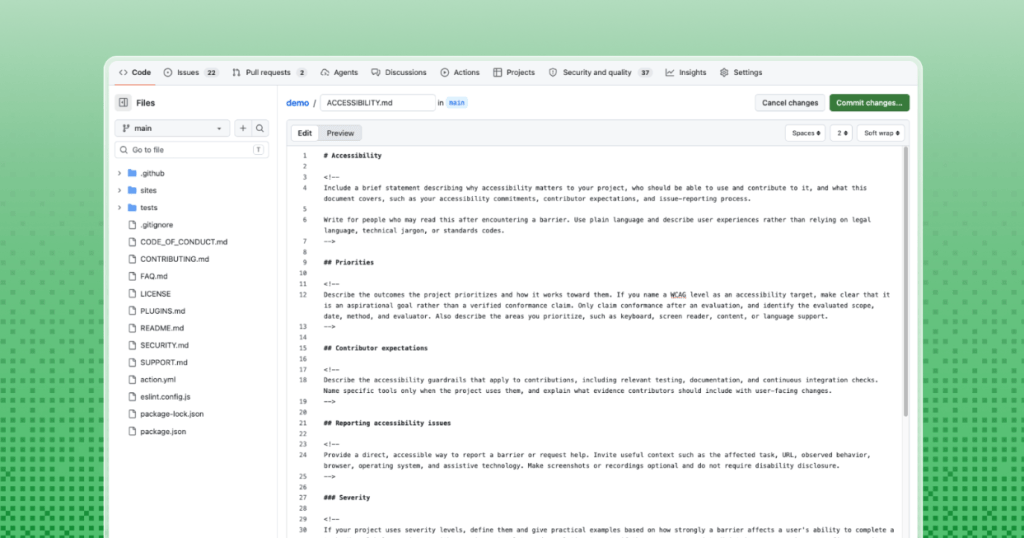
The philosophy behind this initiative is one of incremental progress. A project does not need to achieve perfect accessibility overnight to benefit from this, and the documentation should evolve as the project matures. By normalizing the practice of publishing an ACCESSIBILITY.md file, GitHub is helping to integrate accessibility into the standard lifecycle of open-source development. This cultural shift ensures that as projects plan new features, build their infrastructure, and handle incoming reports, the needs of all users are considered from the outset. As more projects adopt this practice, the cumulative effect will be a more inclusive, transparent, and accessible digital commons, where the barriers to entry for both users and contributors are systematically identified and reduced.