










The evolution of mobile application development has long been plagued by a persistent architectural dilemma. Developers frequently find themselves trapped in a repetitive cycle of managing sprawling utility files and overburdened component architectures. A typical project often begins simply enough, with a dedicated color constants file and a basic button component. However, as design requirements shift and user interface iterations accumulate, these foundational elements invariably grow unmanageable. Small styling updates eventually require painstaking verification across multiple files to ensure that localized changes do not inadvertently break unrelated parts of the application.
This maintenance overhead is compounded by the traditional distribution model of most component libraries. Because third-party code typically resides within package manager directories, developers are forced to rely on exposed properties and workarounds when standard options fail to match exact design specifications. Over time, these cumulative overrides can introduce more complexity than the original implementation challenges they were intended to solve.
In response to these industry-wide pain points, developers have increasingly gravitated toward the architectural philosophy popularized by shadcn/ui. Rather than installing a rigid component package and treating its elements as immutable black boxes, this approach utilizes a command-line interface to copy source code directly into the local repository. This grants developers complete ownership over the components, enabling deep, contextual modifications whenever project requirements demand them. For the React Native ecosystem, a parallel initiative known as React Native Reusables has emerged to bring this flexible paradigm to mobile application development.

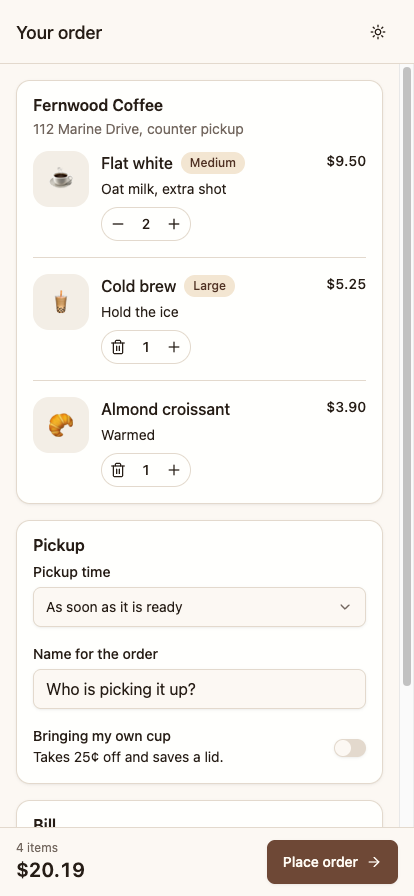
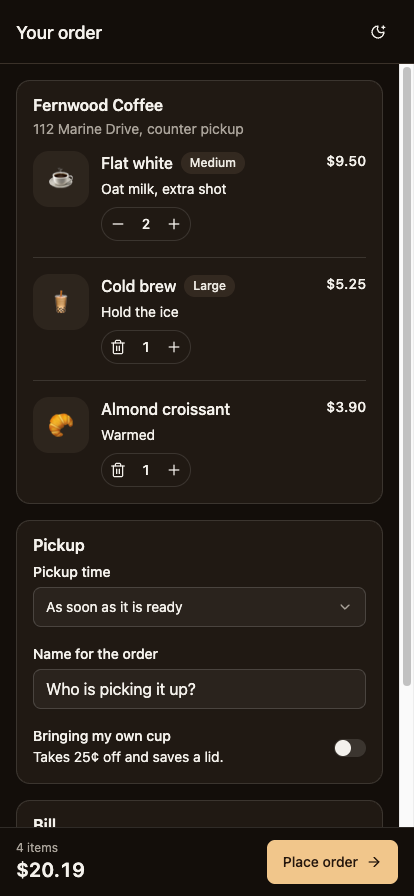
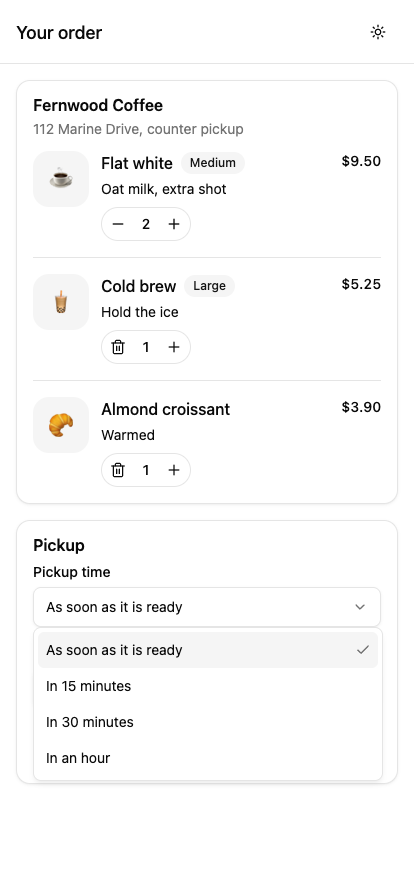
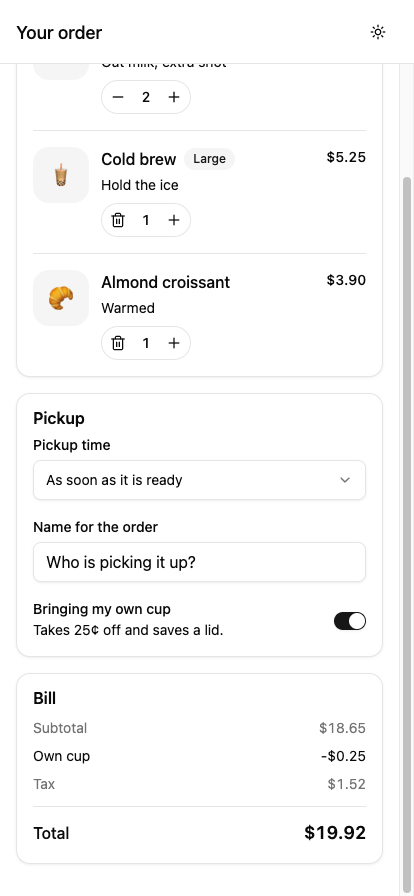
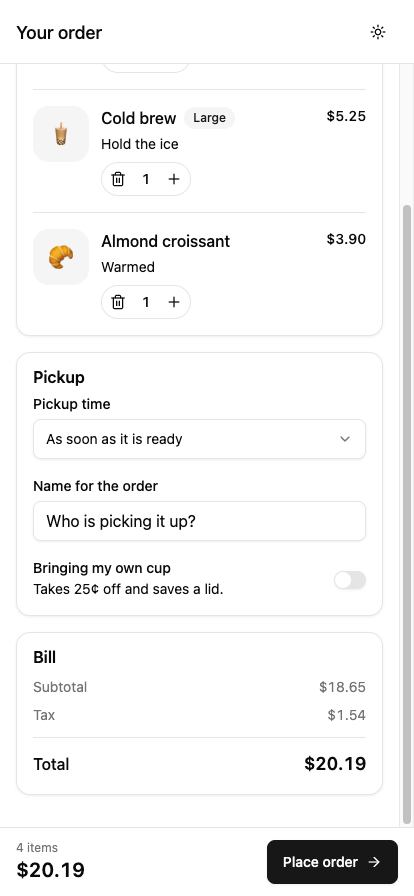
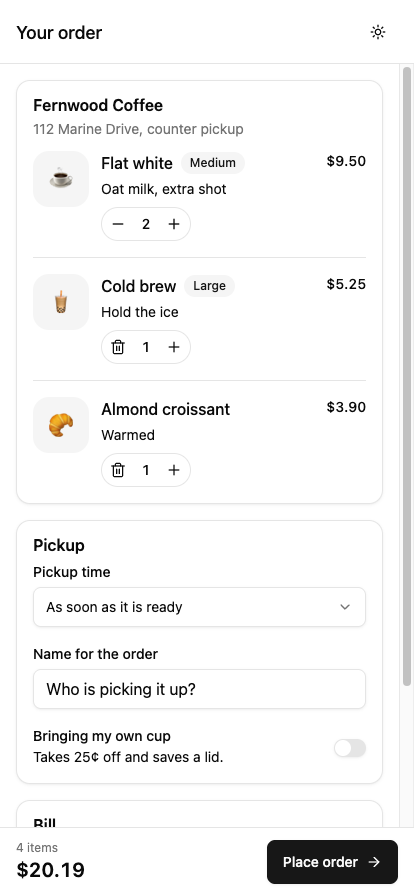
To demonstrate how these decoupled, reusable components integrate into fully realized mobile interfaces, developers frequently turn to practical reference implementations. A representative project involves constructing a sophisticated cart and checkout screen tailored for a local coffee shop’s pickup operations. This interface incorporates dynamic order items complete with precise quantity controls, a pickup
-time selection dropdown, an input field for customer names, an environmental discount toggle for personal cups, a detailed bill summary, a persistently pinned checkout bar, and an order confirmation dialog.
Implementing such features in a React Native environment requires careful navigation of platform-specific nuances that diverge significantly from web-based development. Unlike web browsers, native mobile runtimes lack automated style cascading, universal DOM attributes, and standard document portals. Addressing these structural differences demands specialized tooling, such as Uniwind, which translates Tailwind CSS class names into native React Native style objects during the bundling phase, eliminating performance overhead at runtime.

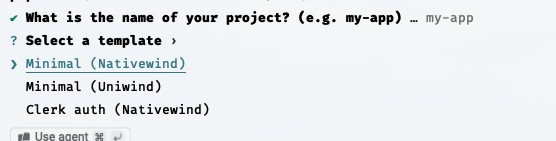
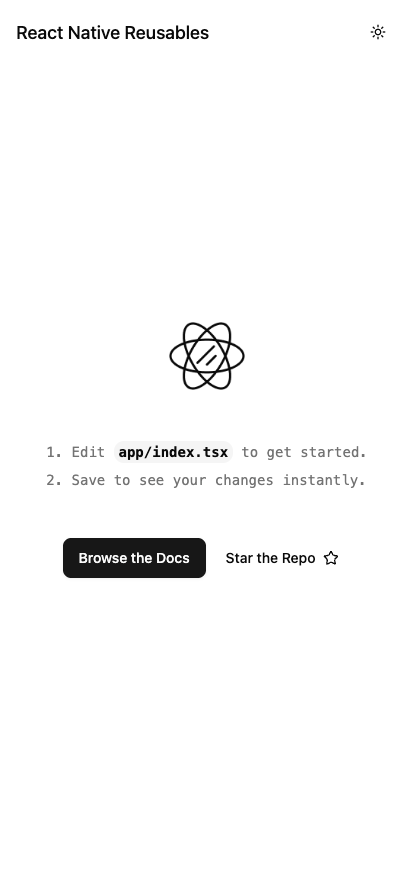
The foundational setup of such an application begins with an initialization process designed to configure Expo Router, file-based navigation, and the underlying styling architecture. Choosing the appropriate styling integration during initial configuration is critical, as the component registry maintains distinct implementations for different Tailwind adapters. Once initialized, the project structure exposes a clean separation of concerns, housing theme definitions, utility functions, and customizable user interface primitives within local directories.

Central to this architecture is the management of design tokens. Rather than relying on scattered configuration objects, modern styling setups leverage CSS variables integrated with Uniwind to maintain a centralized design system. Modern color spaces, such as oklch, are automatically converted during the build process into formats natively understood by mobile operating systems. Furthermore, because platform navigation layers often require plain JavaScript objects rather than dynamic CSS variables, developers must maintain synchronization between stylesheet definitions and navigation theme configurations to ensure seamless visual consistency across light and dark modes.
A closer examination of core interface primitives reveals how modern component architectures solve classic mobile development challenges. For instance, because React Native does not support standard style inheritance, text color propagation is managed via context providers. This ensures that wrapper components can dynamically dictate typography colors for arbitrary child elements without requiring explicit prop drilling. Similarly, wrapper components bridge the gap between third-party icon libraries and utility-first class systems by translating property-based sizing and coloring into responsive class strings.
Constructing complex layouts, such as interactive order rows, requires careful attention to layout constraints and typography behavior. Because mobile screens offer significantly less horizontal space than desktop viewports, text truncation and flexbox shrinkage must be handled explicitly using native properties rather than web-centric CSS properties. Additionally, small interactive targets, such as quantity stepper buttons, require accessibility enhancements and touch-target expansions to ensure optimal usability for mobile users.
Form controls and modal elements introduce additional architectural considerations, particularly regarding screen real estate and operating system overlays. Dropdown menus and dialog windows must utilize portal hosting mechanisms to render correctly above standard application views, while also accommodating system-level UI elements such as device notches and home indicators. By properly passing safe-area insets and managing keyboard avoidance behavior, developers can ensure that inputs remain fully accessible during active user interaction.
Ultimately, the shift toward code-ownership paradigms in mobile development represents a mature evolution in how teams build and maintain cross-platform interfaces. By abandoning rigid, opaque component packages in favor of locally owned, highly adaptable source code, developers can construct robust, highly customized applications while significantly reducing long-term maintenance friction.