











With the official unveiling of iOS 27, Apple has continued its multi-year strategy of refining its core productivity suite. While major overhauls were announced for marquee applications like Notes, Messages, and the Wallet app, the Reminders application has received a series of thoughtful, intelligence-driven upgrades. These changes, powered by Apple’s evolving on-device Foundation Models, focus on reducing friction and making the process of task management feel more intuitive and conversational.
For years, Reminders has served as a reliable, if somewhat utilitarian, backbone for millions of Apple users. In recent iterations, Apple began introducing basic natural language support, allowing the system to recognize dates and times typed into a new entry. However, the introduction of iOS 27 marks a significant pivot toward a more proactive, context-aware experience. By leveraging Apple Intelligence, the app no longer merely parses text for specific keywords; it now understands the user’s intent, providing a seamless bridge between a simple thought and a fully structured, actionable item.
Enhanced Natural Language Processing and Task Creation
The most immediate improvement in iOS 27 is the evolution of how users describe their tasks. Previously, the app required a certain level of rigidity or specific syntax for the software to correctly identify a deadline or a recurring schedule. Under the new paradigm, Apple Intelligence allows users to type in a completely natural, conversational style.

When a user begins typing a new reminder, the interface has become significantly more responsive. As information such as a due date or a specific time is entered, the keyboard’s suggestion row dynamically updates, offering to instantly translate that prose into structured metadata. This is not just a cosmetic change; it represents a fundamental shift in the app’s backend capabilities. Apple’s latest Foundation Models provide far greater accuracy in interpreting nuanced phrasing, ensuring that complex scheduling requests are handled correctly the first time.
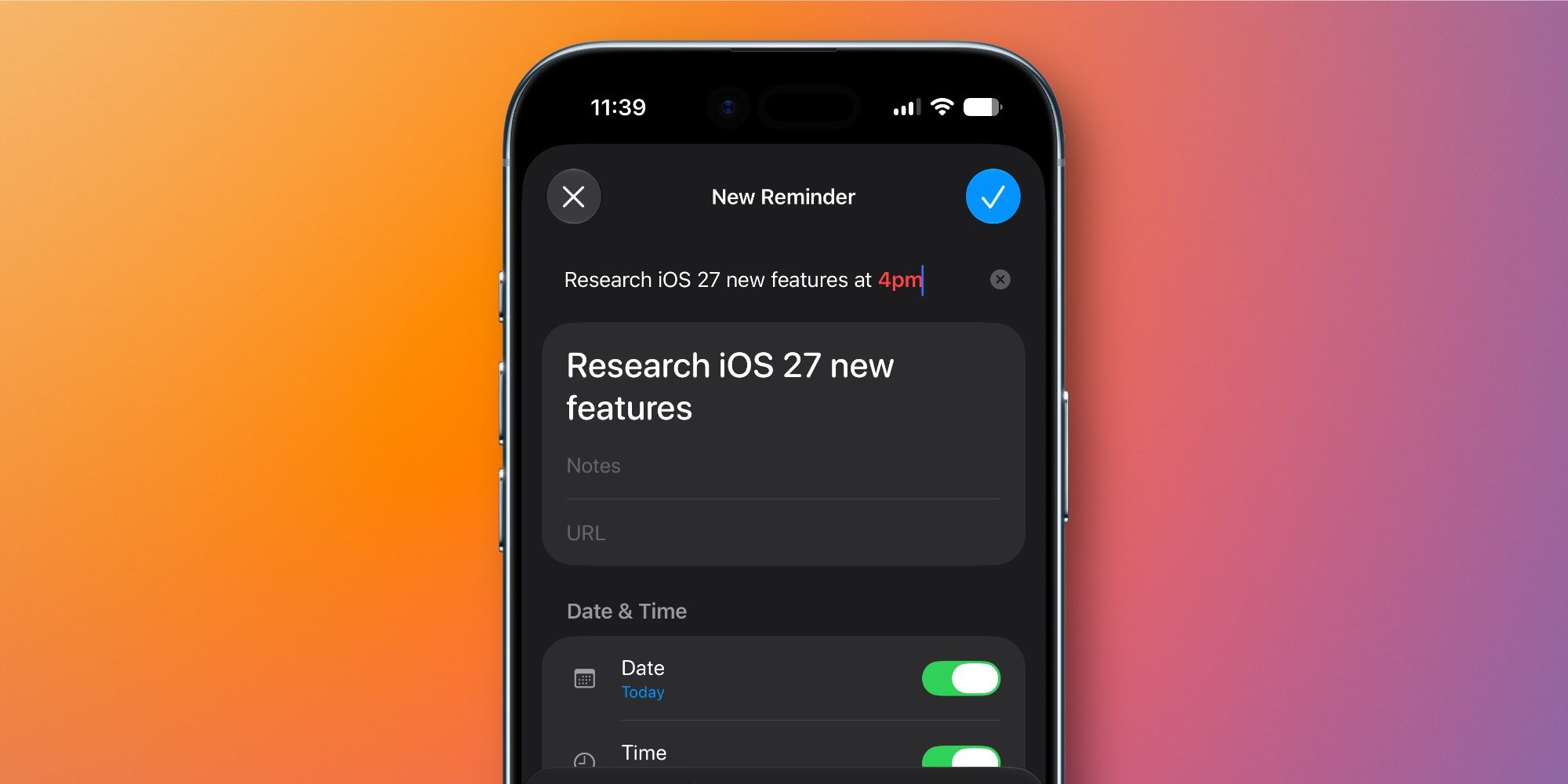
Beyond the initial creation phase, this "Describe" functionality has been extended to the detail view of any reminder. If a user is manually editing a task, they can now simply jot down their thoughts or updates in a natural format, and the application will automatically adopt all relevant metadata mentioned within that text. This creates a fluid workflow where the user focuses on the content of the task, while the system handles the administrative burden of categorizing it with the correct dates, tags, and priority levels.
A Streamlined Interface for Managing Metadata
In previous versions, particularly in iOS 26, the process of adding granular detail to a reminder—such as location triggers, priority tags, or attachments—often felt like a multi-step navigational exercise. Users were accustomed to seeing a row of five specific icons above the keyboard: Date, Location, Tag, Flag, and Camera. While functional, this layout often necessitated a trip to the "i" info icon for more advanced settings, effectively pulling the user away from their current task view.
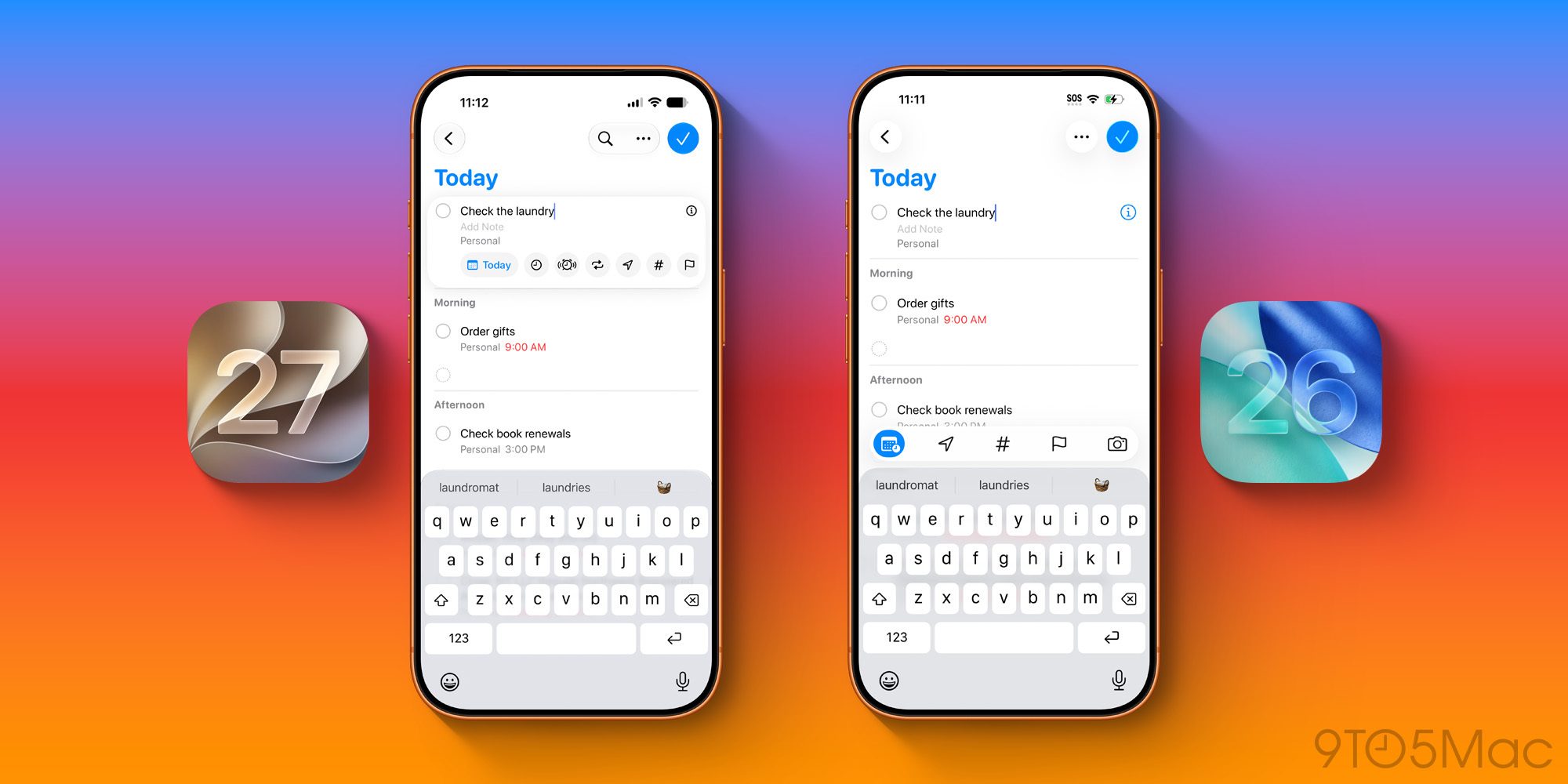
iOS 27 introduces a more cohesive design language for the editing experience. The metadata controls have been moved into a consolidated, dynamic box that surrounds the active reminder entry. This new UI design is significantly more robust, providing a centralized hub where users can modify various parameters without constantly toggling between screens. By surfacing these tools more effectively, Apple is aiming to keep the user within the flow of their planning process, rather than forcing them to navigate through sub-menus.
While the "i" icon remains present for users who need to access the most granular configuration settings, the vast majority of daily interactions can now be handled directly within the new, integrated interface. This change effectively flattens the learning curve for new users while simultaneously increasing efficiency for power users who rely on Reminders to manage complex, multi-layered workflows.

Advancements in Grocery List Organization
One of the most popular features introduced in recent years has been the automatic organization of grocery lists. By automatically sorting items into logical categories like "Produce," "Dairy," and "Bakery," the app has helped simplify the shopping experience for countless families and individuals. With iOS 27, Apple is doubling down on this utility, citing two primary areas of improvement.
First, the accuracy of categorization has been refined. Utilizing the more sophisticated Foundation Models, the app is now significantly better at identifying and classifying obscure or less common grocery items, ensuring that fewer items fall into an "uncategorized" bucket. Second, the spatial intelligence behind the sorting has been improved, making the list structure more predictable and easier to navigate while moving through a physical store.

These enhancements represent the broader shift Apple is making across its entire software ecosystem: moving away from static, rules-based automation toward dynamic, AI-assisted productivity. By offloading the effort of sorting and scheduling to the device’s intelligence, Apple is positioning the Reminders app not just as a static list-keeper, but as a proactive assistant that anticipates the user’s needs.
As users begin to integrate these features into their daily routines, the focus remains on the balance between power and simplicity. The changes in iOS 27 do not fundamentally alter what Reminders does, but they significantly improve how it does it, transforming the app from a simple repository for tasks into a more responsive partner in daily management. Whether it is through the improved natural language parsing or the streamlined metadata management, the update serves as a clear indication that for Apple, the future of productivity lies in making the technology feel invisible, leaving the user to focus solely on the content of their day.