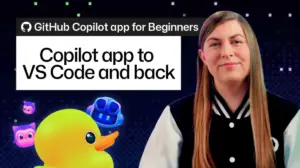






The landscape of software development is undergoing a significant transformation as artificial intelligence evolves from a simple autocomplete tool into a sophisticated agentic partner. A primary challenge in this new era of AI-assisted coding is maintaining a fluid workflow when shifting between high-level architectural brainstorming and granular, hands-on implementation. GitHub has addressed this friction point, announcing a new capability that allows developers to transition their Copilot sessions directly from the standalone GitHub Copilot app into Visual Studio Code without losing context, conversation history, or the underlying code modifications.
For many developers, the workflow often begins in the GitHub Copilot app, where an AI agent can handle the bulk of a complex task—generating boilerplate, implementing new features, or refactoring legacy code. However, the nature of software engineering requires a final human touch. Developers must inevitably inspect implementation details, adjust code manually for edge cases, and run local diagnostic tests to ensure that the AI-generated output meets the rigorous standards of a production environment. Previously, this transition often felt disjointed, requiring developers to manually sync branches or reconstruct the state of their conversation in a new environment.
The new integration eliminates these barriers, ensuring that the transition from agent-driven development to developer-led refinement is entirely transparent. By opening a session directly in VS Code, the developer retains the full weight of the worktree associated with the agent’s progress. This means that the conversation, the specific code diffs, and the broader project context remain intact, allowing the developer to move seamlessly from AI-driven generation to manual optimization and local validation.

From Agentic Assistance to Editor-Based Precision
The process begins in the GitHub Copilot app, where the agent completes the primary objectives of a task. It is important to recognize that a session is not merely a collection of file changes; it is a comprehensive record of the development journey. It captures the initial task definitions, the strategic plan formulated by the agent, and the iterative conversation that led to the current state of the code. This context is invaluable for developers who need to understand the reasoning behind specific implementation choices or who wish to pivot the agent’s focus mid-stream.
Because the session history is preserved, developers no longer need to manually summarize their work or copy-paste prompts into a new interface. When a user selects the "Open in VS Code" option from the Copilot app, the IDE initiates a session that is linked directly to the worktree of the project. This bridge creates a unified environment where the conversation, the diffs, and the file system are synchronized. The developer is not starting a new project or importing changes; they are simply picking up the existing work where the AI left off, ensuring that the transition is as efficient as possible.
Maintaining Quality Through Human Oversight
Once the session is moved into the VS Code environment, the priority shifts from generation to verification. The Source Control view in VS Code becomes the primary tool for this stage, allowing the developer to inspect the diffs line by line. This critical review phase is essential for maintaining code quality, as it allows developers to verify that the agent’s implementation adheres to the project’s specific style guidelines, security requirements, and architectural constraints.
If a particular decision made by the agent seems ambiguous or requires further justification, the developer can continue the dialogue with Copilot directly within the VS Code sidebar. By asking targeted questions—such as why a specific function was modified rather than a helper created—the developer can deepen their understanding of the AI’s logic. This interactive feedback loop is a hallmark of the new integration, ensuring that the developer remains in full control of the codebase while leveraging the agent as a knowledgeable sounding board.
Hands-on Refinement and Local Verification
Beyond mere inspection, the integration enables immediate, hands-on editing. There are certain tasks—such as fine-tuning UI elements, adjusting subtle spacing, or implementing highly specific business logic—where human intuition and visual feedback are faster and more reliable than AI generation. Because the developer is working within the session’s existing worktree, any manual changes made in the editor are seamlessly integrated with the agent’s prior work. This removes the need for tedious manual file management or branch reconciliation, allowing for a more organic coding experience.
Once the code is refined, the focus shifts to local validation. Using the integrated terminal in VS Code, developers can execute the standard testing suites, build scripts, and local development servers that are native to their repository. This step is crucial; developers are encouraged to treat agent-generated code with the same level of scrutiny as they would code written by a human teammate. If the project involves a web interface, developers can leverage VS Code’s integrated browser capabilities to test the application in real-time, checking for responsiveness across different viewport sizes and verifying error states.
A Unified Workflow for the Modern Developer
The true power of this integration lies in its flexibility. At any point during the process, the developer can oscillate between manual editing and agentic assistance. For instance, after a developer has manually adjusted a UI component, they can prompt the Copilot agent to generate a test case specifically for that new implementation. Because the session context is preserved, the agent understands exactly what was changed and can execute the request without the need for additional descriptive input.
When the implementation is finally polished and verified, the process concludes with standard version control practices. The developer can commit and push the changes directly through the VS Code interface. Because the session is tied to the original branch and worktree, these final actions update the existing pull request, effectively closing the loop on the task. This workflow ensures that the transition from initial AI assistance to final code submission is a single, cohesive movement.
By bridging the gap between the GitHub Copilot app and VS Code, GitHub has provided a framework that supports the full spectrum of the development lifecycle. It allows for high-level agentic work, detailed human review, and rigorous local testing within a single, continuous experience. This evolution in the developer experience highlights the shift towards a more integrated, collaborative future, where the tools developers use are designed to support, rather than hinder, the natural flow of human creativity and engineering expertise. As more developers adopt this workflow, the boundary between AI-assisted generation and manual craftsmanship will continue to blur, fostering a more productive and efficient development environment for teams across the globe.