











For years, productivity enthusiasts and power users have considered TextExpander a cornerstone of the modern digital workflow. Often cited as one of the first applications installed on a new machine, the utility has long served as a bridge between repetitive, mundane typing tasks and efficient communication. Today, the developers behind this robust keyboard shortcut utility are making a significant move to broaden their user base by introducing a new, permanent free plan, allowing individuals to access core snippet functionality across macOS, Windows, iOS, iPadOS, and Chrome.
The utility is built on a simple yet powerful premise: "Snippets." These are short, user-defined text abbreviations that automatically expand into longer, pre-written strings of text, code, or data. For those who manage high volumes of correspondence, fill out complex forms, or maintain consistent formatting across various platforms, the time-saving potential is immense. By moving beyond a strictly paid subscription model, TextExpander is positioning itself as a more accessible tool for those who may have previously found the barrier to entry—a subscription fee—too high for their specific needs.
The Evolution of Text Expansion
The concept of text expansion is not entirely new to the average computer user. Many modern operating systems, including Apple’s macOS, have integrated basic text replacement features into their core settings. These native tools allow users to create simple shortcuts—such as typing "omw" to automatically expand into "on my way." While these built-in solutions are helpful for casual users who only need to replace a few common phrases, they rarely satisfy the requirements of professionals, writers, and developers who rely on more complex automation.


TextExpander differentiates itself from these basic system tools through its depth and versatility. Beyond simple text strings, the application offers support for variable inputs, conditional logic, nested snippets, and advanced math macros. For a podcast producer, for instance, this might mean the ability to trigger a complex sponsorship read that automatically inserts the current date, a specific listener discount code, or even dynamic links based on the specific episode being produced. When these capabilities are multiplied across hundreds of snippets, the software transforms from a simple utility into a mission-critical component of a professional’s digital infrastructure.
The creator’s own experience highlights this utility. Having cultivated a library of roughly 200 snippets, the application has become indispensable for tasks ranging from drafting rapid email responses to generating detailed show notes for podcasts. By automating these repetitive actions, the user effectively recovers hours of time that would otherwise be spent typing, correcting, and formatting the same information over and over again.
Details of the New Free Plan
The announcement of a free plan is a strategic pivot for the company. According to details shared with 9to5Mac, the new tier is designed to provide the core TextExpander experience without the immediate requirement of a paid subscription. Users on the free plan gain access to five active snippets, unlimited library storage, and the ability to trigger unlimited text expansions.
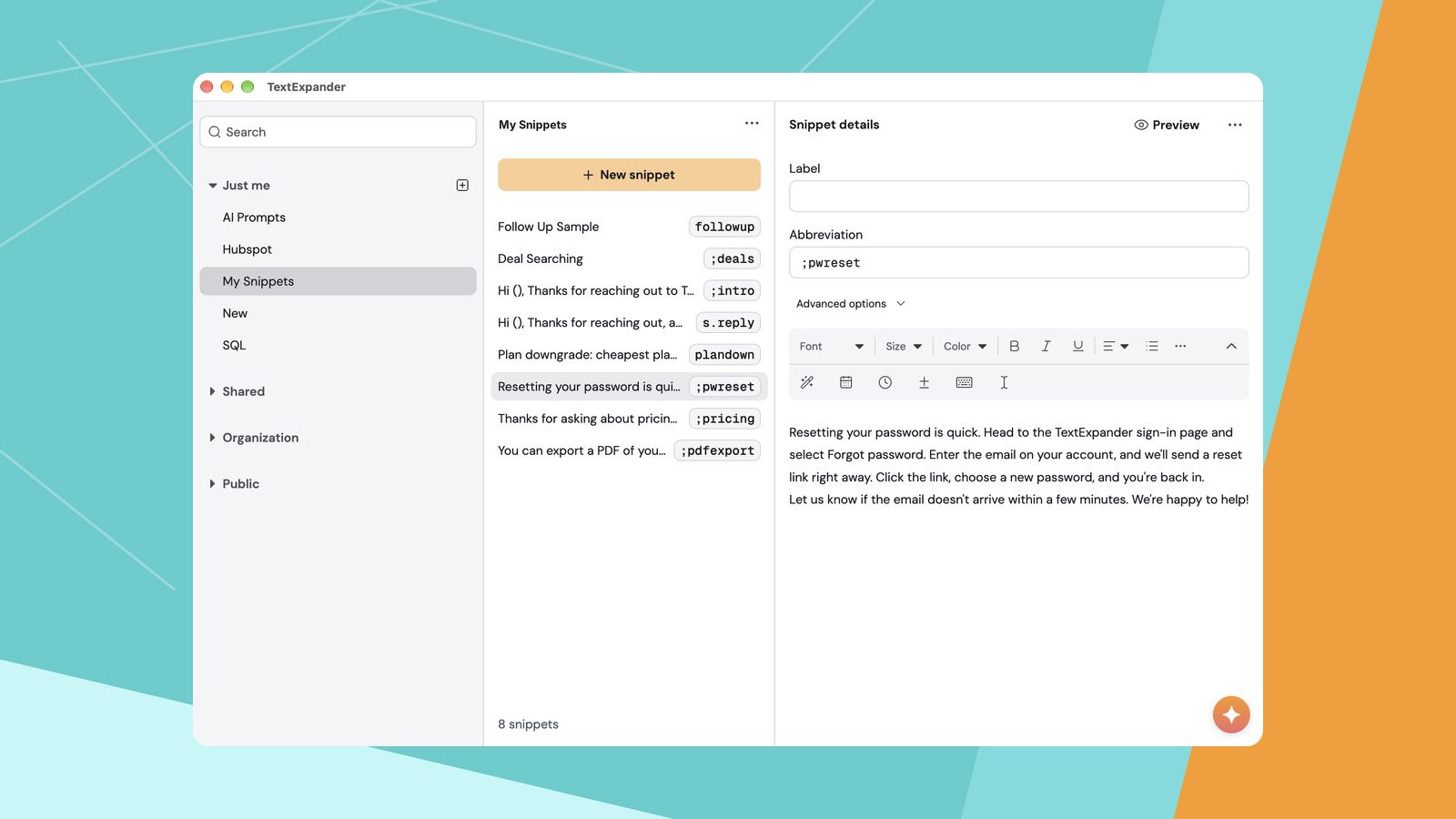
A noteworthy aspect of this offering is that it is not a "lite" version restricted to a single device. The free plan is fully functional across macOS, iPhone, iPad, Windows, and Chrome, with the snippet library synchronizing seamlessly across all platforms. This ensures that a user’s most important shortcuts are available whether they are typing on a desktop workstation, a mobile tablet, or a web browser. Furthermore, the plan supports collaboration, allowing for up to five team members to share the utility, which may appeal to small creative teams or families looking to standardize their communication templates.
However, the plan does come with specific constraints that define its intended use case. The limitation of five active snippets is clearly designed to serve as an entry point rather than a replacement for the full, unlimited subscription. Additionally, the company has implemented a policy where active snippets can only be swapped out or changed once every two weeks. This "cooling-off" period suggests that the free plan is best suited for a core set of "must-have" shortcuts—perhaps an email signature, a physical address, or a frequently used technical term—rather than a rotating library of hundreds of items.
Balancing Simplicity and Professional Power
For many, the introduction of this free tier acts as a bridge. Users who have long relied on the basic, built-in text replacement features of their operating system can now experiment with the more sophisticated architecture of TextExpander without financial risk. It provides a testing ground to determine whether the advanced features—such as variable insertion or conditional formatting—are worth the transition to the paid tier.

The structure of the plan allows for a hybrid approach to text management. A user might keep their most mundane, "set it and forget it" text replacements within the native macOS or Windows settings, while reserving their five precious TextExpander slots for the complex, time-saving snippets that truly define their workflow. This tiered approach respects the needs of both the casual user and the professional, ensuring that the utility remains a valuable asset for anyone looking to optimize their time spent at the keyboard.
Why It Matters for the Productivity Ecosystem
The decision to offer a free tier comes at a time when users are increasingly sensitive to the "subscription fatigue" associated with software. By offering a functional, multi-platform version of their software for free, TextExpander is fostering brand loyalty and demonstrating the tangible value of its tool in a way that a free trial—which eventually expires—simply cannot.
By allowing the software to persist on a user’s machine indefinitely as part of their daily routine, the company ensures that their utility remains top-of-mind. As a user’s responsibilities grow and their need for more than five snippets increases, the transition to the full version of the software becomes a natural evolution rather than a forced purchase.

For those interested in exploring the platform, the company has provided a clear path to get started, with more information available directly through the TextExpander website. As the digital landscape continues to demand faster, more efficient communication, tools that effectively automate the drudgery of typing are likely to remain essential. Whether one is a heavy-duty power user with a massive, sophisticated library or a newcomer looking to shave a few seconds off their daily email drafting, the new free tier represents a significant opportunity to streamline one’s digital existence.
In a professional environment where time is arguably the most valuable resource, utilities like TextExpander serve a vital function. They act as force multipliers, allowing individuals to maintain a high level of output without succumbing to the burnout associated with repetitive administrative tasks. With this new, more accessible entry point, the barrier to achieving that efficiency has never been lower, potentially inviting a new generation of users to experience the benefits of automated, intelligent text replacement.