




The Fedora Design Team has demonstrated that organizing a virtual conference entirely through open-source software is not only feasible but remarkably effective. In January 2023, the team brought this philosophy to life by hosting the very first Creative Freedom Summit, an event designed specifically to champion open-source tools within artistic and creative workflows.
The initiative emerged out of a distinct community need observed during the planning of Flock, the annual conference for Fedora users and contributors. While reviewing talk submissions for the August 2022 iteration of Flock, organizer Marie Nordin noticed a striking influx of proposals centered on design and creativity within the open-source ecosystem. The volume of submissions far exceeded the event’s capacity, revealing a vibrant, underserved niche of creatives who rely on open-source software to produce their work. Recognizing this appetite, Nordin brought the idea of a dedicated spin-off conference to the Fedora Design Team in the fall of 2022.
Planning moved rapidly, culminating in the three-day Creative Freedom Summit held from January 17 to 19, 2023. Given that it was their first time executing a brand-new virtual event of this scale, the organizing committee opted to curate the speaker lineup directly from the overflow of Flock submissions and their broader professional networks. Nearly every invited speaker accepted, filling the schedule completely and bypassing the need for a traditional open-source Call for Papers management process—a challenge the team intends to address for future iterations.
The Philosophy of Running Open-Source Conferences on Open-Source Software
For an event dedicated entirely to open-source ideals, relying on proprietary infrastructure presents a philosophical paradox. Since the onset of the COVID-19 pandemic lockdowns, the main Fedora Flock conference has utilized Hopin, a commercial online conference platform. While Hopin is friendly to open-source initiatives and provides a polished, professional conference atmosphere featuring built-in expo halls, dedicated tracks, hallway chat environments, and robust moderation tools, it remains proprietary software. Because the Creative Freedom Summit was organized under the Fedora umbrella, accessing the existing Fedora Hopin setup was a viable option.
However, long-term open-source contributors often find themselves weighing convenience against ideological consistency. As community events grow in scale and operational complexity, engineering a fully integrated, bespoke open-source conference system becomes increasingly daunting. There is rarely a singular correct answer when planning event infrastructure. Organizers must carefully balance a complex matrix of constraints, including available budget, volunteer hours, institutional technical support, and the event’s overall tone.
For the Creative Freedom Summit, the organizing committee operated with zero financial budget, relying instead on a passionate team of volunteers willing to invest their working hours. They leveraged existing institutional infrastructure, including the Fedora Matrix server and a hosted WordPress environment for the official website. Furthermore, team members possessed hands-on technical experience running live weekly Fedora Design Team video calls via PeerTube. Because the organizers envisioned a low-key, single-track, and informal gathering, they maintained a high tolerance for minor technical glitches, fueling their collective passion to test an entirely open-source event stack.

Building and Operating the Open-Source Conference Stack
To execute the summit without commercial platforms, the team assembled a decentralized network of open-source tools to handle live streaming, video conferencing, back-end communication, and participant interaction.
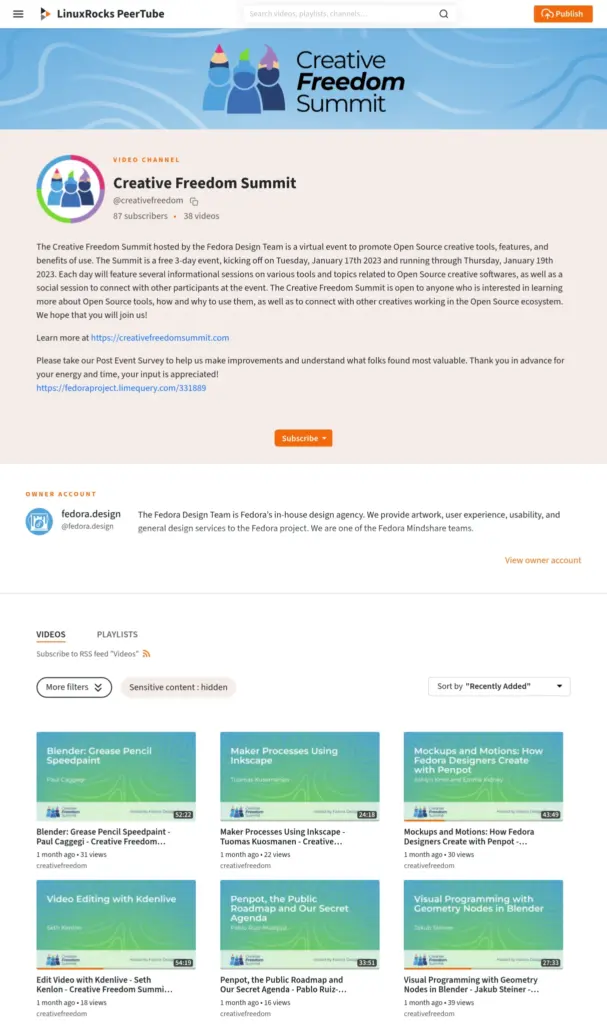
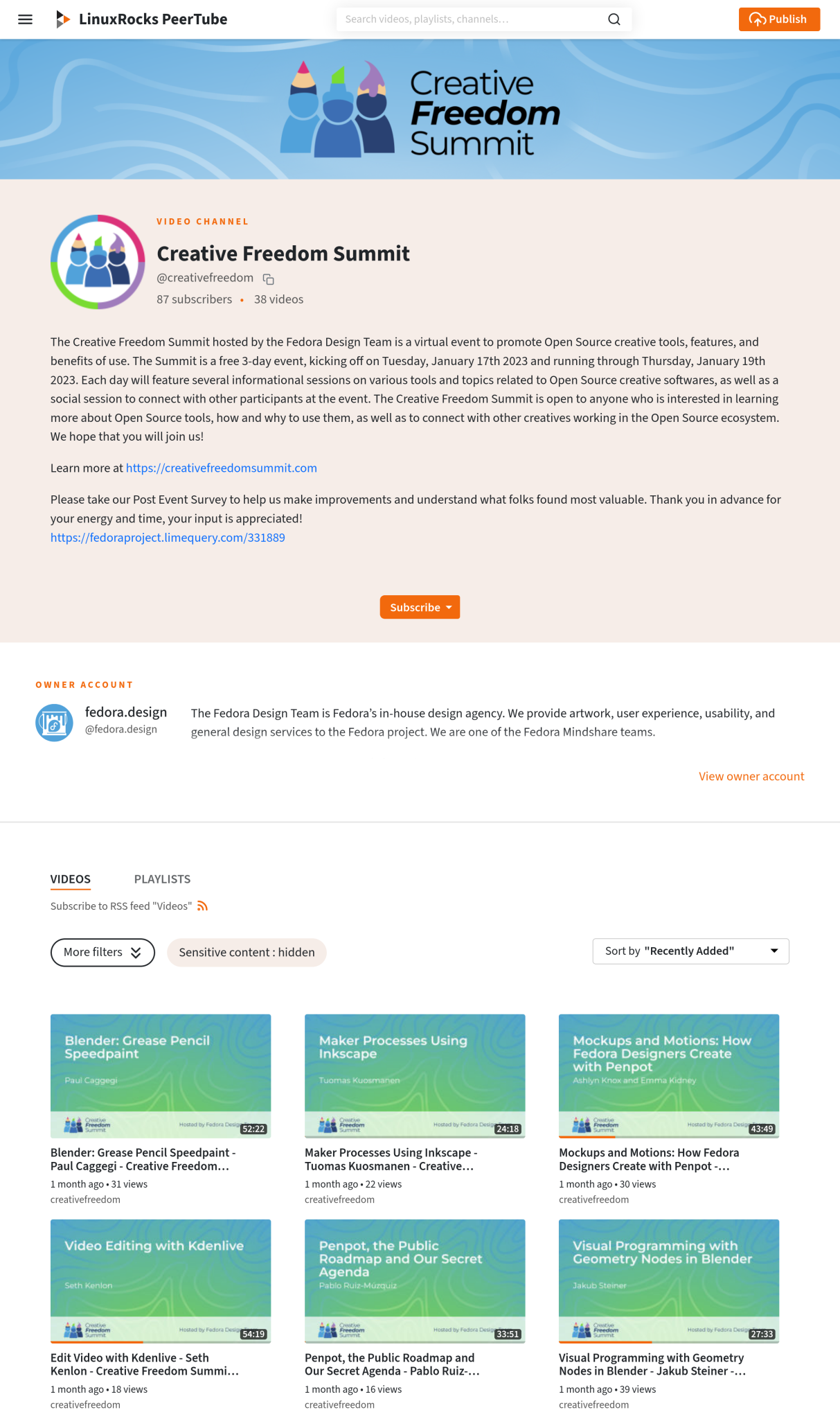
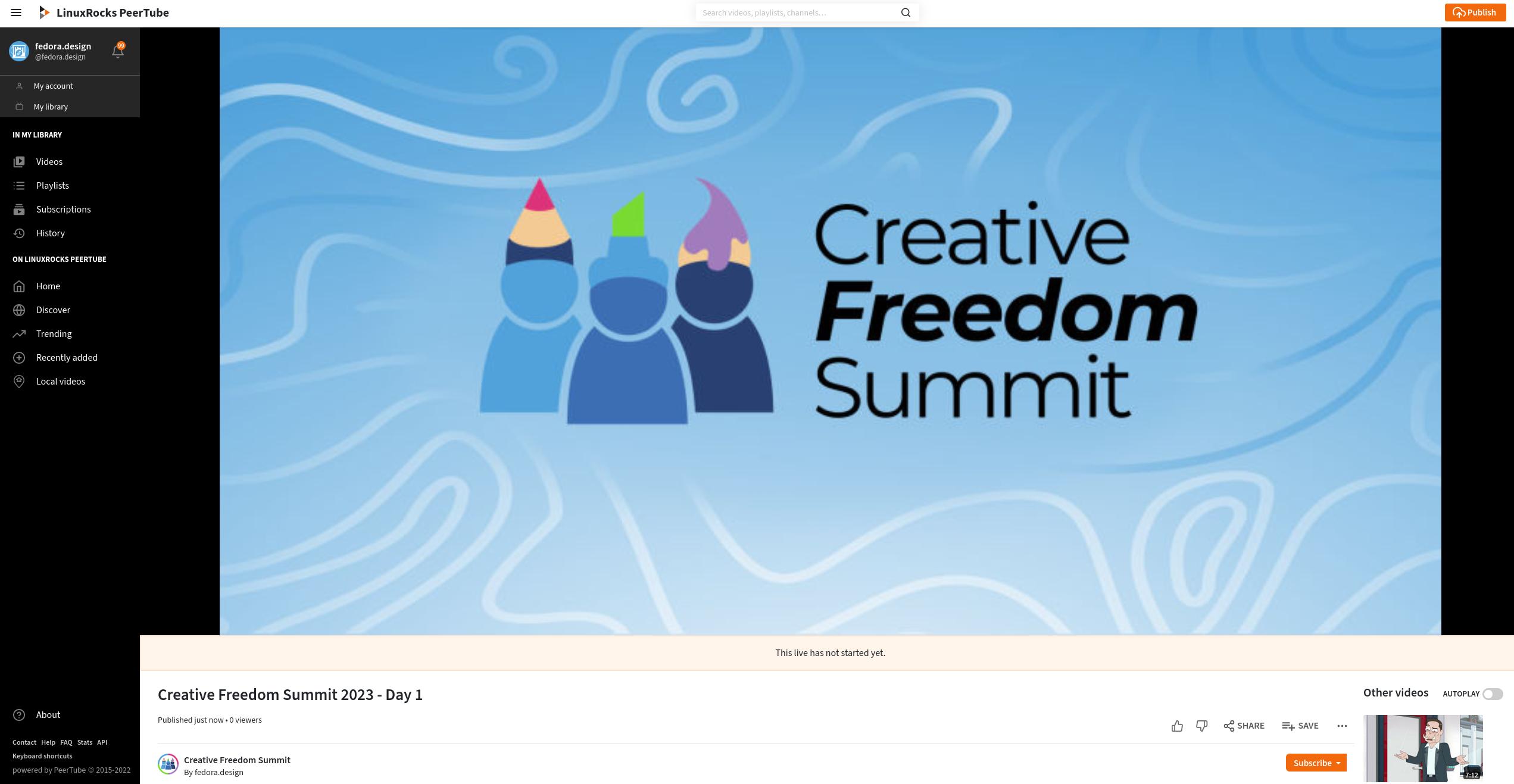
For the live video feed, the organizers utilized the LinuxRocks PeerTube platform, generously hosted by LinuxRocks.online. PeerTube is a free, decentralized video hosting platform integrated into the broader Fediverse. One of the platform’s standout advantages during a live conference is its automated post-event functionality. Unlike traditional streaming platforms that require manual video export, rendering, and uploading, PeerTube automatically generates a near-instant replay recording on the designated channel as soon as a live stream concludes. Conference attendees repeatedly praised this feature in the chat rooms, as it allowed anyone who missed a morning session to catch up within minutes of its conclusion without placing any administrative burden on the volunteer organizing team.
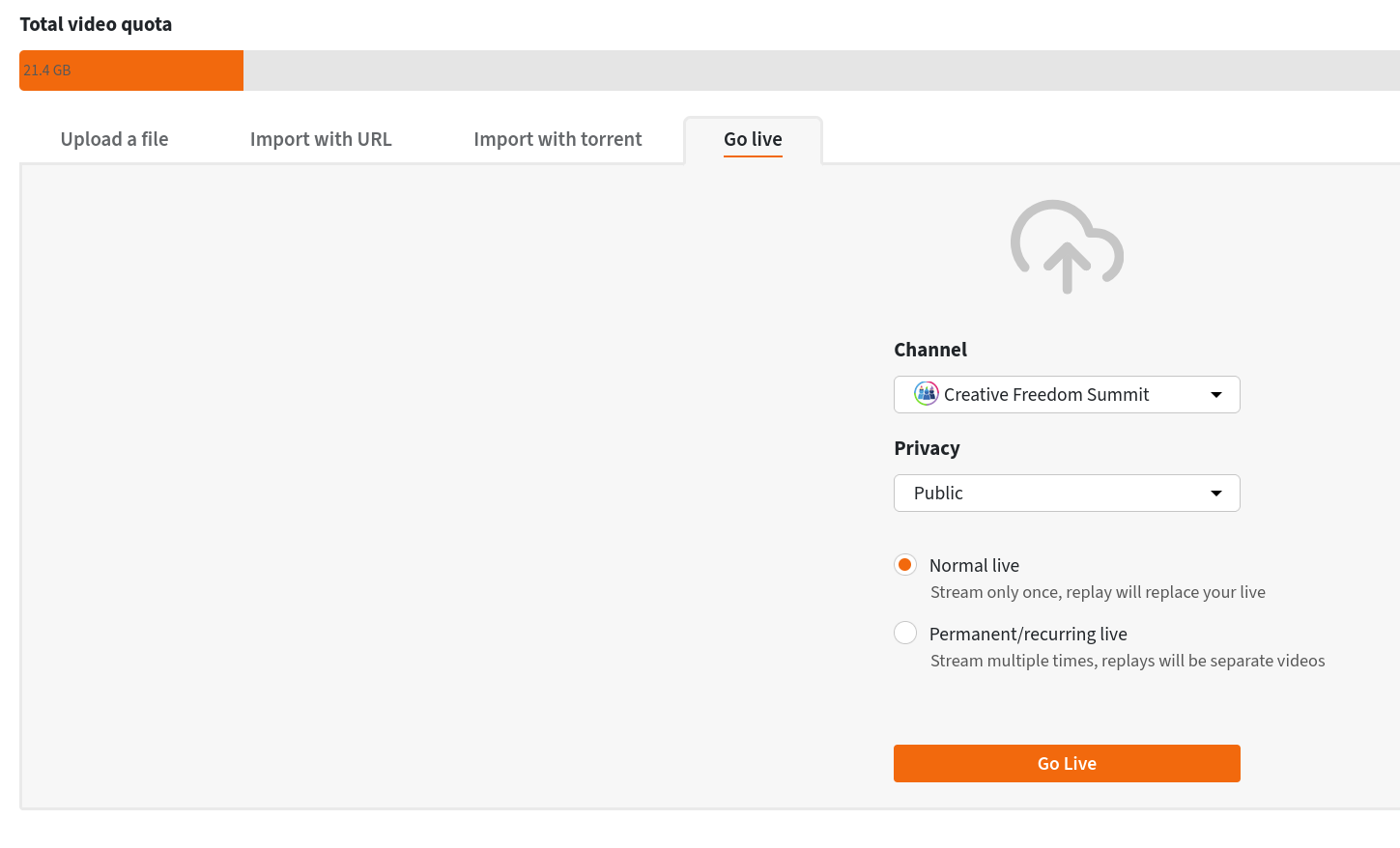
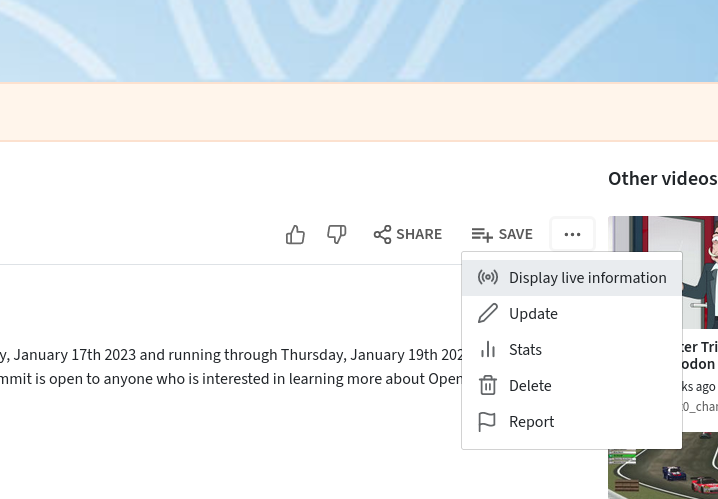
The technical workflow for streaming involved creating a reusable livestream URL and authorization key within PeerTube. By sharing these credentials across a common internal document among rotating volunteer hosts, the team eliminated the administrative overhead of generating unique stream keys for every individual presentation.
The live presentation stage itself was powered by Jitsi Meet, a free and open-source video conferencing platform. The organizers created a dedicated Jitsi room, sharing its URL exclusively with speakers and moderators. To manage transitions smoothly, the room utilized a virtual lobby configured through Jitsi meeting settings. This allowed incoming speakers to enter a holding area a few minutes prior to their scheduled talk without interrupting the ongoing presentation, enabling host volunteers to admit them seamlessly once the previous session wrapped up.
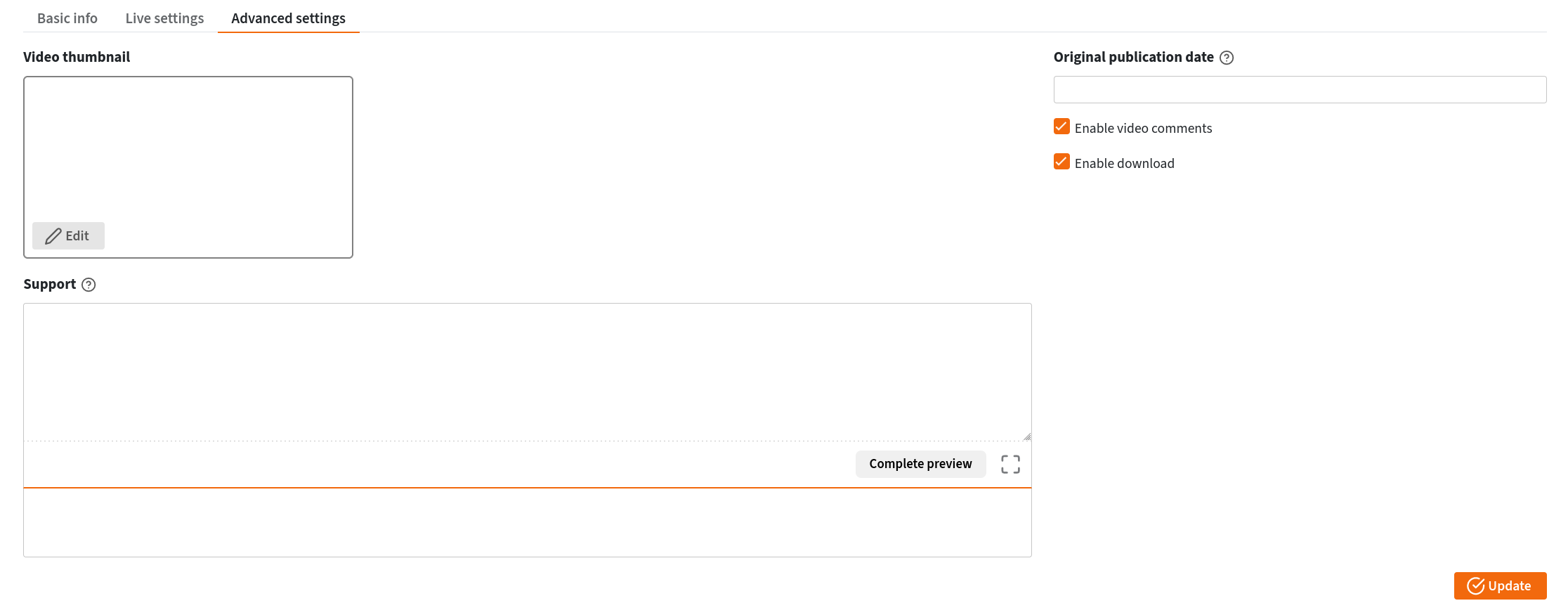
To bridge the Jitsi presentation stage with the public-facing audience, the host simply utilized Jitsi’s built-in livestreaming integration, connecting the conference room directly to the LinuxRocks PeerTube channel via the pre-configured RTMP stream credentials. Speakers shared their screens directly through Jitsi to present slide decks and live software demonstrations.
Managing the Backstage and Audience Engagement
Behind the scenes, the organizing team relied on Element, a client for the Matrix communication protocol, to manage internal coordination. A secure, invite-only backstage chat room was established a week prior to the event, bringing speakers and organizers together to test audio and video setups, collect presentation slides, and verify technical readiness. During the live event, this backstage channel proved invaluable for navigating schedule adjustments, communicating delays, and swiftly rescheduling a presentation when a speaker encountered an unexpected emergency.
For public announcements, schedules, and audience interaction, the team utilized collaborative text editing pads embedded directly into the main public Matrix room through Element’s widget system. Initially, the organizers deployed Etherpad, though intermittent loading issues prompted a transition to embedded HackMD documents pinned as channel widgets. These pads displayed daily schedules, codes of conduct, and dedicated Q&A sections for each talk, allowing attendees to submit questions that hosts could read aloud to the speakers on stage.
The Fedora Matrix server thus functioned as the central hub for the entire conference experience. By embedding the PeerTube livestream and the HackMD documentation directly into the Matrix chat interface alongside the active public conversation stream, attendees enjoyed a unified, centralized viewing and networking environment without needing to juggle multiple browser windows.
Post-Event Workflows, Survey Insights, and Captioning Challenges
Following the conclusion of the summit, the organizing team initiated a post-event evaluation process using LimeSurvey, an open-source survey tool distributed via the Element chat channel and PeerTube video feeds. Regular debrief meetings allowed the team to analyze participant feedback and refine their strategies for future events.
Accessibility emerged as a prominent area for improvement. While the initial event stack did not feature integrated live captioning, participants frequently noted its absence and praised spontaneous peer-to-peer live captioning occurring within the chat. Exploring open-source solutions for future summits, the organizers identified tools like Live Captions for Linux or OBS-based caption broadcasting as viable paths to enhance accessibility for all viewers.
Post-event media processing also required a coordinated volunteer effort. Because some unedited PeerTube livestream recordings spanned multiple talks or required trimming, a dedicated group of volunteers rallied through the event’s Element channel to handle video cleanup, title card integration, and audio balancing. Organizing through a GitLab epic, volunteers downloaded raw files from PeerTube, edited them using the open-source video editor Kdenlive, and uploaded the finalized versions through a private PeerTube account for administrative review. Kdenlive’s built-in speech-to-text functionality further assisted volunteers in automatically generating subtitles, though manual corrections remained necessary to resolve spelling errors typical of automated transcription tools.
Through careful coordination and a commitment to open-source principles, the Fedora Design Team successfully proved that a professional virtual conference can be run entirely on community-driven infrastructure, laying a solid foundation for future iterations of the Creative Freedom Summit.