












Apple’s latest software iteration, iOS 27, has introduced a suite of significant enhancements to the native Photos app, directly addressing long-standing requests from the user community. While the platform has historically prioritized the automated curation of personal memories, the new update shifts the focus toward professional-grade utility, offering users more control over how they present, manage, and share their visual collections. Among the most anticipated features arriving in this release are a comprehensive, customizable slideshow engine and a series of substantial upgrades to iCloud Shared Albums.
For years, the Apple Photos experience regarding slideshows was largely passive. Users could trigger a basic playback of their "Memories"—the algorithmically generated highlight reels—but had little influence over the presentation itself. These existing tools were designed primarily for private, quick viewing rather than for public display at events, gatherings, or professional presentations. Users seeking more granular control—such as the ability to select specific photos for a sequence, choose custom transition styles, or synchronize media with a specific soundtrack—were previously forced to export their files to third-party video editing software.

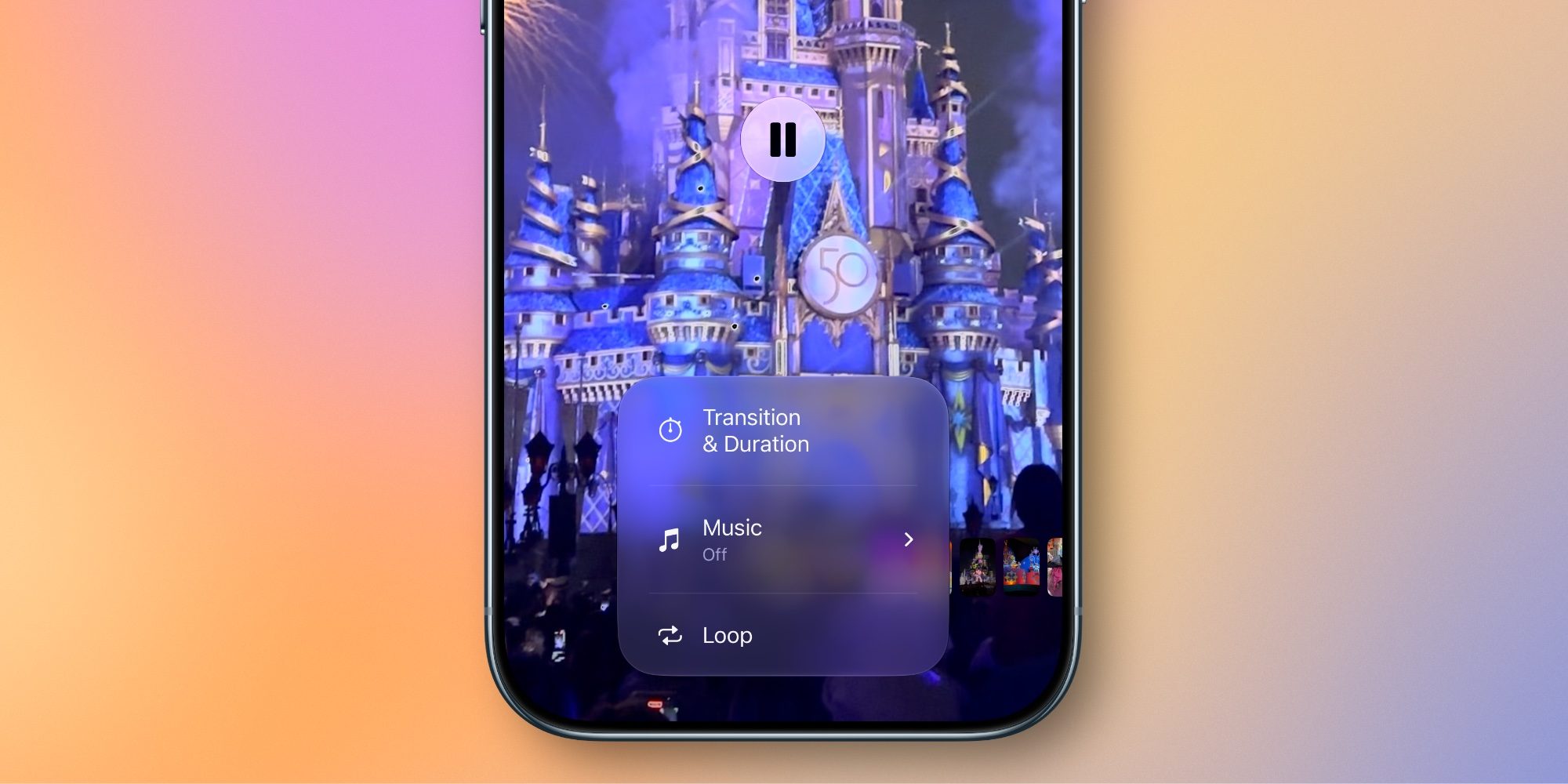
With the rollout of iOS 27, that limitation has been effectively removed. The Photos app now integrates a robust, native slideshow creation suite that empowers users to craft polished sequences without leaving the ecosystem. The new interface allows for the manual selection of any set of photos or videos, which can then be organized and transformed into a cohesive presentation. Beyond simple playback, users can now dictate the pacing of the slideshow, adjust transition styles to match the mood of the content, and select custom music tracks to accompany the visuals.

Perhaps most significant for those looking to use these presentations outside of their own devices is the ability to export these projects. Once a user has finalized their configuration, the slideshow can be saved as a standard video file. This functionality streamlines the process of sharing a curated story, as the resulting file can be easily transferred, embedded in presentations, or uploaded to other platforms. The introduction of an auto-looping feature further caters to those creating visual displays for events, providing a seamless, set-it-and-forget-it playback experience. By bringing these professional-leaning tools into the heart of the Photos app, Apple is bridging the gap between personal photo management and creative media production.
While slideshow creation addresses the presentation aspect of photography, Apple has also directed significant engineering resources toward the social dimensions of the app. iCloud Shared Albums have long functioned as a quiet but effective "walled garden" for social interaction, allowing users to create private, invitation-only hubs where friends and family can view, like, and comment on shared media. This feature has served as a private, secure alternative to more public social media platforms, providing a space for shared digital archives that are not subject to the pressures of public feeds.
Despite its utility, the feature had remained largely static for several years, constrained by legacy technical limitations. iOS 27 breathes new life into Shared Albums by removing several of these barriers, making the feature more versatile and inclusive. One of the most notable improvements is the transition to full-resolution media support. Previously, Shared Albums compressed photos and videos to optimize for bandwidth and storage, which often resulted in a loss of visual fidelity. By enabling full-resolution support, Apple ensures that the quality of the shared content matches the original source, making the platform a viable destination for professional photographers and casual users alike who want to share their work without compromise.

The interaction model within these albums has also seen a modern update. Users are no longer limited to a simple "like" button; they can now respond to photos and videos using any emoji, allowing for more expressive communication within their private groups. This change aligns the experience with modern messaging standards and makes the social aspect of the app feel more fluid and intuitive.
Perhaps the most impactful update to the Shared Albums infrastructure is the move toward cross-platform accessibility. In a departure from its traditionally closed ecosystem, Apple has opened the gates to non-Apple users, allowing individuals on Android and Windows platforms to contribute photos and videos to shared collections. By enabling broader participation, Apple is positioning Shared Albums as a universal collaborative tool rather than a strictly internal feature for iOS users. This interoperability is expected to increase the utility of Shared Albums for groups with mixed-device ownership, such as families or travel groups where members might use different hardware.

These developments in the Photos app appear to be part of a broader, long-term strategy for Apple’s digital ecosystem. As the company prepares to introduce new hardware, such as the forthcoming HomePad device, the integration of these refined photo and sharing tools becomes increasingly relevant. A device centered around the home environment will naturally benefit from a robust, shared photo repository where multiple users can contribute, view, and interact with memories in high resolution. The ability to easily cast a polished, custom-made slideshow to a living room display, combined with a shared album that accepts input from any smartphone, creates a cohesive narrative for how users interact with their visual data.
The updates in iOS 27 represent a significant maturation of the Photos app. By evolving from a simple gallery viewer into a versatile creation and collaboration hub, Apple is acknowledging that users are doing more with their media than ever before. Whether it is a professional needing a quick way to present a portfolio or a family looking to gather photos from a reunion across multiple operating systems, the new tools provide a layer of utility that was previously missing. As these features become available to the wider public, the focus will likely turn toward how users integrate these enhanced sharing and presentation capabilities into their daily lives, further cementing the Photos app as the primary destination for managing the world’s most personal digital archives.