






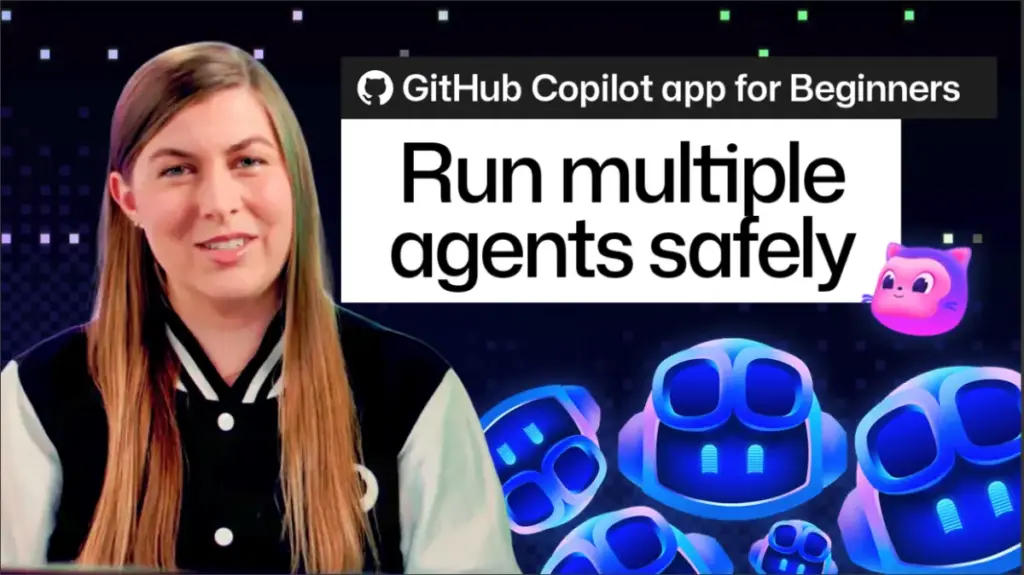
For years, the professional software development lifecycle has been defined by a linear, often bottlenecked approach to task management. Developers frequently find themselves trapped in a cycle of serial execution: writing code, initiating a test, waiting for the results, and only then moving on to documentation, accessibility audits, or feature refinements. This "one thing at a time" constraint has long been accepted as a necessary evil, an inherent limitation of the human-machine collaboration loop. However, with the latest advancements in the GitHub Copilot app, that paradigm is shifting toward a model of true parallel processing, allowing developers to manage multiple AI-driven tasks simultaneously without the chaos that usually accompanies multitasking.
The core challenge of running multiple AI agents on a single project has historically been the fear of interference. In any collaborative environment—whether human or algorithmic—the risk of "too many cooks in the kitchen" is a valid concern. When multiple processes attempt to modify the same codebase, the potential for conflicting changes, corrupted logic, and environmental drift can turn a productivity booster into a technical debt nightmare. The GitHub Copilot app addresses this head-on by architecting its agent system to ensure that these digital assistants operate in strictly isolated, non-interfering environments. By decoupling the execution of AI tasks, the platform enables a significant leap in throughput, allowing developers to accomplish more in a fraction of the time previously required.
To understand the mechanics of this innovation, it is helpful to visualize the workflow through the lens of a familiar, real-world parallel process: the local laundromat. When an individual manages multiple loads of laundry, they do not wait for the first cycle to finish before starting the next. Instead, they utilize separate machines, each configured with its own specific settings, detergents, and temperature requirements. The wash cycle for one load has zero impact on the dry cycle of another. The machines operate in parallel, and the user’s primary responsibility is merely to initiate the process and retrieve the finished results. The GitHub Copilot app applies this same philosophy to the development environment, treating agent sessions as independent "loads" that can run concurrently without cross-contamination.
Agent Sessions, Git Worktrees, and Contextual Isolation
At the heart of this functionality is the concept of the "agent session." An agent session represents a discrete, bounded task assigned to Copilot, tracked from its inception to its completion. Within the GitHub Copilot app interface, developers are provided with a dedicated sessions view that acts as a mission control center. Each session is represented by a clear, concise card, detailing the specific task objective and providing a real-time progress indicator. This visual dashboard allows developers to monitor multiple workstreams at a glance, transforming the feeling of being overwhelmed by disparate tasks into a controlled, bird’s-eye view of a project’s evolution.
The technical secret to this seamless multitasking lies in the integration of agent sessions with Git worktrees. A Git worktree allows for multiple branches of a repository to be checked out simultaneously in different directories. By anchoring each Copilot agent session to its own unique worktree, the system ensures that the AI’s modifications are physically and logically separated from other active sessions. Because each agent is effectively operating in its own sandbox, the risk of file conflicts or state corruption is eliminated. The agents are free to execute their tasks in parallel, while the developer is freed from the role of a task-manager who must manually supervise every minor action. Instead, the developer is elevated to the role of a reviewer and decision-maker, focusing on the high-level quality of the code rather than the mechanics of its implementation.
Furthermore, the app manages the inherent complexity of context. One of the greatest drains on developer cognitive bandwidth is "context switching"—the mental effort required to jump between different files, requirements, and logic flows. In traditional development, switching tasks often necessitates a tedious process of re-loading mental models and re-explaining the project status to colleagues or AI tools. The GitHub Copilot app mitigates this by maintaining deep, persistent context for every individual session. When a developer switches their attention from a feature-development session to a testing session, the agent for the first task holds onto the current state of its work. When the developer returns, the agent picks up exactly where it left off, requiring zero re-calibration. This continuity significantly reduces the feeling of being scattered and allows for a more fluid, state-of-flow work experience.
Practical Application: A Day in the Life of a Parallel Workflow
To see the practical impact of this technology, consider a typical repository, such as the tailspin-toys project. On any given day, a developer might be tasked with three distinct, time-consuming operations: implementing a "funded sort" feature, performing a comprehensive accessibility review, and executing a suite of integration tests.
In a traditional development environment, these would be sequential hurdles. The developer would build the sort feature, wait for it to compile, potentially manually initiate tests, and then move on to the accessibility review. With the new parallel capabilities in the GitHub Copilot app, this sequence is collapsed. The developer initiates the first session by prompting Copilot to implement the funded sort. Before that task is even finished, they can immediately open a second session, directing the AI to conduct an accessibility audit of the current codebase. Simultaneously, they can initiate a third session to run the project’s test suite.
The developer is no longer a bottleneck. Instead, they can keep a watchful eye on the session dashboard as these tasks progress in parallel. If the tests finish early, the developer can review the results while the other two agents are still grinding away at their respective tasks. Alternatively, they can step away from the machine entirely, perhaps to discuss architecture with a team member or grab a coffee, confident that the AI agents are working through the queue autonomously. This shift from "babysitting" the computer to overseeing the progress of automated workflows is a fundamental change in how developers interact with their tools. It allows for a higher volume of work to be processed, while simultaneously providing the developer with the space to focus on the creative and architectural decisions that AI cannot yet master.
Getting Started with Parallel Sessions
The transition to a parallel development workflow is designed to be low-friction. Developers interested in experiencing this shift can begin with small, manageable tasks within the GitHub Copilot app. By starting two minor, independent tasks at the same time, users can observe how the app handles concurrent operations and gain confidence in the system’s ability to maintain context and isolation.
As the industry moves toward increasingly complex software systems, the ability to leverage AI as a force multiplier—rather than just a code-completion tool—becomes essential. The introduction of parallel agent sessions represents a meaningful step toward that future, where the developer acts as a conductor of a highly efficient, automated orchestra. By reducing the friction of multitasking and providing a robust, isolated environment for AI agents to operate, the GitHub Copilot app is redefining what it means to be a productive developer in an age of artificial intelligence. The chaos of concurrent work is replaced by the precision of parallel sessions, allowing developers to reclaim their time and focus on what truly matters: building great software.