









Welcome to the latest installment of Indie App Spotlight, our recurring series dedicated to surfacing the most innovative and useful tools emerging from the independent developer community. This week, we are turning our attention to a clever utility that addresses a significant pain point for early adopters of Apple’s latest mobile operating system.
The recent launch of iOS 27, which arrived to the public just under two weeks ago, marked a watershed moment for Apple’s mobile ecosystem. At the heart of this release is the highly anticipated integration of Siri AI, a transformative leap forward that promises to change how users interact with their devices. However, as with any major paradigm shift in technology, the initial rollout has highlighted specific gaps in functionality. While the system’s new capabilities are impressive, power users have quickly identified a need for more granular control over the complex prompts they frequently feed into the system. This is where QuillCue, a new third-party application, steps in to provide a necessary bridge.
Solving the Prompt Fatigue Problem
QuillCue is built on a straightforward yet ingenious premise: it leverages the robust custom keyboard framework inherent in iOS to allow users to store, organize, and instantly deploy complex prompts directly into the Siri AI interface. In the current iteration of iOS 27, users often find themselves repeating the same structural inquiries to the assistant. Whether it is a multi-step query about professional workflows, complex creative writing parameters, or recurring technical troubleshooting, the manual labor of retyping or restating these prompts every time is inefficient.

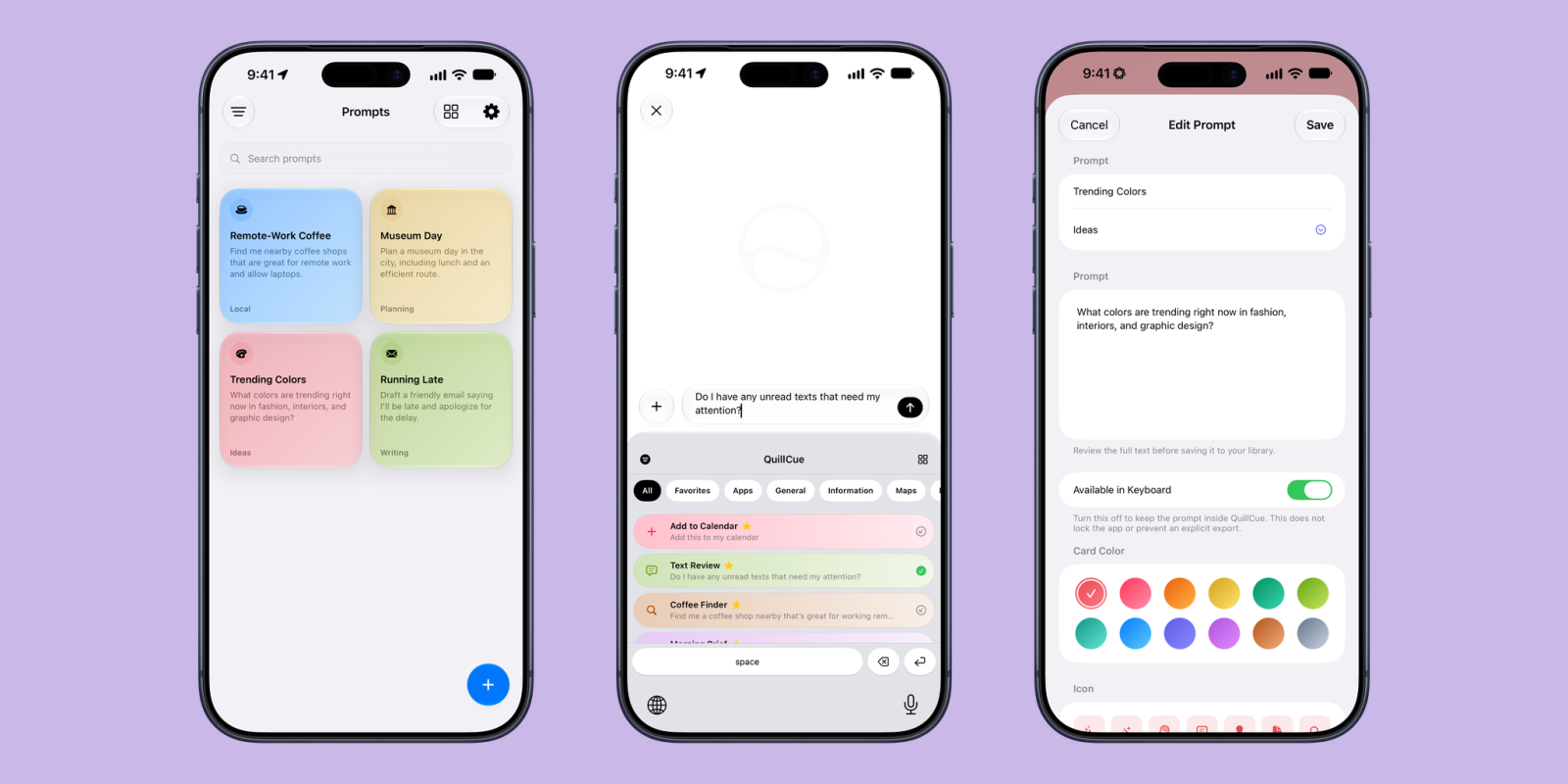
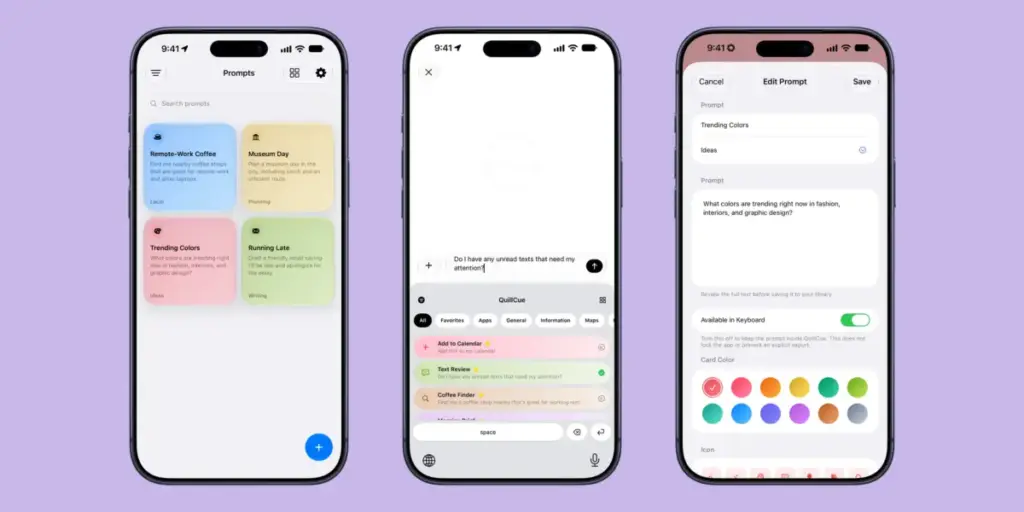
The brilliance of QuillCue lies in its integration. By functioning as a custom keyboard, it eliminates the need to switch out of your current app to copy and paste text from a note-taking application or a text file. Instead, the process is streamlined: a user simply swipes down from the top of the screen to access the keyboard switcher, selects the QuillCue input method, taps the desired pre-written prompt, and sends it directly into the Siri AI query box. This fluidity is essential for maintaining the momentum of a digital workflow, transforming a tedious multi-step process into a single, seamless action.
The utility of this approach is best illustrated through real-world scenarios. For example, a common use case for modern AI assistants is the hunt for specific, localized resources. A user might frequently ask Siri AI for "coffee shops nearby that have reliable Wi-Fi, are suitable for remote work, and are open past 6:00 PM." Because this search is location-dependent, the output is dynamic and fresh every time, but the input parameters remain static. Typing that detailed request every time you step into a new neighborhood is cumbersome. With QuillCue, that specific prompt is saved as a single button, allowing the user to fetch updated, hyper-local results in seconds.
Efficiency and Customization for the Power User
Beyond simple time-saving, QuillCue acts as a repository for the specialized knowledge and complex instructions that define a user’s unique relationship with AI. Because Siri AI in its current state does not possess a persistent memory of "skills" or the ability to autonomously learn from historical usage patterns, the burden of context remains on the user. QuillCue effectively creates a layer of "saved skills" that the user can trigger at will.

The application’s architecture is designed with the user’s organization in mind. It supports folder-based sorting, which is critical for those who maintain distinct libraries of prompts for different facets of their life—perhaps separating "Work-Related Research" from "Creative Brainstorming" or "Household Management." This level of curation ensures that the keyboard remains uncluttered, allowing for rapid navigation even as the user’s library of saved prompts grows over time.
Furthermore, the developer has accounted for the needs of power users who operate across multiple Apple devices. By including robust import and export capabilities, QuillCue allows users to share their prompt libraries with friends, colleagues, or between their own iPhone and other compatible hardware. This feature transforms individual prompt optimization into a collaborative or ecosystem-wide experience, making it easier to maintain consistency across a suite of devices. It is a thoughtful touch that elevates the app from a simple text snippet tool to a comprehensive management system for AI interactions.
Availability and Developer Support
QuillCue has arrived on the App Store at an opportune time, as the excitement surrounding the new capabilities of iOS 27 remains at a fever pitch. In keeping with the spirit of the indie developer community, the app is currently available as a free download, with no distracting advertisements or in-app purchases to disrupt the user experience. This commitment to a clean, focused utility is a welcome change of pace in an app market often crowded by subscription-heavy productivity tools.

The project is led by developer Parker Ortolani, who has been actively engaging with the community via X (formerly Twitter) to provide updates and gather feedback. For those looking to stay informed about future feature rollouts or to offer suggestions on how to improve the prompt-management workflow, following the developer’s social channels is the best way to stay in the loop.
As it stands, QuillCue requires an iPhone running iOS 27.0 or later, ensuring that it is fully compatible with the specific AI frameworks that power the current generation of Siri. At the moment, the app is specifically localized for users in the United States, reflecting the initial rollout scope of the underlying AI technologies it is designed to enhance.
By focusing on a single, specific pain point—the friction associated with repetitive prompting—QuillCue succeeds where many larger, more bloated applications fail. It does not attempt to redefine the operating system, but rather provides a refined, specialized tool that makes the existing features of iOS 27 more accessible and efficient for those who rely on them the most. As Apple continues to iterate on its AI offerings in the coming months and years, tools like QuillCue will likely serve as essential companions for users looking to squeeze the maximum amount of utility out of their devices. For anyone who has found themselves frustrated by the repetitive nature of AI interactions, this lightweight, well-designed utility is a compelling addition to their digital toolkit.