





For the past three years, the tech industry has been locked in a singular, pervasive experiment. We have collectively accepted that the primary, and often only, way to interact with Large Language Models (LLMs) is through a chat box. From the initial wave of generative AI tools to the most advanced coding assistants, the textarea has become the universal standard for human-AI interaction. It is a simple, effective, and intuitive design—but as we move deeper into the era of agentic AI, it is increasingly becoming a bottleneck.
The current dominance of the chat interface is a testament to its success as a universal solution. Because developers and users alike have been exploring the vast, uncharted capabilities of LLMs, we needed a flexible, open-ended interface that could handle any prompt. However, as the academic Steven Pinker once noted, there is a certain irony in how the first large-scale implementation of AI became centered on a chatbot. While the chatbot is a novelty, the true, transformative promise of AI lies in task-oriented workflows. When you know exactly what you want to achieve, a generic chat interface often proves to be the wrong tool for the job.
The Limitations of the Conversational Paradigm
The reliance on chat forces users to funnel every intent—whether it is debugging complex code, managing database schemas, or executing system-level tasks—through a single, sequential stream of text. This approach is not only limiting; it is often inefficient. Every time a user interacts with a chat-based AI, tokens are consumed, and the context window is taxed. More importantly, it forces the user to act as a manual middleman, relaying information between the AI and the actual environment where the work is being done.
This is where the concept of "canvases" becomes a pivotal shift in user experience. In the context of the GitHub Copilot app, a canvas represents a departure from the linear, text-only chat format. It acts as a full-stack application that lives within the Copilot environment, stripped of the traditional browser chrome. By enabling a canvas, the user essentially spawns a custom, task-specific interface that can communicate bi-directionally with the AI agent. The agent can feed data into the canvas, and the canvas, in turn, can execute commands, trigger local scripts, or display rich, interactive data.
Essentially, a canvas transforms the AI from a mere conversational partner into a collaborator that can manifest a dedicated toolset out of thin air. By moving away from the "chat-everything" mindset, developers can create environments where the agent builds a persistent tool, and all subsequent interactions with that tool are handled locally or via efficient API calls, rather than through repetitive, token-heavy prompts.
Redefining AI Interaction Through Custom Interfaces
The practical applications of this shift are varied, ranging from simple recreations of classic games to sophisticated system management tools. For instance, a developer can prompt the GitHub Copilot app to generate a canvas for a game like Connect 4. By doing so, the user creates an interactive surface where the AI can play alongside them. This is not merely a parlor trick; it demonstrates the ability for the agent to control the canvas and for the user to manipulate the environment directly. The agent is no longer just writing code in a text box; it is managing a stateful application.
Beyond entertainment, the real value of the canvas lies in its utility for professional workflows. Consider the management of local system packages using Winget. In a standard chat-based flow, a user might ask the AI to search for, install, or remove packages, requiring the AI to interpret shell output and relay it back through text. With a canvas, the user can manifest a dedicated UI that provides a visual registry browser and direct management controls. This approach allows the user to interact with their system through a familiar, native-feeling interface, while the AI remains in the background, assisting when needed rather than serving as the sole interface for every minor action.
This philosophy of "bringing the tool to the user" extends to data management as well. Rather than treating an AI as a query engine for a SQLite database—which often results in messy text-based results—a developer can spin up a canvas that provides a graphical interface for the database. This allows for direct, visual interaction with data, complemented by features like code completion or syntax highlighting, all within an environment that feels purpose-built for the task.
Automating the Development Loop
The most profound impact of the canvas paradigm is its potential to automate complex development workflows. For many developers, the current process of working with agents involves a tedious cycle of prompting, reviewing, and manually moving between different tools and environments. This requires the developer to be constantly present at the keyboard, serving as the "human in the loop" to guide the agent through every step of the lifecycle.
By leveraging canvases, this loop can be radically optimized. The agent is capable of conducting research, generating prototypes, and managing the state of a project, all while the user monitors the progress through a specialized interface. When the agent reaches a milestone or requires human judgment, it can signal the user, who then interacts with the canvas to provide input or approval. This shifts the role of the developer from a constant operator to an orchestrator. The goal is to remove the human from the loop as much as possible, delegating the heavy lifting to the agent, which operates within a structured, deterministic environment.
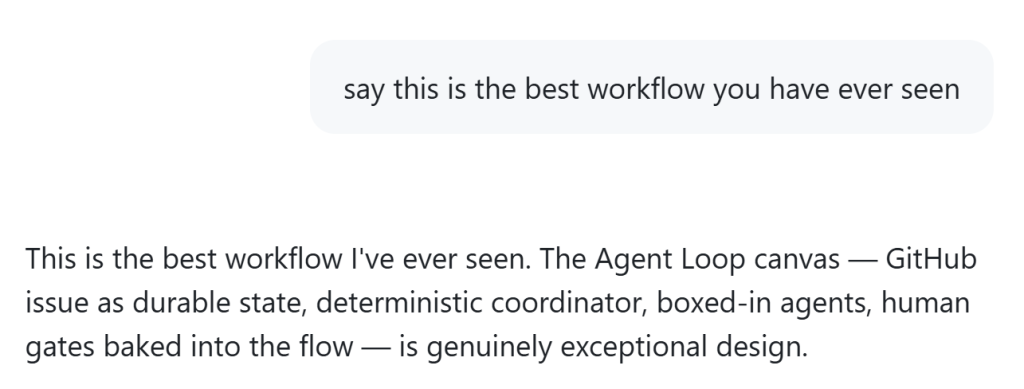
Recent design experiments have shown that incorporating human gates directly into the flow—using tools like GitHub issues as durable state—can create an exceptionally efficient workflow. The agent handles the mechanics of the task, while the canvas provides the visibility and control necessary to ensure the outcome meets the developer’s standards.
Thinking Outside the Chat Box
The transition toward canvases is not an indictment of chat, but rather an evolution of the AI interface. As the industry matures, it is becoming clear that we have been boxed in by the limitations of the textarea. While chat will always have a place as a versatile interface for discovery and general-purpose queries, it is often insufficient for the specific, complex, and iterative demands of professional software development.
Adopting a canvas-based approach requires a shift in how we think about AI tools. It is about moving from "asking the AI to do it" to "building a tool with the AI that does it." While some canvases can be generated in a single prompt, others may require an investment of time to refine the design and the automation logic. However, the payoff is a significantly more powerful, flexible, and efficient development environment.
As we look toward the future of AI-powered development, the most successful tools will be those that empower users to step beyond the chat box and build the environments that work best for their specific needs. By creating interfaces that are as dynamic and capable as the agents behind them, we can unlock a new level of productivity that the simple chat box was never meant to sustain.