









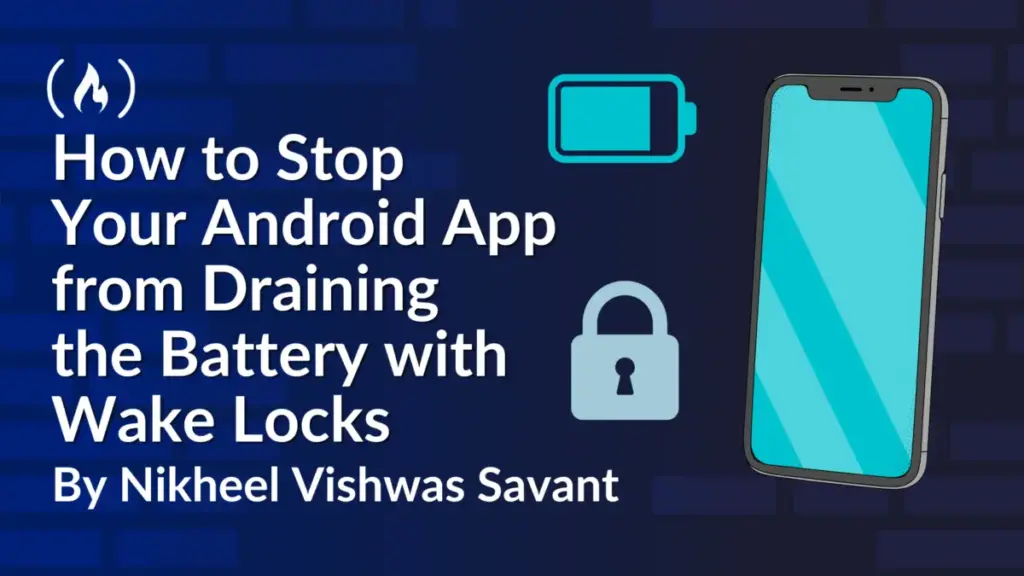
Mobile software developers are facing renewed scrutiny over how their applications manage device power states following warnings from the Google Play Console regarding excessive partial wake lock usage. While a wake lock remains one of the simplest application programming interfaces available in the Android operating system, it is also among the easiest to misuse, occasionally resulting in severe battery drain and penalties in store visibility.
Acquiring a wake lock typically takes just a single line of code, but failing to release it properly can keep a smartphone central processing unit awake for hours, draining the battery overnight and earning applications warning labels in developer dashboards. According to platform engineers, the majority of wake lock bugs do not stem from a fundamental misunderstanding of the underlying system architecture. Instead, they originate from ordinary control flow errors, such as an exception thrown between acquisition and release, an early return statement, an unfulfilled callback, or an unbalanced reference count.
These performance flaws are notoriously difficult to spot during routine code reviews and remain virtually invisible during normal testing phases because development devices are frequently plugged into workstations and maintained in active states. Consequently, engineers are being urged to adopt stricter architectural patterns and leverage system diagnostic tools to identify and mitigate wake lock leakage before deployment.

System-Level Mechanics of Sleep and Wakefulness
To understand the impact of wake locks, engineers must examine how an Android device transitions into low-power states. When a user turns off the screen and no active applications demand processing power, the operating system places the application processor into a low-power suspend state. In this mode, the CPU halts instruction execution, the vast majority of random access memory enters self-refresh, and only vital hardware blocks—such as the modem, real-time clock, sensor hubs, and select interrupt controllers—remain operational.
The device appears idle but remains primed to resume operations swiftly upon receiving an interrupt signal. Android achieves this efficiency through a mechanism known as autosleep, wherein the kernel attempts to suspend the system whenever there is no active justification to remain awake. Processes requiring continuous CPU allocation must explicitly declare their intent by holding a wakeup source, which is the kernel-level term for what the Android framework defines as a wake lock. As long as a single wakeup source remains active, the kernel will refuse to enter the suspension state.
Staying awake is entirely an opt-in behavior. Software applications do not receive processor time while the screen is dark unless a valid wake lock is actively maintained on their behalf. When an application requests a lock, the call is transmitted via Binder architecture to the PowerManagerService running within the core system server. This service aggregates all application requests, tracking unique user identifiers, tag strings, and lock levels before holding a unified kernel wakeup source. Once the final application-level lock is released, the system relinquishes the kernel wakeup source, allowing the device to sleep.
This centralized design ensures that the operating system can accurately attribute power consumption to specific software packages, feeding data directly into battery statistics and Play Console vitals. Furthermore, the system links each lock to its parent process via Binder death notifications. If a process unexpectedly crashes or terminates, the operating system automatically releases its associated locks. Nevertheless, background services and persistent processes can maintain active states for hours if leakage occurs.
Identifying Common Sources of Resource Leaks
Historically, the Android framework supported various lock levels designed to keep screens or keyboard backlights illuminated. However, nearly all variants, including screen-bright and full-wake locks, have been deprecated because developers frequently left displays powered on after user interaction concluded. Modern Android development restricts standard applications to the PARTIAL_WAKE_LOCK, which maintains CPU operation while permitting the screen to darken.
Despite the simplicity of acquiring a partial wake lock, multiple common coding patterns routinely lead to resource leaks. Exception handling and early returns represent a primary vector for failure. If a function acquires a lock and subsequently encounters an unexpected condition, throwing an exception or executing an early return statement before reaching the release instruction, the lock remains active until a timeout mechanism intervenes. While timeouts limit total damage, recurrent failures can accumulate significant background resource consumption.
Asynchronous programming models introduce additional vulnerabilities. Applications frequently acquire locks locally before dispatching tasks to external downloaders or network handlers, relying on completion callbacks to trigger the release. If an error callback lacks a release instruction or if the overarching request is canceled entirely without executing callback logic, the system maintains the lock indefinitely unless bounded by a strict safety timeout.
Reference counting mechanics present further operational hazards. Wake locks are reference-counted by default, meaning every acquisition increments an internal counter, and every release decrements it. If an application increments the count multiple times due to duplicated events or configuration changes but executes fewer release calls, the counter fails to reach zero, preserving the wake lock long past its intended lifespan.
Modern Alternatives and Detection Frameworks
Platform engineers emphasize that the most reliable method for managing wake locks is often avoiding them entirely. Modern Android development provides high-level APIs that manage power states internally, removing the need for manual acquisition and release logic.
Deferrable background operations, such as data synchronization and file uploads, are best delegated to WorkManager or JobScheduler. These scheduling frameworks automatically acquire wake locks for the exact duration of execution and enforce strict runtime limits. Similarly, short follow-up tasks following broadcast receptions can utilize asynchronous broadcast handling, while persistent workloads associated with active user engagement—such as media playback or navigation—rely on properly configured foreground services.
When manual wake locks are indispensable, developers have access to several diagnostic utilities. The Android Debug Bridge command line tool allows engineers to inspect currently held locks in real-time by querying the power manager service. Reviewing battery statistics over extended periods provides comprehensive metrics on total active time and acquisition frequency per tag. Additionally, static analysis tools and Android Lint configurations can be elevated to block builds containing un-timed wake lock acquisitions or unreleased resource paths.
With Google Play continuing to prioritize battery health through vitals monitoring, excessive partial wake lock usage can directly impact an application’s store standing and user trust. Industry experts recommend integrating automated unit testing frameworks that simulate error conditions and exception paths to verify that resource cleanup occurs reliably under all operational circumstances.