









For digital creators, educators, and developers who rely on lightweight text formatting, publishing online content has traditionally involved setting up complex website directories, configuring build processes, or wrestling with proprietary publishing platforms. However, a new open-source utility aims to bypass these hurdles entirely, offering an immediate bridge between raw text files and responsive web presentation. Known as Docsify-This, the project leverages the underlying capabilities of Docsify.js to allow users to publish, share, and reuse Markdown content instantly without requiring a traditional website architecture.
Built with flexibility and open standards in mind, Docsify-This transforms any publicly accessible Markdown file into a responsive, standalone web page on the fly. By leveraging Git repositories hosted on platforms like GitHub or Codeberg, creators can maintain their documentation, course materials, or articles using standard version control while instantly generating shareable web URLs. Because the project is fully open source, individuals and organizations can also host their own independent instances under custom domains, eliminating the risk of vendor lock-in and ensuring long-term control over their digital publishing infrastructure.
What is Docsify-This?
At its core, Docsify-This addresses a long-standing friction point in digital content creation: the gap between writing in plain text and displaying that text seamlessly across heterogeneous web environments. While Markdown has become the lingua franca for technical documentation, README files, and casual notes, distributing it to non-technical audiences typically requires compiling a static site or copying text into restrictive content management systems.


Docsify-This removes these steps by accepting a direct link to a public Markdown file and rendering it dynamically. Beyond single-page documents, users can link multiple Markdown files together to form cohesive multi-page reading experiences. For collaborative projects hosted on GitHub or Codeberg, the platform can automatically append an "Edit this Page" link to each rendered document, encouraging peer review, community contributions, and continuous updates. Designers and content managers can further tailor the presentation of these pages using either a graphical point-and-click Web Page Builder interface or precise URL parameters, allowing the output to blend effortlessly into external websites, blogs, and portals.
Using the Docsify-This Web Page Builder
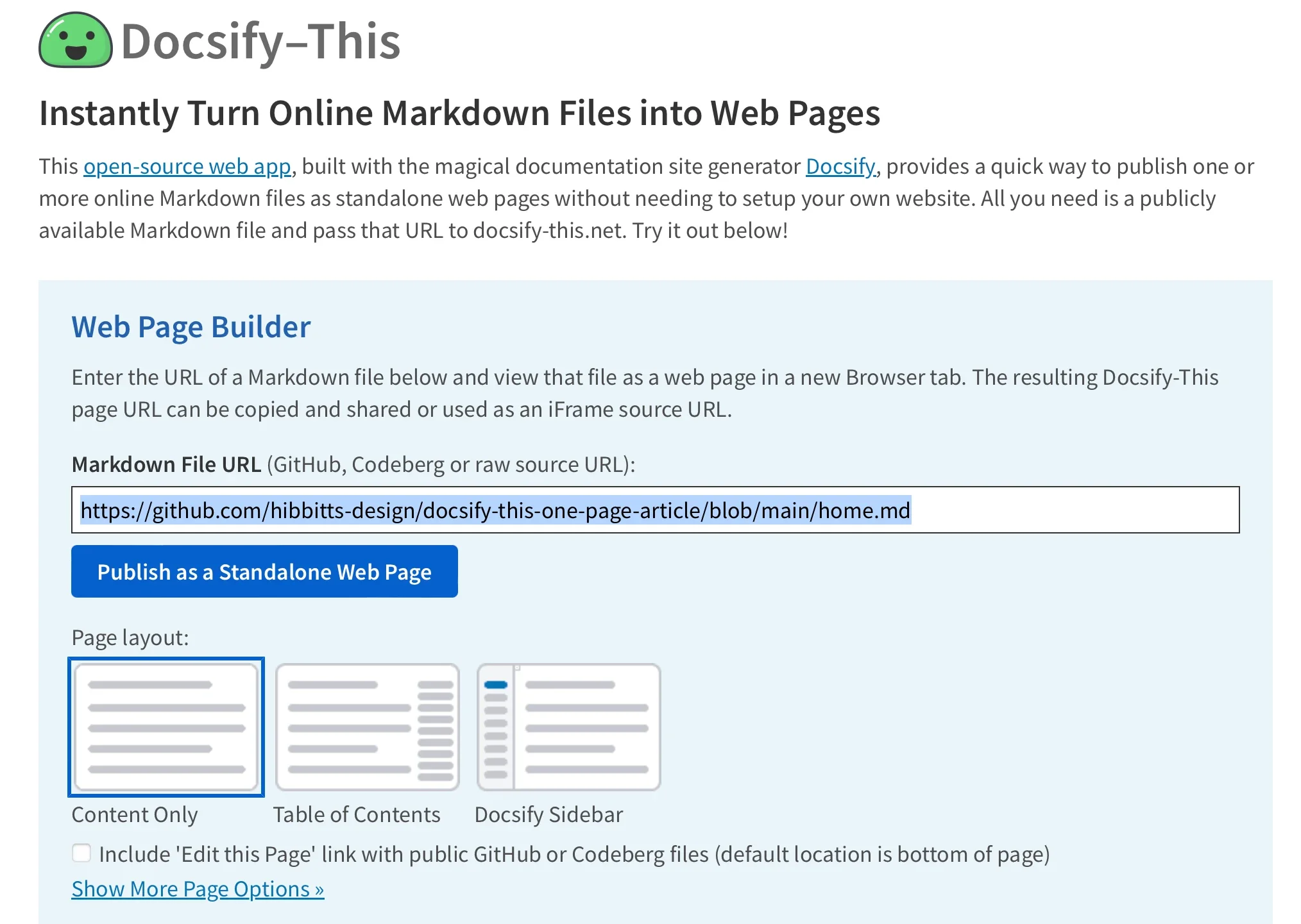
For those looking to get started without diving into URL construction or configuration files, the project provides a straightforward Web Page Builder interface. Accessible either via the main public website or a locally deployed instance, the builder features a dedicated input field where users can paste the URL of any public Markdown file housed within a GitHub or Codeberg repository.
Once the public repository URL is submitted and the publishing action is triggered, the platform instantly generates a clean, responsive standalone web page accompanied by a unique, shareable URL. While the graphical builder interface officially supports GitHub and Codeberg repositories, advanced users can leverage custom URL parameters to pull Markdown content from other Git hosts. The resulting web pages are inherently optimized for modern screen resolutions and designed specifically with embedding in mind, ensuring they maintain their readability and visual integrity regardless of where they are ultimately displayed.
Render Other Files in the Same Repository
Managing multiple documents within the Docsify-This ecosystem does not require generating entirely new publishing pipelines for every individual file. Creators managing documentation sets or multi-part articles within a single Git repository can dynamically switch between different Markdown files by directly modifying the URL parameters of their existing Docsify-This links.
By adjusting the homepage parameter within the URL structure, a publisher can point the rendering engine to alternate files located within the established base repository path. This dynamic parameter handling allows authors to maintain a centralized file structure in version control while effortlessly distributing distinct chapters, resources, or updates through targeted links, significantly reducing the administrative overhead associated with managing static document archives.
Modify the Web Page’s Appearance
Ensuring that embedded or standalone content matches the visual identity of a host environment is a common challenge in web publishing. Docsify-This addresses this requirement by supporting a robust set of URL parameters that allow readers and publishers to alter the typographical and structural appearance of rendered Markdown on the fly.
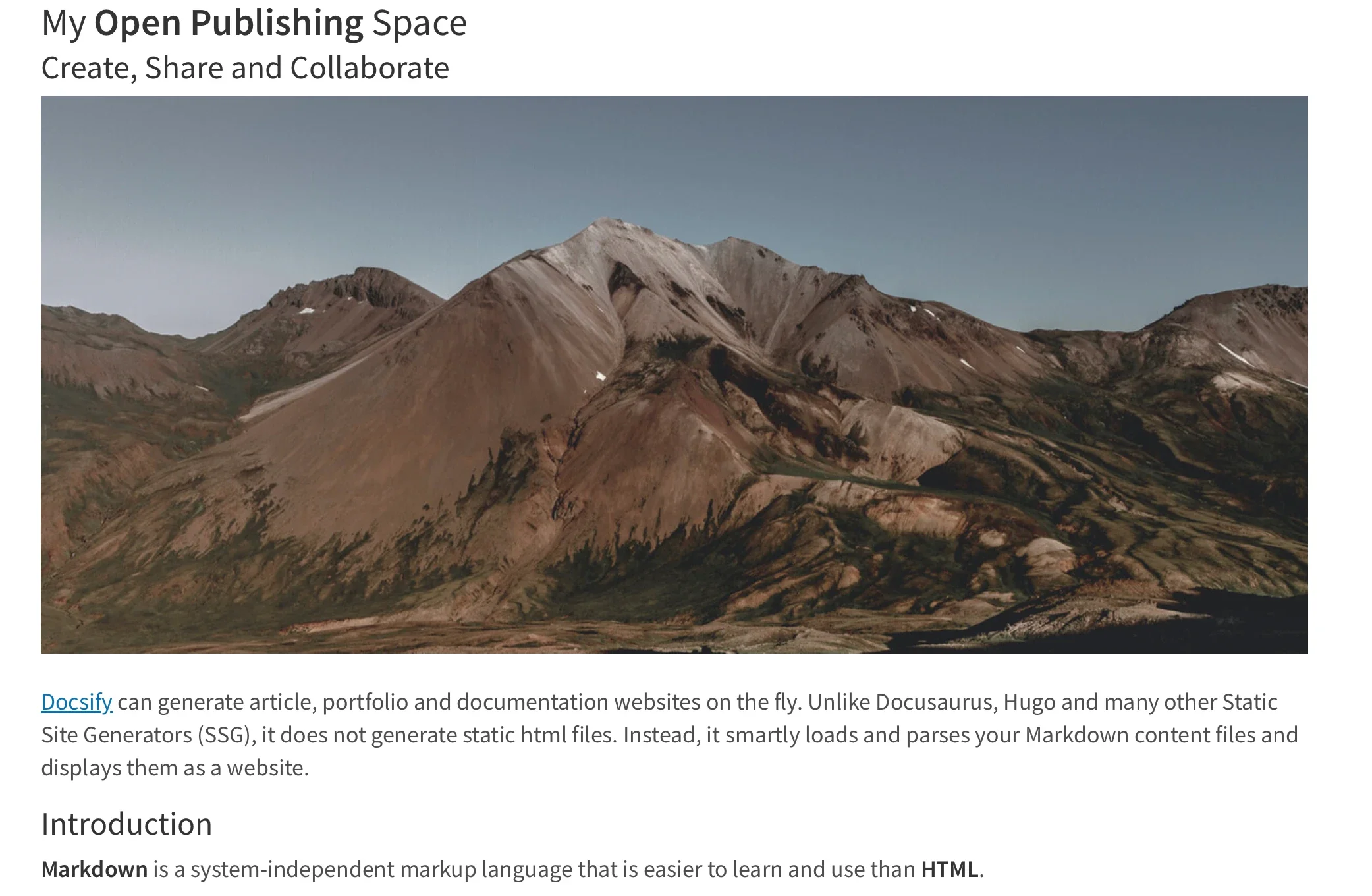
Common styling attributes such as font-family, font-size, link-color, and line-height can be passed directly through the web address, giving administrators fine-grained control over how text is presented. In addition to global layout parameters, authors can incorporate a specialized set of Markdown CSS classes directly into their source files. For instance, appending specific class definitions to standard Markdown links can instantly transform plain text into styled interactive elements, such as web buttons, without requiring complex HTML markup.
For projects requiring specialized styling beyond the default toolkit, the platform permits the inclusion of custom CSS blocks directly within the Markdown files themselves. Authors can define bespoke style rules within standard style tags, enabling unique visual treatments, custom color palettes, and specialized layout components that render consistently across every instance where the document is displayed.
Include HTML Snippets
While Markdown is celebrated for its clean, distraction-free syntax, complex document layouts frequently demand structural flexibility that strict plain text formatting struggles to provide. To accommodate these scenarios, Docsify-This fully supports the inclusion of standard HTML snippets within Markdown source documents.

This capability allows writers and educators to integrate foundational layout elements, such as multi-column grids or specialized container divs, directly into their writing workflow. By combining the readability of Markdown with the structural power of HTML, creators can build sophisticated page layouts—such as side-by-side content comparisons or structured text blocks—without abandoning their preferred text-editing environments.
Embed Docsify-This as an iFrame
One of the most powerful deployment vectors for Docsify-This is its capacity for seamless integration into existing digital platforms through standard iFrame elements. Because the rendered web pages are lightweight and responsive, they can be embedded directly into content management systems, corporate intranets, and learning management portals.
Administrators can utilize customized iFrame snippets tailored with specific URL parameters to strip away unwanted elements, adjust padding, match typography, and hide interface credits. This level of customization ensures that the embedded Markdown content feels native to the host platform, providing end users with a unified browsing experience without requiring them to navigate away from their primary portal.

Embed Docsify-This with an External URL
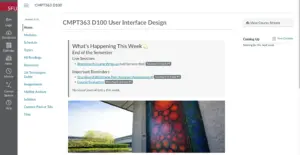
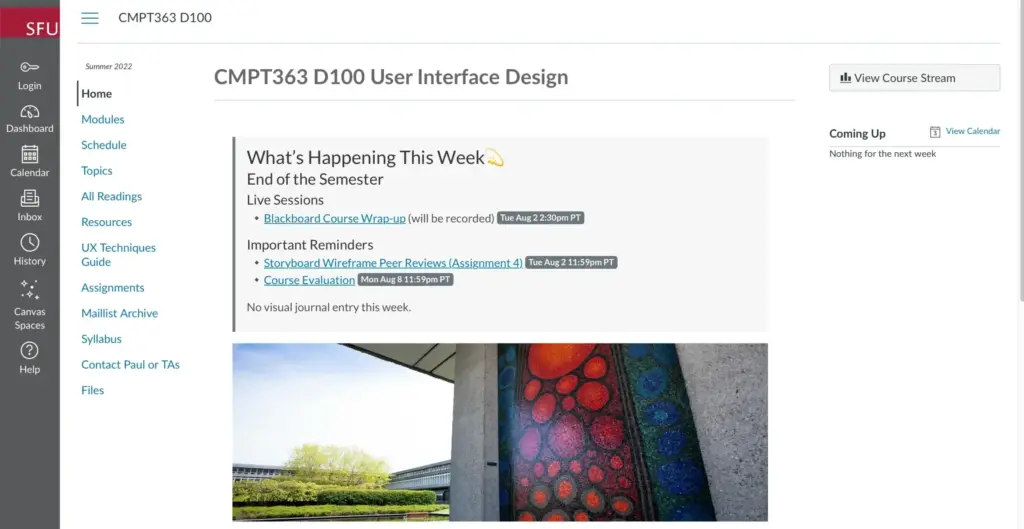
Beyond traditional iFrame embedding, many modern learning management systems and administrative platforms support linking external web resources directly into navigation menus or course outlines. Platforms such as Moodle and Canvas allow institutions to integrate external tools directly into their course architectures.
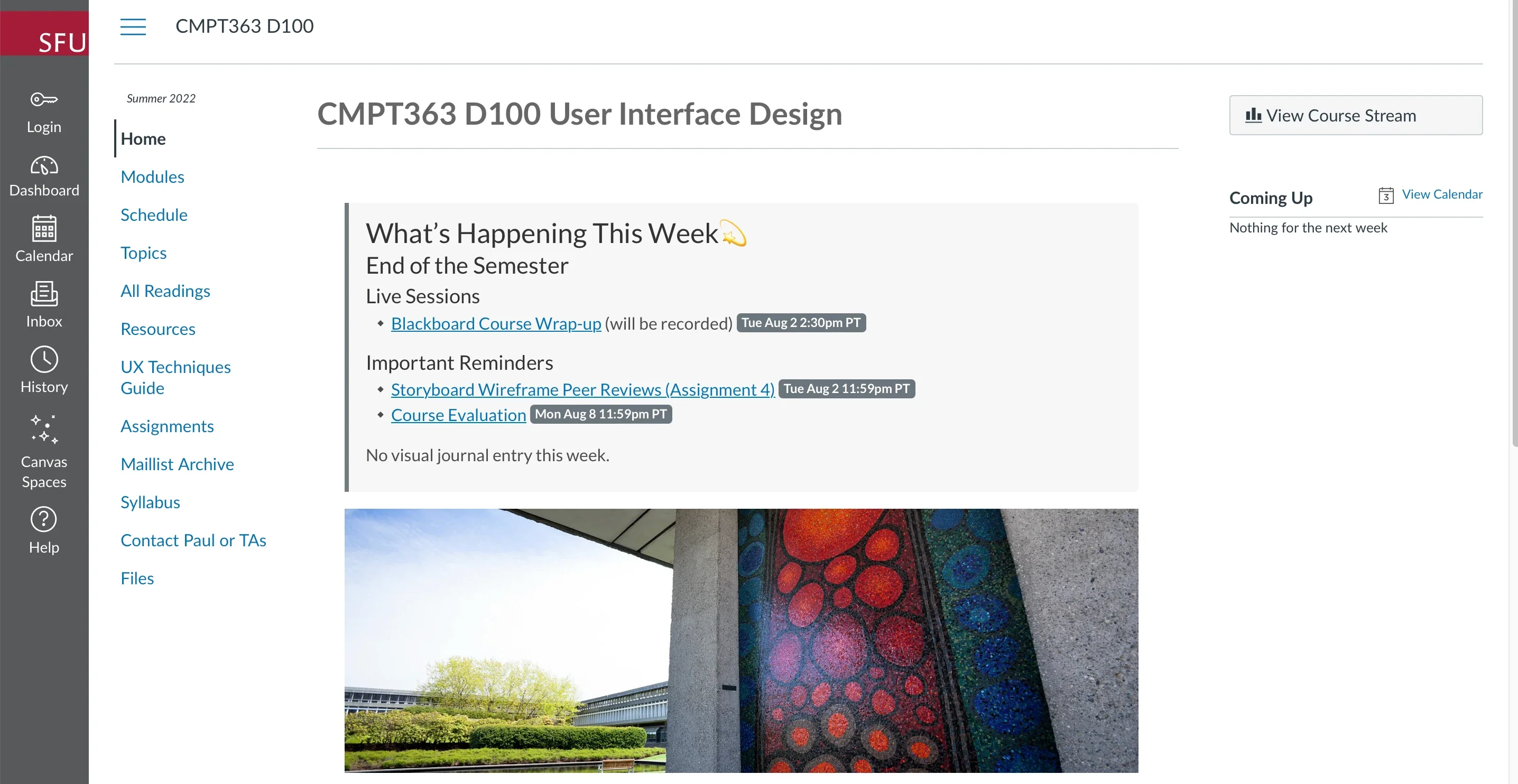
In environments like Canvas, administrators can leverage utility features such as the Redirect Tool to surface Docsify-This web pages directly inside a student’s course menu. By combining the external URL with customized styling and navigation parameters, educators can maintain all of their course readings, syllabi, and resource lists within a transparent Git repository while serving them seamlessly inside official institutional software.
Integrate Docsify-This and Git
The underlying strength of the Docsify-This workflow stems from its deep integration with modern version control systems. By storing Markdown source files in Git repositories hosted on platforms like GitHub or Codeberg, authors gain immediate access to robust history tracking, branch management, and collaborative authoring tools.
A wide variety of open-source and cross-platform software options make interacting with these repositories straightforward for users of all technical backgrounds. Graphical Git clients—including GitHub Desktop, Git-Cola, and SparkleShare—provide intuitive visual interfaces for committing and pushing changes. Furthermore, popular source code editors like VSCode and Pulsar Edit feature native Git integration, allowing writers to draft, edit, and publish their Markdown documents within a single, unified workspace.
Markdown-based publishing has long offered a streamlined approach to content creation, freeing writers from the complexities of proprietary publishing suites and heavy database-driven websites. By bridging the gap between raw version-controlled text and responsive web delivery, projects like Docsify-This continue to lower the barrier to entry for effective online communication, making flexible, collaborative publishing accessible to educators, developers, and digital creators worldwide.