







Naming things in design and development is notoriously difficult. The language we choose shapes not only how we think about digital products, but also the conversations we have around them. From colors and icons to UI components, features, design tokens, HTML classes, and variables, naming inconsistencies frequently lead to confusion and miscommunication across cross-functional teams.
Often, the names we choose fall into one of two extremes: they are either too generic, making it difficult to understand their exact purpose, or too specific, leaving little room for flexibility and reuse. Choosing the right names and establishing effective naming conventions are critical steps in building scalable design systems and intuitive user interfaces. Industry experts have recently shared a wealth of resources, repositories, and strategies to help developers, designers, and product managers solve these persistent naming challenges.

How To Name Things
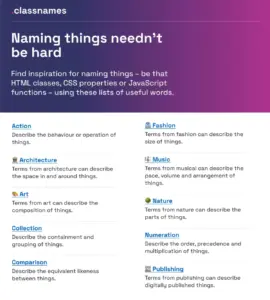
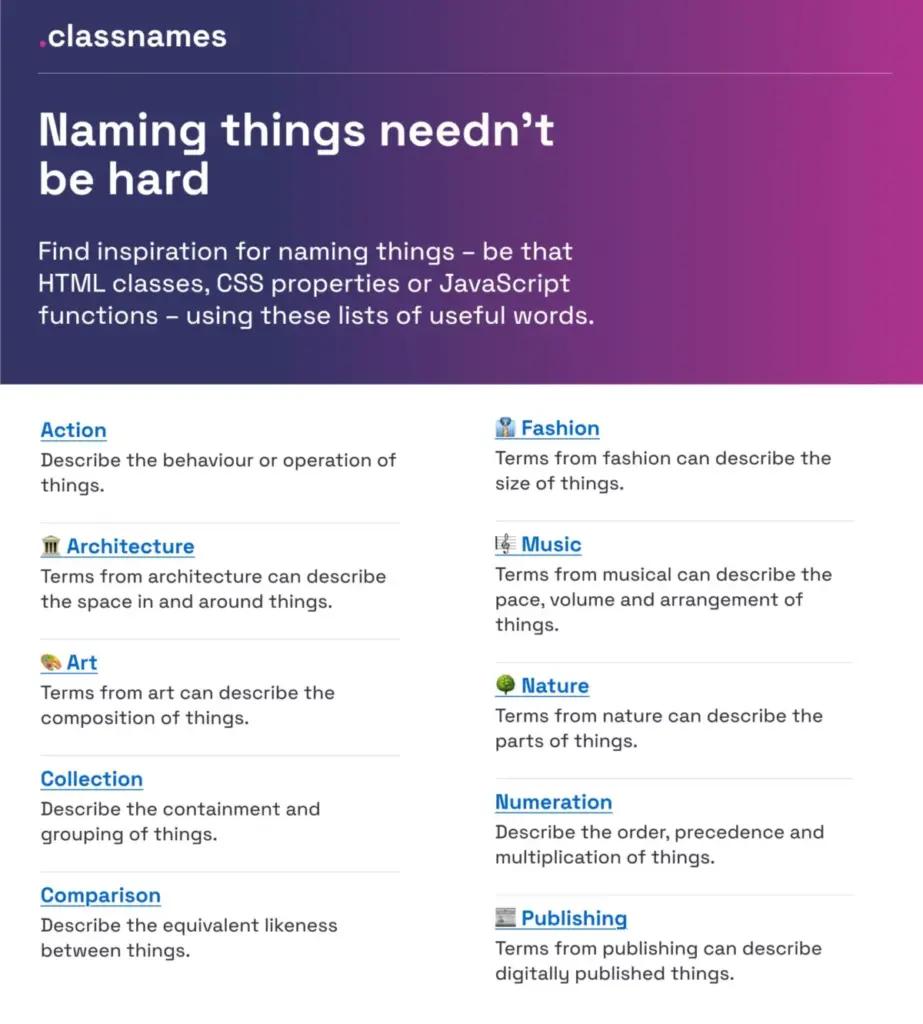
Finding inspiration for naming HTML classes, CSS properties, or JavaScript functions can often feel like hitting a brick wall. To help professionals think outside the box, Paul Robert Lloyd created Classnames, a resource jam-packed with ideas.
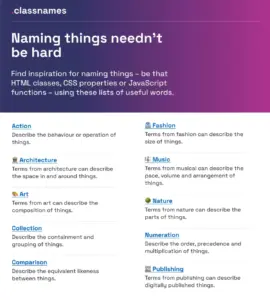
The site provides thematically grouped lists of words that are ideal for code architecture. It offers terms to describe different kinds of behavior, likeness between things, order, grouping, and association. Furthermore, it includes themed collections of words that might not instantly come to mind when writing code, drawing from nature, art, theater, music, architecture, fashion, and publishing.

How To Name Colors
Choosing the right name for a specific color presents another common hurdle in digital design. Fortunately, David Aerne maintains a massive repository of color names called Color Names, which currently features over 30,000 unique color names sourced from various references and thousands of community contributions.
The repository includes a color picker and name search tool, alongside a variety of other color pickers. This comprehensive database serves as a fantastic reference tool to keep nearby when establishing color palettes for web projects and applications.

How To Name Layers and Groups
Establishing consistency in design files is just as important as writing clean code. Javier Cuello summarized a comprehensive set of naming best practices that help teams name layers, groups, and components in a consistent and scalable way.
According to Cuello, an effective name possesses a logical structure, remains short and meaningful, is universally understood, and avoids ties to temporary visual properties. He shares specific do’s and don’ts to illustrate how to achieve this clarity, diving into the fine details required when naming sizes, colors, groups, layers, and components.

How To Name Design Tokens
Building a flexible design token taxonomy that works seamlessly across multiple products is a major challenge for large enterprises. This was the exact obstacle faced by the team at Intuit, the parent company behind major financial and productivity products such as Mailchimp, QuickBooks, TurboTax, and Mint. The organization developed a flexible token system designed to go beyond individual brand themes and serve as a foundational system for a wide array of products.
Nate Baldwin detailed these efforts in a case study sharing valuable insights into the creation of Intuit’s design token taxonomy. The documentation dives deep into the pain points of their legacy taxonomy system, the criteria established for the new architecture, and the methodology behind its implementation, offering valuable lessons for teams looking to build robust and flexible token systems of their own.

Frequent Names For UI Components
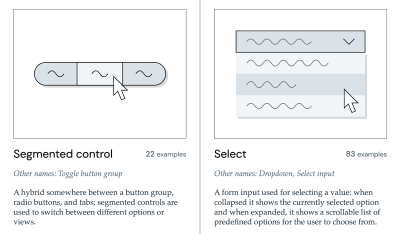
When struggling with nomenclature, examining what other design systems use is one of the most effective starting points. To save designers and developers from falling down the design system rabbit hole, Iain Bean created the Component Gallery.
The platform collects interface components from real-world design systems, providing concrete examples for more than 50 UI components—ranging from accordions to visually hidden elements—along with alternative names that these components commonly go by. As a helpful bonus, Name That UI offers a visual dictionary of common UI components to further clarify interface terminology.
How To Name New Features
New features often suffer from low user adoption primarily due to poor discoverability. Feature adoption requires a deliberate sequence of events: first, the feature must be discovered, then understood, tried, learned, and eventually integrated into the user’s existing workflow. Erin Gannon addressed these challenges in a practical guide focused on ensuring features are actually found and used.
Gannon emphasizes that successful feature names are driven by user needs and problems. They should signal the value or outcome of a feature—its job-to-be-done—and tap directly into the user’s own language. By asking users to explain a feature in their own words, product teams can adopt vernacular that resonates immediately with their audience.

How To Name Variables (Taxonomy Map)
Complex multi-brand, multi-themed design systems require sophisticated naming hierarchies. A prime example comes from the Vodafone UK Design System team, whose Variables Taxonomy Map breaks down the anatomy and categorization of design tokens into a well-orchestrated system of collections.
Building upon Nathan Curtis’s foundational work on naming design tokens, the Vodafone map illustrates the four collections required to support the system and maps connections from brands and primitives to semantics and pages. This structure enables team members to determine where a token is used and what it represents simply by reading its name. Additional approaches and Figma kits continue to emerge as the design token ecosystem matures.

Design Token Naming Guide + Inventory
Romina Kavcic developed an interactive tool dedicated to naming design tokens, guiding practitioners through the fundamentals of how tokens work and how to name them effectively. The tool allows users to configure their own naming structures incorporating components, categories, states, and roles.
Complementing this guide is the Design Token Names Inventory spreadsheet, which provides a simple four-level structure for a bird’s-eye view of all design tokens within a system. The layout allows teams to easily add rows, themes, and modes without losing track, while offering filtering capabilities for large-scale token management.

Naming Products or Services
For teams tasked with naming new products or services, Onym serves as an open-source repository that organizes tools and resources for brainstorming, vetting, researching etymologies, and conducting naming sprints. The guide also highlights cautionary tales, professional naming agencies, and recommended reading material to assist in the brand naming process.
Wrapping Up
Ultimately, the right name is the one that is clearly understood and consistently used by both the internal team and the end users. A significant amount of time is frequently wasted when designers, developers, product managers, and users speak about the exact same feature or component using different dialects. This linguistic fragmentation is a primary source of workplace friction and confusion.

Addressing low adoption rates often begins with evaluating the clarity of a feature or component’s name. Acknowledging potential naming conflicts and maintaining a backlog to address them over time can significantly reduce confusion and improve cross-functional collaboration across digital projects.