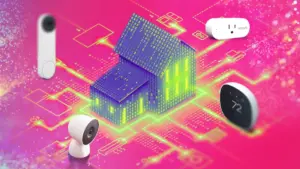










As modern smart home technology becomes increasingly integrated into daily residential life, managing home connectivity and support is generally easier than ever before. From anywhere in the world, homeowners can monitor live feeds, adjust climate controls, and track energy usage with just a few taps on a mobile screen. However, according to home technology specialists, this convenience comes with a catch. Heading out for the holidays or embarking on a long-awaited getaway requires taking extra precautions to ensure that automated defenses and remote-access systems do not fail just when they are needed most.
Industry experts point out that even the most advanced, feature-packed video doorbell or automated smart thermostat provides little to no value if it stops functioning properly the moment the front door locks behind a departing traveler. A device that loses its network connection or quietly encounters a software glitch while the house is empty can render remote security monitoring entirely useless, transforming a high-tech safeguard into a frustrating blind spot.
To mitigate this risk, seasoned tech reviewers and smart home veterans recommend performing one final, crucial device check right before departure. This preventative step takes only a mobile phone and a couple of minutes—tasks that can easily be completed while grabbing luggage and heading toward the entryway. Understanding how this quick pre-departure routine works highlights why it has become an essential habit for tech-reliant households preparing for extended absences.


Open All Your Home Apps to Check Connections and Updates
While the concept sounds remarkably simple, technical experts note that many homeowners would be surprised by how often remote connectivity breaks down unexpectedly. Routers frequently experience background glitches, automatic app updates can alter permission settings, and local network configurations can shift without warning. Furthermore, temporary drops in Wi-Fi signal or pending firmware updates can suddenly lock a user out of their own hardware.
Leaving home without realizing a device requires a manual firmware installation can spell trouble, as many critical updates cannot always be successfully applied from a remote location miles away. To prevent these frustrating scenarios, smart home users are advised to dedicate a brief window of time—sometime between packing the final bags and pulling out of the driveway—to review every active home application currently in use on their mobile devices.
Typically, this process simply requires launching each application to verify that it maintains a stable local Wi-Fi connection and displays current firmware settings without error prompts. For individuals utilizing security cameras or specialized indoor pet monitors, opening the application to load a live video stream serves as an effective diagnostic test. If the live feed loads smoothly, it generally indicates that the device’s hardware, power supply, and network link are all operating correctly.

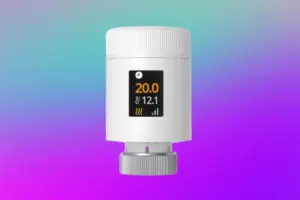
For passive devices such as smart leak detectors, door contacts, or environmental motion sensors, a quick glance at the main dashboard is usually sufficient to confirm that the device status reads live and is actively reporting data. Smart thermostats require a slightly different verification process, involving a quick check to ensure that current home temperature readings are accurate and that the user interface allows for immediate remote adjustments from the phone.
Meanwhile, for devices integrated into centralized automation platforms like Apple Home, Google Home, or Samsung SmartThings, checking the application involves dropping into the main interface to ensure all individual device tiles are illuminated, active, and responsive. If an interface tile is grayed out or displays an error message, it serves as an immediate warning sign that troubleshooting is required before the journey begins.
What if a Device Isn’t Connecting?
When all systems are functioning normally, running through these applications takes roughly a minute or two. However, if an application encounters connection errors, displays an offline warning, or has dropped its local Wi-Fi association and requires a manual reset, discovering the issue before leaving proves invaluable. Catching a disconnected device in the hallway rather than from a hotel room hundreds of miles away saves travelers from unnecessary anxiety and potential security vulnerabilities.

When connection drops do occur, resolving them typically requires spending a few minutes re-establishing the network handshake or applying necessary software patches. In rarer instances, hardware may need to be rebooted or completely re-paired with the local router. However, tech experts note that a full device reset is rarely necessary for every minor glitch.
Instead of jumping straight to resetting individual appliances or altering router configurations, experienced smart home users often recommend rebooting the central home hub first. For example, security sensors connected to platforms like Apple Home frequently rely on local routing hardware such as an Apple HomePod or an integrated smart speaker. Restarting that central hub can often clear temporary packet routing errors and quickly restore functionality to a dozen connected accessories at once.
Once these minor connection hurdles are cleared and all green status indicators are confirmed, travelers can leave with genuine peace of mind, knowing their automated ecosystems will remain online and responsive throughout their absence. Incorporating this brief app run-through into a standard pre-departure routine eliminates the common worry of smart home devices going unexpectedly silent while the house is vacant. For homeowners struggling with application fatigue caused by managing too many separate manufacturer apps, consolidating devices into centralized ecosystems can further streamline the process, ensuring that preparing a connected home for a holiday or vacation remains a quick, frictionless task.