









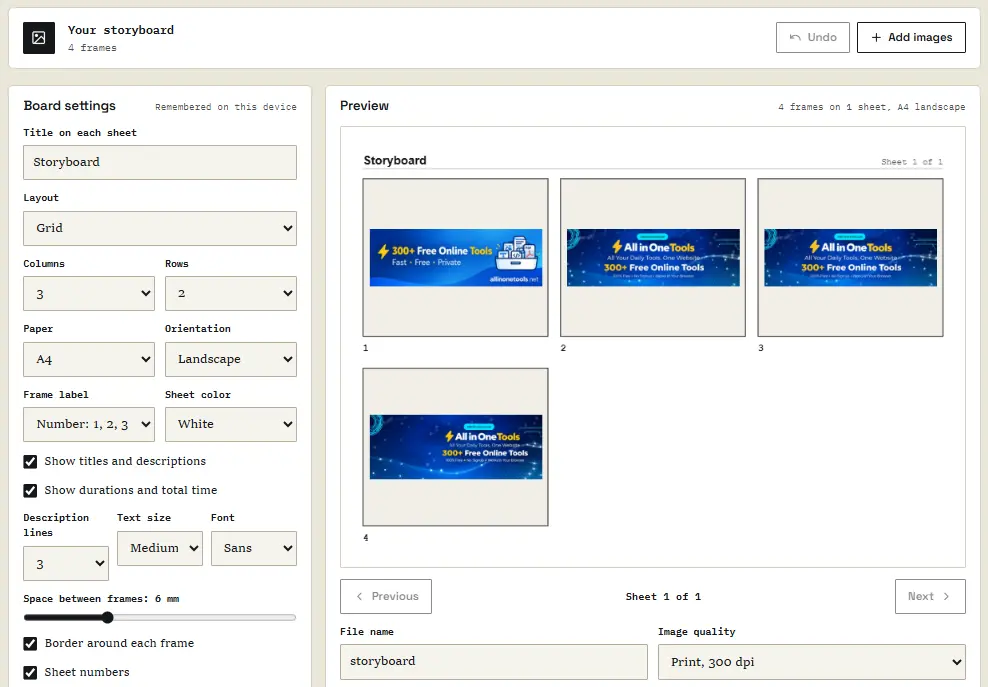
Before a single frame is filmed, an advertisement is shot, or the final panels of a comic book are drawn, creators typically map out their vision through a storyboard. This foundational step involves arranging pictures in sequence, accompanied by concise notes detailing the action and timing of each shot. While creators often amass a wealth of visual assets—ranging from smartphone photographs and screenshots to rough sketches and artificial intelligence-generated frames—converting these disparate folders into clean, numbered, and print-ready documentation has historically been cumbersome.
To address this workflow challenge, developers can now build client-side browser applications that streamline the process entirely within the user’s web browser. By leveraging modern web standards and client-side processing libraries, this architecture allows users to upload a series of images, assign individual titles, descriptions, and durations, select a preferred layout, preview the final pagination, and download a complete, print-ready PDF document without ever transmitting sensitive files to an external server.
Understanding the Architecture and Workflow
The core functionality of a browser-based storyboard generator revolves around taking an arbitrary list of images and transforming them into structured storyboard sheets. Each imported image is treated as an individual frame containing specific metadata elements, including a sequence identifier, a custom title, a descriptive narrative, and a designated running time in seconds.

These frames are dynamically mapped onto structured sheets using various layouts, such as single-frame presentations, grid structures, panel layouts accompanied
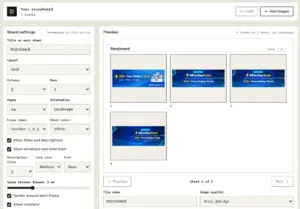
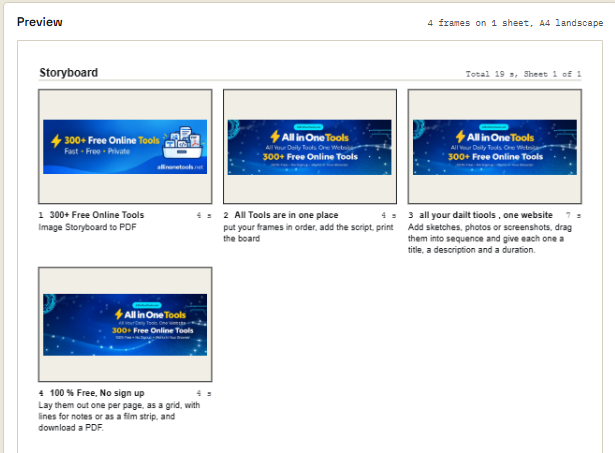
by lined notes, or traditional film strip formats. Every generated sheet incorporates header information detailing the board title, cumulative running time, and pagination identifiers.
The underlying execution flow begins with the ingestion of image files, which are parsed into frame objects complete with descriptive properties. The layout engine computes spatial coordinates measured in precise PDF points to determine where each visual element resides on the page. Because rendering text directly via standard PDF generation libraries often introduces font compatibility limitations for non-Latin character sets, the application utilizes a clever architectural workaround. It draws all typography dynamically onto an internal HTML canvas at a high resolution of 300 dots per inch, subsequently embedding that canvas layer directly into the generated PDF document as an image asset.
This design choice ensures that complex scripts and regional alphabets render correctly according to the host device’s available typography, bypassing the strict font-embedding constraints typically encountered in client-side document generation. While the resulting text inside the PDF is not natively selectable or searchable, this trade-off is widely accepted in creative industries where storyboards are primarily reviewed visually or printed physically.
Leveraging Modern Browser APIs and Libraries
Implementing this client-side utility requires minimal external dependencies, relying primarily on a robust set of built-in browser application programming interfaces complemented by a pinned version of the PDF generation library known as PDF-lib. Pinning the library version ensures that subsequent updates to external dependencies will not inadvertently break the core compilation logic.
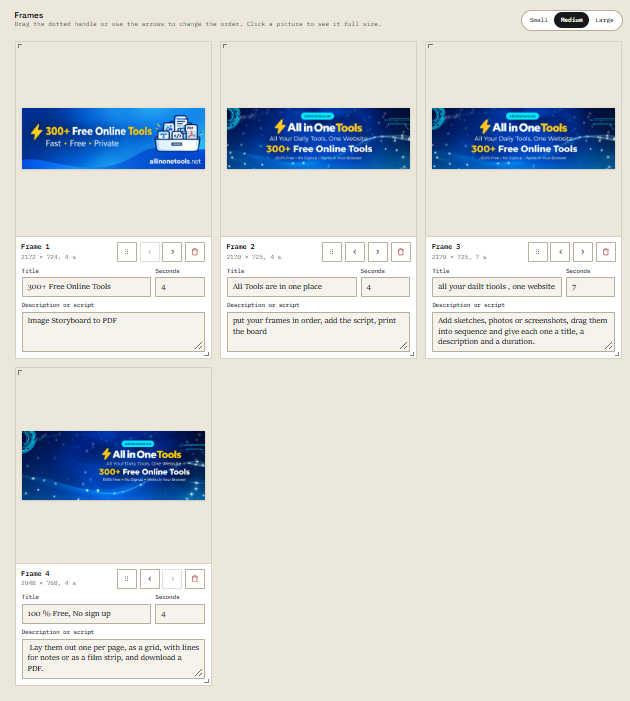
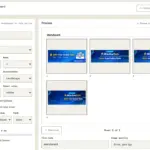
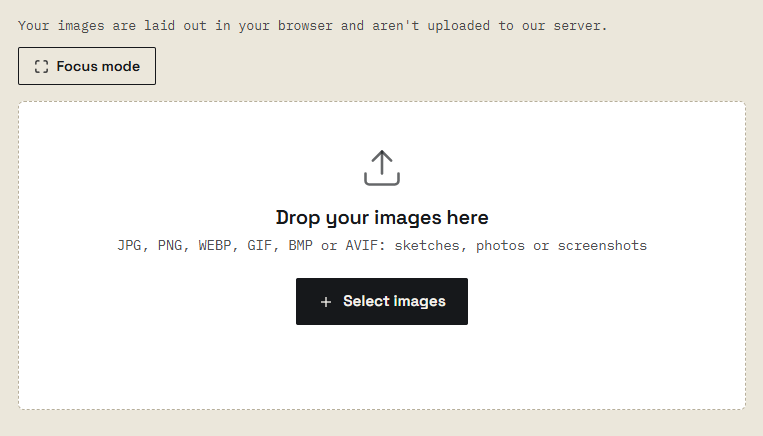
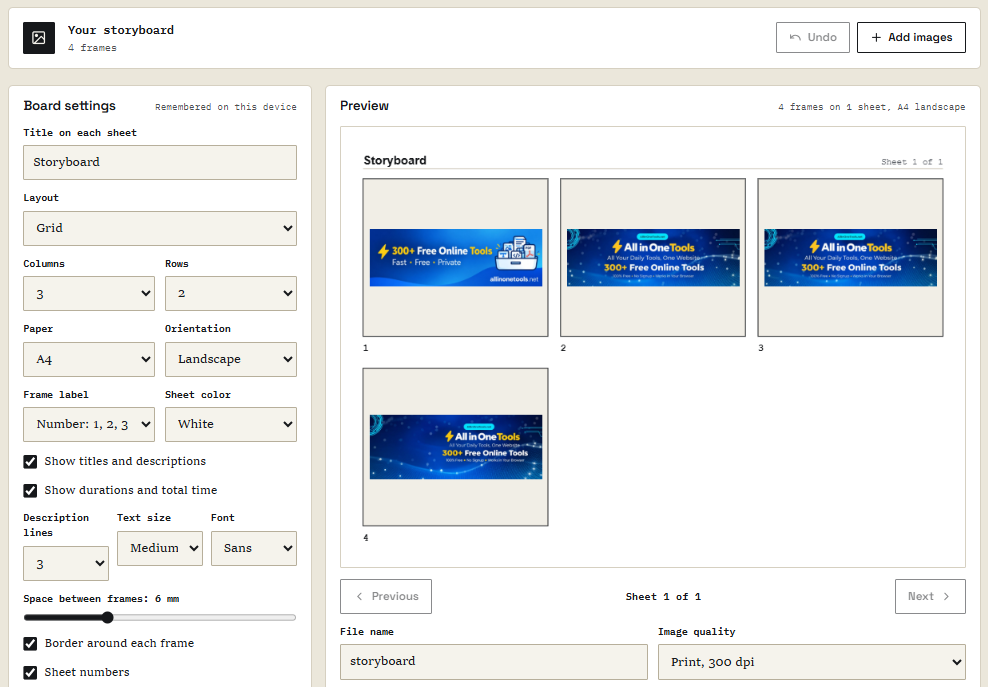
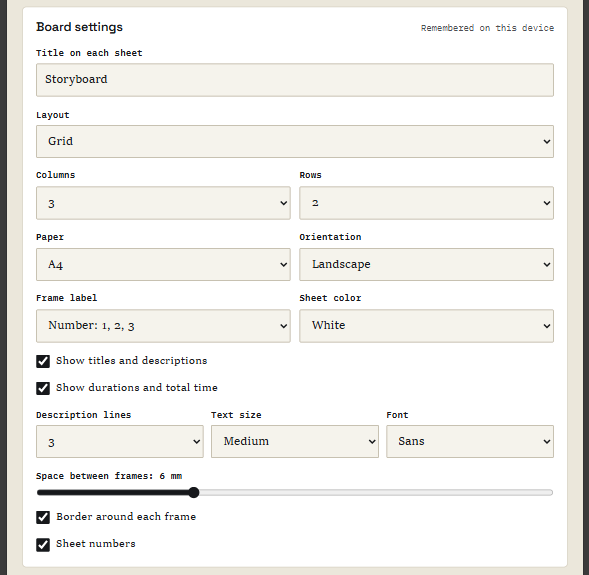
The user interface is structured around a responsive workspace divided into distinct operational panels: an upload area equipped with drag-and-drop file ingestion, a frame management panel for reordering and scripting, a board settings panel for configuring layouts and paper dimensions, and a preview panel equipped with pagination controls and export options.
Handling image inputs securely and efficiently requires careful attention to browser decoding behaviors. Smartphone photographs, for instance, frequently store orientation data within Exchangeable Image File Format metadata rather than physically rotating the underlying pixel data. If an application reads the dimensions or renders these files without accounting for orientation tags, portraits inevitably appear sideways. Utilizing the createImageBitmap API with the imageOrientation property set to ‘from-image’ instructs the browser to automatically apply correct rotation adjustments during the decoding phase. If this modern API is unsupported by older browser environments, the system gracefully falls back to standard image element loading routines.
Furthermore, because high-resolution camera photographs can easily exceed thousands of pixels in width, rendering full-scale images repeatedly during user interactions would severely degrade application performance. To mitigate this, the application generates a lightweight JPEG thumbnail—capped at a maximum length of one thousand pixels—for use within the interactive frame list and pagination previews. The original, full-resolution file is preserved solely for the final PDF compilation stage, ensuring pristine visual quality upon export.
Managing State, Sorting, and File Integrity
Maintaining a unified application state is critical for keeping the frame management interface, visual preview, and document generation pipeline synchronized. The ingestion pipeline filters out unsupported file formats, accepting only standard web-compatible image types such as JPEG, PNG, WebP, and GIF.
To ensure that files uploaded from standard operating system directories appear in the expected chronological sequence—preventing common sorting anomalies where alphanumeric file naming places sequence files incorrectly—the system employs a natural comparison algorithm. Utilizing string locale comparison parameters with numeric sorting enabled ensures that files designated as sequential elements are ordered logically.
Once loaded, users can dynamically manipulate the sequence of frames using intuitive interface controls or drag-and-drop interactions. The application incorporates robust state management to handle frame reordering, real-time input reflection, and deletion actions equipped with an undo mechanism. Text inputs for titles and descriptions utilize event delegation to update the central state model without forcing a complete re-rendering of the entire DOM tree, thereby preserving input focus and ensuring a smooth typing experience.
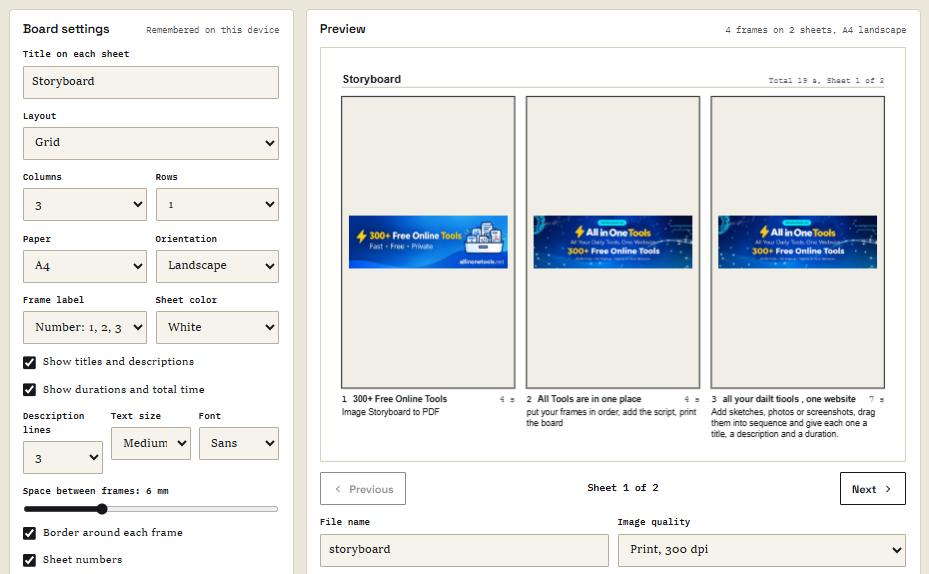
Pagination and layout computations operate entirely in PDF points, where a single point equals one-seventy-second of an inch. By calculating precise geometric boundaries for every cell, image container, and text block, the layout engine guarantees absolute fidelity between the on-screen canvas preview and the exported document. Whether configuring standard paper formats like A4, Letter, A3, or custom presentation slides, the system dynamically recalculates margins, column distributions, and row heights to fit the visual content harmoniously.
Persistent Draft Storage and Document Export
Because creative writing and script-boarding workflows involve iterative refinement, accidental browser closures or tab refreshes present a significant risk of data loss. Traditional storage mechanisms like local storage are typically limited to small string allocations that are entirely insufficient for handling multiple high-resolution image blobs. To solve this limitation, the application integrates IndexedDB to provide robust, client-side persistent storage capable of caching complete draft states, including original image blobs and descriptive metadata. The storage system periodically serializes the working state after brief pauses in user activity, ensuring that work-in-progress storyboards can be seamlessly restored upon returning to the application.
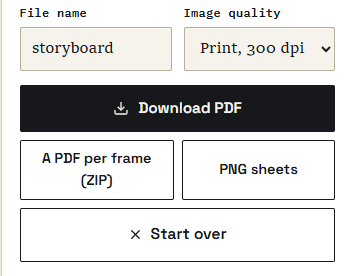
When the user initiates the export process, the application constructs the final document using a sophisticated multi-layered rendering strategy. Instead of relying on a single flattened image per page—which would force an undesirable compromise between text sharpness and file size—the document generation routine establishes a layered structure. The background layout, headings, structural grid lines, and dynamic typography are rendered onto a high-resolution canvas layer and embedded as a sharp vector-equivalent PNG image. Simultaneously, individual image frames are extracted from their original sources, compressed intelligently as optimized JPEGs scaled precisely to their presentation dimensions, and positioned directly beneath the text layer.
This dual-layer compilation technique produces professional-grade documents that maintain crisp, highly legible typography alongside uncompressed, vibrant photographic assets, all while preventing export file sizes from ballooning unnecessarily. Once compiled, the binary document stream is converted into a temporary object URL, programmatically triggered for download using a secure anchor mechanism, and subsequently cleaned up to optimize client-side memory usage.

Through the combination of native browser APIs, intelligent memory management, and client-side rendering techniques, developers can deliver sophisticated, highly responsive utility tools entirely within modern web browsers, ensuring absolute user privacy and optimal performance.