











For many developers working within the Drupal ecosystem, writing automated tests is often viewed as an unnecessary hurdle—a practice perceived as adding layers of complexity and financial overhead without delivering tangible benefits. However, shifting attitudes within the open-source community are challenging that narrative, driven largely by the adoption of modern, versatile testing tools like Cypress. Originally recognized as a powerful front-end testing framework, Cypress is increasingly being embraced by Drupal developers looking to secure their applications, streamline quality assurance, and catch regressions before they ever reach production environments.
The conversation around testing complex content management systems has traditionally been dominated by tools that require steep learning curves or intricate configurations. Yet, the integration of Cypress into a standard Drupal workflow offers a compelling alternative. Built on JavaScript, the open-source framework provides an intuitive, highly visual approach to end-to-end testing. By bridging the gap between automated scripts and real-time browser interaction, developers can simulate actual user behaviors—ranging from simple page loads to complex authentication workflows—with remarkable precision.
To understand how this integration functions in practice, developers typically begin within a standard local development environment structured around composer-managed Drupal projects. Using tools like Lando alongside the standard Drupal recommended project template establishes a familiar baseline architecture. From there, incorporating Cypress involves initializing a Node.js environment via standard package management commands, allowing the testing framework to be integrated smoothly into the project’s existing directory structure.


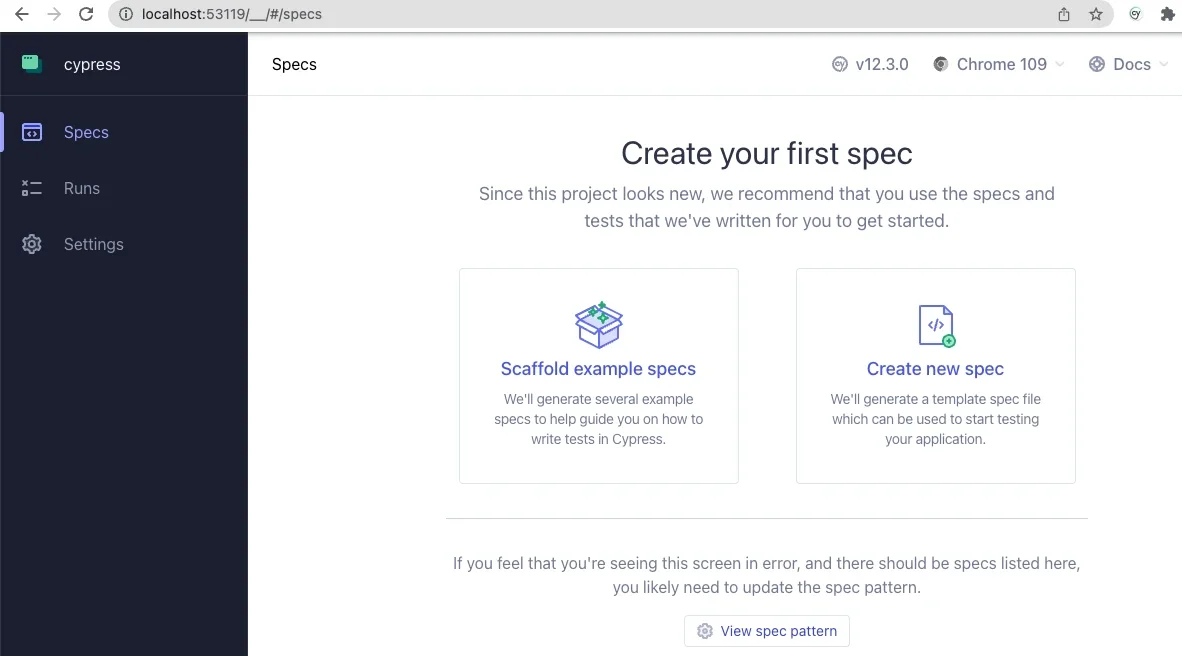
Once Cypress is installed and initialized within a project, developers are greeted by an interactive application interface designed to configure end-to-end testing parameters. Selecting a preferred browser—typically a Chromium-based environment—launches a dedicated test runner interface alongside a simulated browser window. This dual-panel layout serves as the command center for the testing process, displaying a comprehensive text-based breakdown of every step executed within an active test specification on one side, while rendering the live user experience in real time on the other.
Configuring the framework to communicate seamlessly with a local Drupal instance requires a few targeted adjustments to the core configuration file. By defining the base URL to match the local development server and mapping out the directory paths for fixtures, support files, and test specifications, developers establish a direct bridge between the JavaScript testing environment and the underlying Drupal application. This foundational setup enables the framework to accurately locate resources, parse specifications, and target specific Document Object Model elements during test execution.
Writing basic tests within this environment quickly demonstrates the practical value of automated quality assurance. Developers can construct test suites that verify fundamental site behaviors, such as confirming the successful loading of a front-end page and validating the presence of core HTML elements like primary page titles. Furthermore, security and user authentication workflows can be rigorously tested by scripting interactions with login forms, inputting specific credentials, and asserting that appropriate error messages are displayed when incorrect information is provided.
These interactive tests frequently reveal subtle front-end nuances that might otherwise go unnoticed during manual QA cycles. For instance, testing form submissions can highlight how modern styling techniques, such as CSS flexbox layouts, interact with automated click events. Discovering that a submit button requires explicit text content assertions before a testing framework can successfully register it as clickable underscores the very real utility of automated verification in modern web development.
Beyond standard interactions, the true flexibility of Cypress within a Drupal context emerges through the creation of custom commands. The framework supports the extension of its core API, allowing developers to author specialized helper functions tailored specifically to content management operations. By defining custom commands within support files, teams can streamline repetitive tasks such as user logout procedures or standard login sequences, ensuring that subsequent test scripts remain clean, concise, and maintainable.
Advanced integrations push these capabilities even further by leveraging environment variables to bridge front-end testing logic with back-end administration tools like Drush. By incorporating command-line operations directly into custom Cypress routines, developers can execute administrative tasks programmatically during test runs. A notable example includes logging a user into the site directly by their user ID via a one-time login command, effectively bypassing traditional form inputs and eliminating the security risks associated with storing or reading plain-text user passwords within test scripts.
This synergy between front-end automation and back-end utility highlights a significant evolution in how development teams approach quality assurance for enterprise content management systems. While setting up a comprehensive testing suite requires an initial investment of time and configuration, the long-term gains in application stability, security auditing, and regression prevention are substantial.
As resources, public repositories, and community-led webinars continue to shed light on advanced use cases—ranging from handling dynamic Ajax-enabled forms to managing complex test data fixtures—the adoption barrier for testing Drupal applications continues to lower. For teams looking to move past the traditional hesitations surrounding automated testing, frameworks like Cypress offer a practical, intuitive path forward, transforming quality assurance from a burdensome chore into an integral, seamless component of the modern development lifecycle.