






Artificial intelligence coding assistants have rapidly evolved from offering simple code snippets to autonomously executing complex engineering workflows. Tools like Claude Code can now edit multiple files, install dependencies, run automated test suites, and even spin up entire applications without human intervention. However, granting an autonomous agent full execution authority raises significant security and operational questions. Developers must balance the productivity gains of unprompted execution with the need to protect their local machines and proprietary codebases from unintended modifications or data leaks.
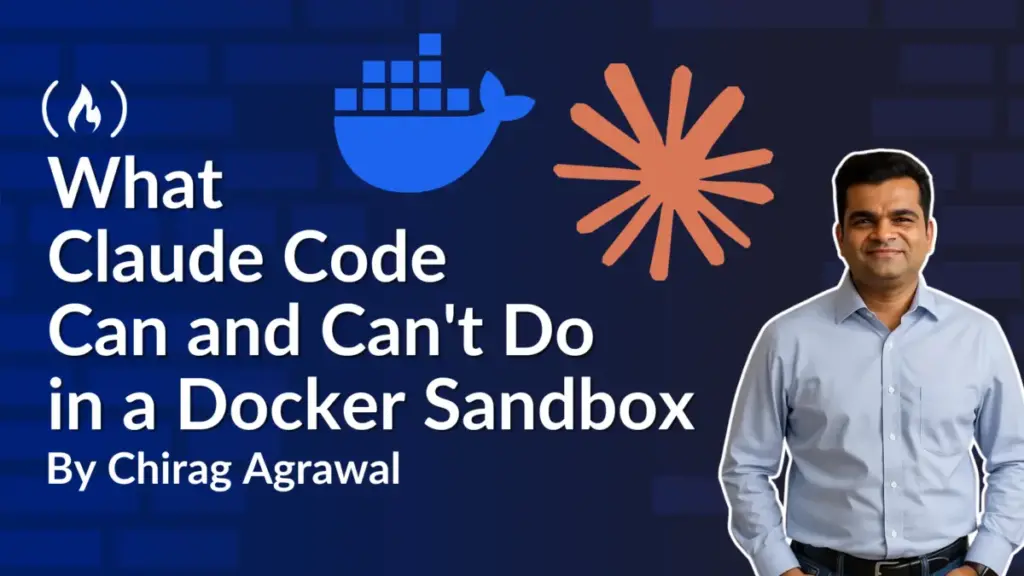
To address these security and isolation concerns, Docker has introduced Docker Sandboxes, an integration that runs AI agents inside lightweight Linux virtual machines known as microVMs. These microVMs feature controlled, isolated access to local project directories and outbound network infrastructure. Recent experimental deployments demonstrate the capabilities and boundaries of this approach, revealing how sandboxed environments handle everything from Flask application modifications to network proxy routing and credential isolation.
Understanding Sandbox Isolation and Architecture
At the heart of Docker’s sandbox implementation is a fundamental architectural distinction between traditional software containers and microVMs. While standard Linux containers share the operating system kernel of the host machine, a Docker Sandbox features its own dedicated kernel. This design provides a robust security boundary between the guest operating system inside the sandbox and the host operating system running on the developer’s computer.
Inside this virtual machine, the AI agent operates with administrative privileges, possessing sudo access that allows it to install software packages or modify system configurations without hitting permission roadblocks. Crucially, these elevated permissions remain strictly contained within the virtual machine. They do not grant the agent administrative control over the host computer. The interaction between the host machine and the virtual environment is governed entirely by explicit sharing rules and access controls established when the sandbox is created.
To streamline autonomous workflows, Docker’s integration launches Claude Code inside the virtual machine with a flag that bypasses standard tool-approval prompts. Rather than forcing the developer to authorize every individual command, the security burden shifts to the containerization layer, which strictly gates access to files, system resources, and external networks.
Projects can be made available to the agent through two distinct operational modes: direct mode and clone mode. In direct mode, the sandbox links directly to a designated project folder on the host machine, granting the virtual machine immediate read-write access so that changes appear instantly in the local workspace. In clone mode, the sandbox creates an isolated copy of the Git repository within the virtual machine. This allows the agent to modify files freely while leaving the original host project entirely untouched until the developer explicitly retrieves and reviews the changes.
Direct Versus Clone Mode in Practice
Experimental testing reveals distinct trade-offs between direct and clone modes during active development tasks. When tasked with deleting project files or configuring low-level components like Git hooks, direct mode immediately reflects those changes within the host project directory. While this provides a seamless editing experience, it also introduces review challenges. For instance, background modifications such as custom Git hooks residing outside standard version-controlled paths may not appear in routine code diffs, complicating the manual verification process.
Clone mode mitigates these risks by containing all agent modifications within a private repository copy inside the virtual machine. The original project files on the host remain completely unaltered, allowing developers to fetch branches, inspect detailed diffs, and evaluate modifications before merging them into the primary codebase.
However, testing also highlights critical security nuances regarding file visibility. Regardless of the chosen mode, the project folder shared with the sandbox remains readable to the agent. This means that sensitive files stored within the directory—such as environment configuration files containing database passwords or API keys—can be read by the agent, even if those files are excluded from version control via .gitignore rules. Consequently, security best practices require developers to strip sensitive credentials from project folders before exposing them to autonomous coding agents.
Network Access Controls and Proxy Management
Network governance represents another critical dimension of sandboxed AI execution. Agents frequently require internet access to fetch dependencies, query model providers, or download code libraries. Docker manages this through configurable network presets, ranging from open outbound connectivity to locked-down environments where all external connections are blocked by default.
A balanced network configuration permits traffic to common development infrastructure, such as official package registries and artificial intelligence model APIs, while denying access to unvetted external destinations. Furthermore, outgoing requests can be routed through a host-managed proxy policy. This proxy can dynamically inject authentication credentials for matching services, allowing an agent to utilize authorized API keys without exposing the raw secrets to the virtual machine environment.
Despite these safeguards, network restrictions govern connection destinations rather than data exfiltration content. If an agent is granted authorized network access to a specific remote server, it can transmit readable data retrieved from the project files. Developers can manually modify network policies to block suspicious endpoints or inspect connection logs when automated downloads or API queries fail.
Application Execution and Resource Management
Beyond code editing and file management, sandboxed AI agents can leverage a separate Docker Engine running entirely within the microVM. This internal containerization engine allows the agent to build container images, run test containers, and execute applications locally without interacting with the Docker daemon installed on the host operating system.
When an application is successfully built and executed inside the sandbox, developers can map network ports to evaluate the software locally. By establishing port forwarding rules between the host machine and the sandbox environment, developers can access web applications running inside the virtual machine directly through their local web browsers.
Because stopping a sandbox preserves its underlying file state, installed software, and container configurations, developers can pause and resume sessions without losing progress. Once a development cycle is complete, terminating the sandbox purges its private contents, ensuring that temporary build artifacts and internal states do not clutter the host system. Through careful selection of project modes, strict credential management, and rigorous review of generated commits, developers can harness the full productivity of autonomous coding agents while maintaining control over their local infrastructure.