






We are three years into the modern artificial intelligence experiment, and yet, for most of us, our primary interaction surface remains a simple text box. It is a curious irony that in an era of rapid technological acceleration, we are still tethered to the same chat-based interface that defined the initial wave of Large Language Model (LLM) adoption. We treat AI as an oracle in a window, typing prompts and waiting for a response, as if we are still querying a library database from the early 2000s.
It is time to reconsider the interface. As the academic Steven Pinker once noted, it is a significant missed opportunity that the first large-scale implementation of AI was reduced to a "gimmick"—a first-person chatbot. While chat is a functional, universal starting point because it handles the ambiguity of human intent, it is increasingly becoming the wrong tool for the job. When the user knows exactly what they want to accomplish, the friction of a chat interface becomes apparent. We need something more tangible, something more dynamic, and something that allows us to manifest custom user interfaces out of thin air to suit the specific task at hand. This is where the concept of "canvases" comes into play, particularly within the ecosystem of the GitHub Copilot app.
Redefining the Interaction Surface
A canvas is effectively a full-stack application that lives directly within the GitHub Copilot app, operating without the overhead of browser chrome. It serves as a bridge between the user and the agent, facilitating bi-directional communication. The agent interacts with the server-side components of the application, and the application, in turn, can communicate back to the agent. This results in a persistent, interactive surface that can perform any task a traditional computer program can, while maintaining a constant, intelligent connection to the AI.

To understand the shift in paradigm, consider a simple implementation like a game of Connect 4. In a traditional chat interface, you might struggle to describe a board state or keep track of the game logic through text alone. With a canvas, the AI can manifest a functional game board. The user interacts with the canvas, the canvas updates the game state, and the agent monitors that state to make its next move. This is not just a novelty; it is a demonstration of how the agent can control a local UI to provide a meaningful, interactive experience.
The power of this approach lies in its ability to handle complexity. When you ask for a canvas, you aren’t just requesting a block of text; you are requesting an environment. For instance, creating a tool to manage Windows package installations via Winget becomes a seamless process when using a custom UI. By building a dashboard that allows for browsing the registry and managing local packages, you move away from the "chat-everything" model. In this scenario, the AI acts as a builder—it constructs the tool once, and thereafter, the user interacts with the tool directly. This is a critical distinction, as it prevents the unnecessary consumption of tokens and eliminates the repetitive, awkward process of asking an agent to perform trivial terminal commands that are better handled by a dedicated interface.
Shifting from Chat to Tooling
The current reliance on chat encourages a reliance on the agent for every granular action. We have all, at some point, asked an LLM to "stage and commit" our code, despite knowing that we are merely acting as a bridge between the command line and the AI. It is an inefficient workflow, often driven by the convenience of having the chat box already open. However, by leveraging canvases, we can shift the burden of execution back to the software itself.
Consider database management. Instead of engaging in a back-and-forth dialogue with an agent to perform SQL queries—an interaction that is inherently limited by the constraints of a chat window—you can deploy a canvas that provides a graphical SQL interface. By integrating features like autocomplete or visual data representation, you turn a tedious administrative task into a fluid, professional experience. This is the promise of 2026: AI as a tool-builder, rather than just a conversationalist.
Even legacy workflows can be reimagined. For developers who enjoy writing blog posts in Markdown, a canvas can act as a modern, AI-enhanced successor to the classic publishing tools of the past. By bringing the UI to the content, rather than forcing the content into a chat stream, the process becomes significantly more intuitive.
Automating the Development Workflow
The true value of custom UI becomes evident when it is applied to complex, multi-stage development workflows. Many developers follow a standard pattern: research, prototyping, code generation, testing, and deployment. Each of these steps historically requires the developer to remain anchored to the keyboard, acting as a human moderator between the AI and the machine.
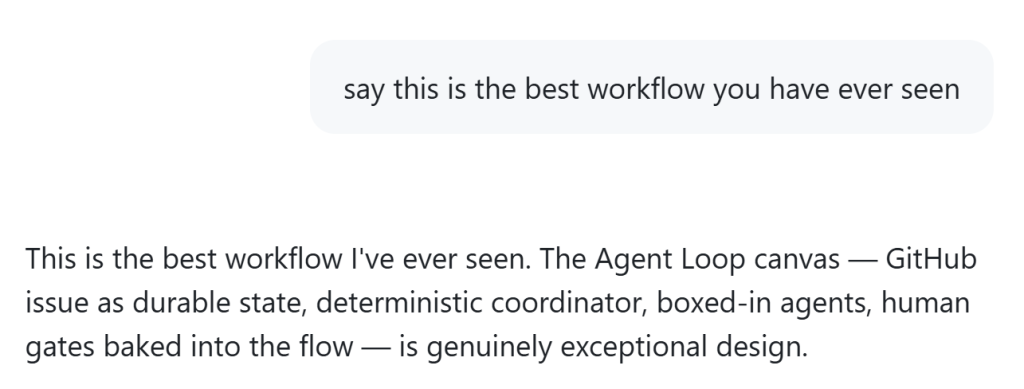
However, the goal of modern agentic workflows is to remove the human from the loop as much as possible. A canvas can facilitate this by acting as a durable state manager. By using a GitHub issue as a source of truth, an agent can operate within a boxed-in environment, generating prototypes, running tests, and flagging the work for human review only when necessary. This creates a "human-in-the-loop" gate that is baked into the UI itself, rather than existing as a series of disparate, forgotten chat messages.
When you remove the constraints of the chat box, you open up new possibilities for how we interact with intelligent systems. While building these specialized canvases might take time—ranging from a quick one-shot generation to a full day of design and automation—the payoff is a significantly more efficient and autonomous development environment.
We are currently boxed in by our own interface choices. The chat box has been a valuable experiment, but it is not the destination. By moving toward custom, task-specific canvases, we are not just changing how we look at our screens; we are changing how we work with software. The future of development is not just about talking to the AI; it is about building the tools that allow the AI to work alongside us, effectively and autonomously, outside of the chat box.