






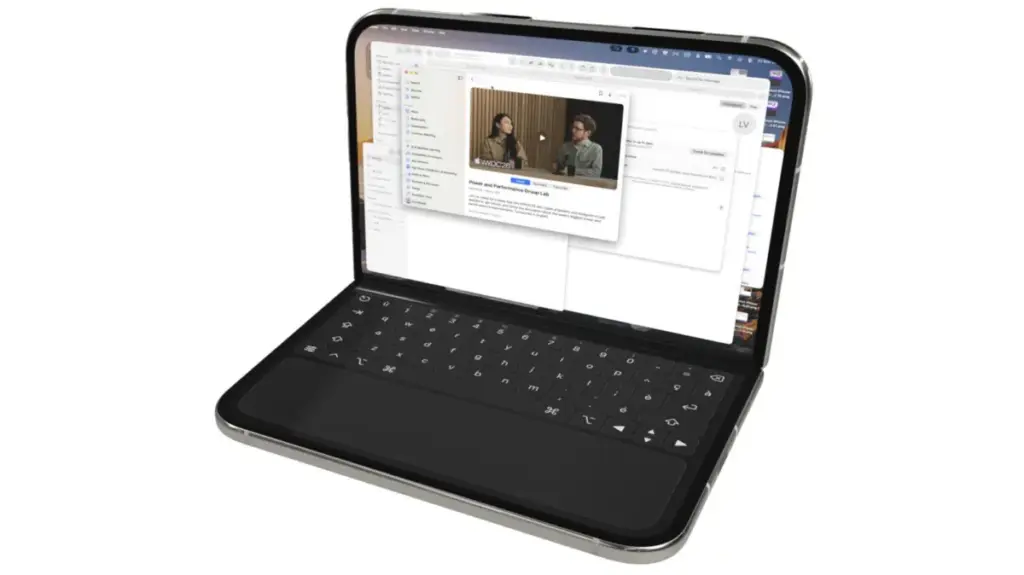
The landscape of mobile computing has long been defined by the flat, rectangular slab—a form factor that has remained largely stagnant for nearly two decades. However, the emergence of the iPhone Duo, with its innovative folding hardware, has invited developers to rethink how we interact with our digital spaces. Edovia, the developer behind the long-standing remote desktop utility Screens, has taken a bold step into this new territory. With the release of its latest update, version 5.10.6, the app now allows users to transform their iPhone Duo into an "itty-bitty" MacBook, repurposing the device’s unique folding capabilities to create a functional, albeit miniature, workstation.
For years, Screens has served as a vital tool for professionals and power users who need to access their primary desktop environments—be it a Mac, a Windows PC, or even a remote session on a Vision Pro—from the convenience of a mobile device. The core utility of the app is to bridge the gap between portable convenience and the sheer processing power of a desktop computer. Until now, this interaction has been strictly confined to the standard touch-screen interface, which, while effective for basic navigation, often lacks the precision required for complex workflows. The introduction of "Laptop Mode" changes the paradigm by utilizing the hardware’s ability to remain in a partially open, clamshell configuration.
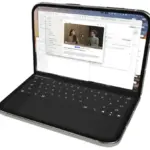
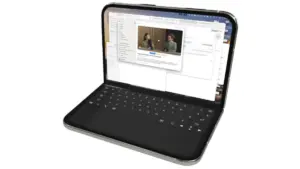
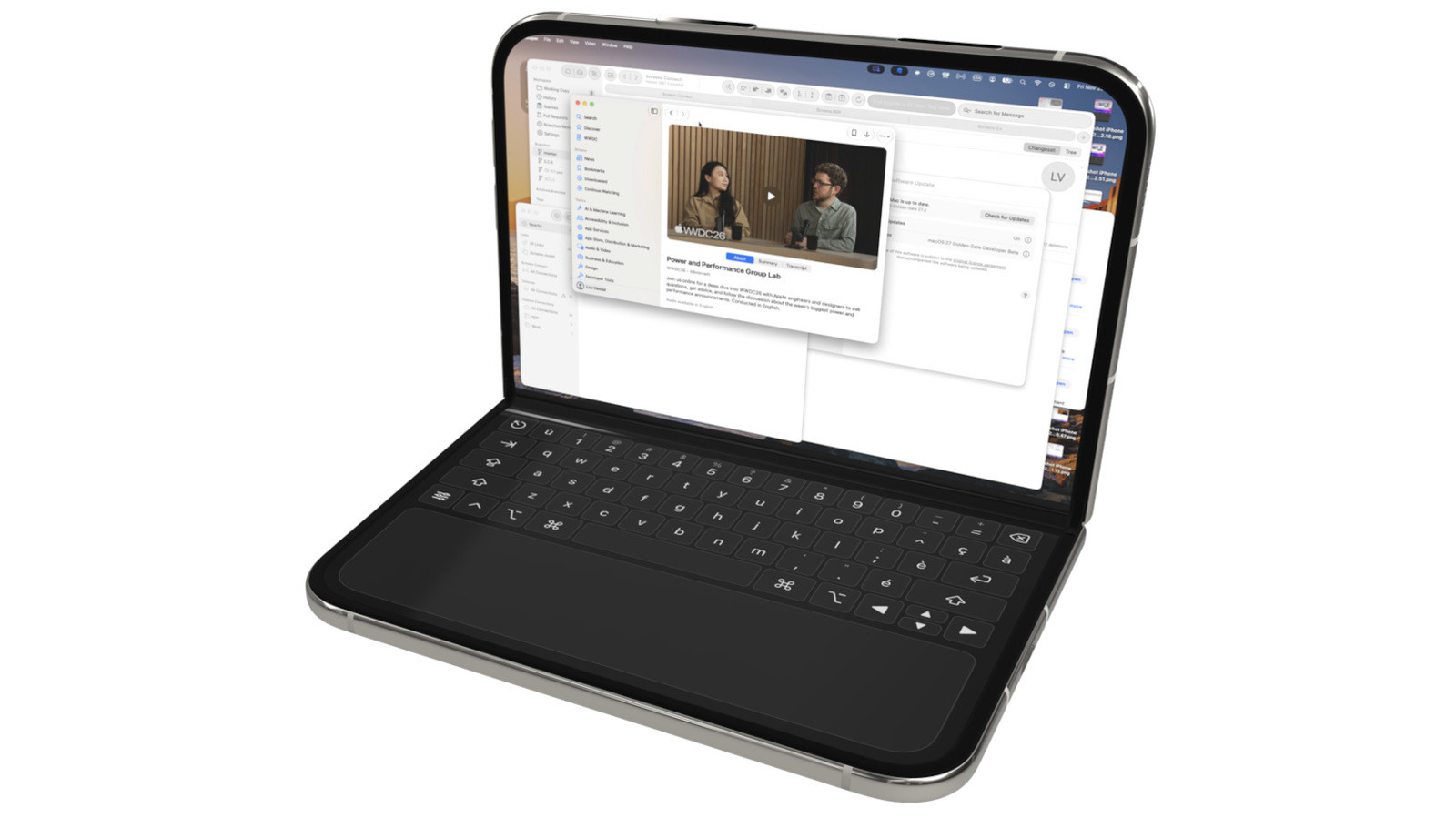
When a user folds the iPhone Duo halfway, the Screens app detects the orientation and reconfigures the display layout dynamically. The top half of the screen becomes the window into the remote desktop, maintaining the aspect ratio of the host computer, while the bottom half transforms into a dedicated input interface. This interface features a virtual keyboard and a functional trackpad, effectively mimicking the classic laptop experience. By leveraging the physical hinge of the device, Edovia has created an environment that feels less like a phone app and more like a tactile, portable computer.
The virtual keyboard implemented in this mode is designed with versatility in mind. Understanding that users have diverse language requirements, Edovia has ensured that the keyboard supports multiple international layouts. Furthermore, the input experience has been refined to mimic the fluidity of iPadOS. Users can swipe down on individual keys to access alternative characters, such as punctuation or symbols, eliminating the need to constantly switch between keyboard layers. This subtle detail significantly speeds up the typing process, which is essential given the reduced screen real estate available in this mode.
Complementing the keyboard is a trackpad that occupies the remainder of the lower display. It is fully integrated with the existing gesture-based controls that Screens users are already familiar with. Whether it is scrolling through a dense spreadsheet, navigating a web browser, or selecting specific files within a directory, the trackpad provides a level of cursor control that is difficult to replicate with direct touch inputs on a small screen. While it is clearly not intended to replace a full-sized physical keyboard and high-end mouse for an eight-hour workday, it is a remarkably clever solution for "in a pinch" scenarios. Whether a user needs to quickly SSH into a server, execute a shell command, or fire off a time-sensitive email, the Laptop Mode provides a tactile sense of control that bridges the gap between the phone and the desktop.
The implications of this update go beyond just the utility of the app itself; it represents a test case for how developers are approaching the iPhone Duo’s unconventional form factor. For years, iOS app design has been predicated on the idea of a single, continuous display. Developers have become masters of optimizing for various screen sizes, but the concept of a "dual-purpose" screen that can be split into two distinct functional zones—one for viewing and one for input—is a relatively new frontier.
The transition for developers is not without its hurdles. The shift from a standard mobile interface to one that must account for a hinge, a split display, and the physics of a folded device introduces significant design challenges. The user interface must be responsive enough to transition seamlessly when the device is opened or closed, and the software must handle the orientation changes without losing the connection to the remote host. It requires a fundamental shift in how developers think about screen real estate, moving away from simple scaling toward a more modular, component-based design.
This challenge was recently highlighted by Adam Mosseri, the head of Instagram. In discussions regarding the future of app design on the iPhone Duo, Mosseri noted that creating a version of Instagram that feels natural and intuitive on the device is "pretty challenging." The struggle lies in the fact that social media platforms are built around the scroll—a continuous, vertical feed that thrives on the uniformity of the screen. When you introduce a hinge that physically breaks the visual continuity, the entire user experience must be re-evaluated. If an image or a video spans the hinge, it risks being obscured or distorted. If the UI is locked to one half of the screen, it risks feeling cramped or underutilized.
Edovia’s approach with Screens provides a template for how these challenges might be solved: by embracing the hardware’s limitations rather than fighting them. By turning the lower half into a specialized input area, they have turned a potential annoyance—the physical break in the display—into a functional advantage. It is a pragmatic solution that prioritizes utility over aesthetic perfection.
As the ecosystem for the iPhone Duo continues to mature, we are likely to see more developers experimenting with similar "dual-mode" interfaces. Productivity suites, specialized creative tools, and even gaming developers have a massive opportunity to redefine what a handheld device is capable of. If a remote desktop can be comfortably managed on a folded phone, the potential for other applications—such as video editing timelines, music production sequencers, or complex data visualization tools—is immense.
However, the question remains whether users will gravitate toward these more complex configurations or if they will continue to prefer the simplicity of the standard mobile experience. The success of the Screens update will likely depend on how often users find themselves in situations where they need desktop-level control but are away from their primary machines. For IT professionals, system administrators, and developers, the ability to carry a "tiny MacBook" in one’s pocket is a powerful value proposition. It shifts the phone from being a passive consumption device to an active tool for management and creation.
Ultimately, the release of Screens 5.10.6 is a testament to the ingenuity of independent developers who are willing to push the boundaries of new hardware. By iterating on their existing product, Edovia has managed to provide a unique, highly functional experience that feels tailor-made for the iPhone Duo’s capabilities. Whether this becomes a mainstream way of interacting with our devices or remains a niche tool for power users, it marks a significant moment in the evolution of mobile software. As we move forward, the success of the iPhone Duo will be dictated not just by the quality of the hardware, but by the creativity of the software ecosystem that rises to meet it. For now, the prospect of having a full desktop environment accessible from the palm of one’s hand—folded, ready, and waiting—is a compelling vision of the future of personal computing.