












When a power outage plunges a home into darkness, the immediate instinct for most is to reach for a flashlight or check the fuse box. In the scramble to navigate a home without electricity, our electronic devices—particularly desktop computers—often become an afterthought. Many users operate under the false assumption that if a computer is not actively running, or if it has been forced to shut down by the loss of utility power, it is effectively "off" and therefore safe from harm. However, electrical engineers and hardware experts suggest that this complacency is exactly what puts expensive computing hardware at risk. Leaving a PC plugged into a wall outlet during a power disturbance, even when the system is powered down, creates a direct pathway for electrical damage that can be both immediate and permanent.
The core of the problem lies in the nature of modern electrical grids and how they interact with the sensitive architecture of a computer. A computer’s internal components—specifically the motherboard, the RAM modules, and the solid-state drives (SSDs)—are engineered to operate within strictly defined voltage parameters. These components are remarkably sophisticated, yet they are also incredibly fragile. They are designed to manage the standard 120-volt current provided by North American electrical outlets. When that current is interrupted or fluctuates wildly, the result is rarely a clean "off" state. Instead, the transition from active power to no power is often characterized by extreme volatility, creating a window of vulnerability that most users fail to account for.
The scale of the risk is often misunderstood. When power is lost, it is rarely a smooth transition. Whether the outage is triggered by a localized grid overload, a failure of utility equipment, or a tripped circuit breaker, the electrical system does not simply go silent. In the milliseconds preceding the loss of power, and, more importantly, in the moments when power is restored, the electrical lines can experience sharp, violent fluctuations in voltage. These surges occur because the grid is a massive, interconnected system. When power returns, it often does not arrive as a steady stream; instead, it can hit the home’s wiring with a sudden, overwhelming spike that far exceeds the operating capacity of standard home appliances. These surges can bypass the internal power supply unit (PSU) of a computer, traveling through the circuitry to strike the most sensitive parts of the system.

The Myth of the Powered-Off State
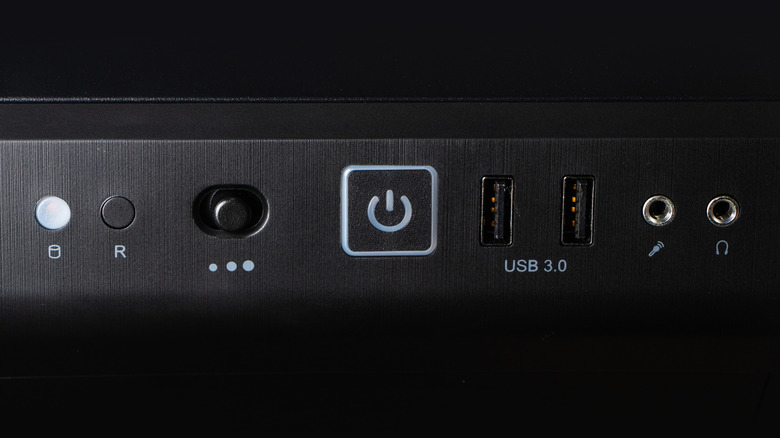
A common misconception is that hitting the "shut down" command in an operating system or flipping a power switch makes a computer inert. In reality, as long as the power cord is connected to a live wall socket, the computer remains tethered to the house’s electrical architecture. Even when a PC is in a sleep state or fully powered down, the power supply unit typically remains in a standby mode, waiting for a signal to wake the machine. This connection is not merely a path for standard power; it is an open door for transient voltage spikes.

The most dangerous moments are often the ones we don’t anticipate. Power surges can be triggered by external events, such as lightning strikes in the vicinity or damage to local power lines. Even a lightning strike that occurs blocks away from a residence can induce a massive surge that travels through the local transformer and cascades directly into the home’s wiring. Because the infrastructure of the power grid is shared, a surge does not need to hit a specific house to damage the electronics inside it; it only needs to travel through the grid to reach the property.
Furthermore, the process of the grid coming back online is inherently unstable. Utility companies often restore power in stages, which can result in multiple, rapid-fire fluctuations as the local load is balanced. These repeated surges can be more damaging than the initial outage itself. For the average user, the danger does not vanish when the lights come back on; it often peaks during those first few seconds of restoration.
Beyond the risk of electrical surges, the act of a sudden, forced shutdown introduces its own set of dangers. If a computer is actively reading or writing data when the power cuts, the sudden loss of energy can result in catastrophic file corruption. Modern operating systems perform constant background tasks, such as updating system files, indexing drives, or writing temporary cache files. An unexpected power cut can leave these files in a "half-written" state, which can corrupt the operating system to the point where it fails to boot upon restart. For users still utilizing mechanical hard disk drives (HDDs), the risk is even more physical. These drives rely on read/write heads that hover microns above spinning platters; a sudden loss of power can cause these heads to lose their positioning, potentially leading to mechanical failure or permanent data loss.
Strategies for Protecting Your Hardware Investment
Securing a computer setup against these variables requires a combination of vigilance and the right hardware. The most fundamental and effective strategy is the simplest: when a storm or a grid failure is anticipated, the computer should be completely disconnected from the power source. Simply toggling a switch on the power supply unit (PSU) can provide a marginal increase in safety by cutting off the circuit, but unplugging the cord physically removes the potential for a surge to find a bridge into the system. This practice should also be extended to peripherals, such as routers and monitors, which are frequently damaged by the same surges that threaten computers. Routers, in particular, are often the first victims of electrical storms due to their constant connection to both the power grid and the external copper lines of an internet service provider.

While manual unplugging is the safest method, it is not always practical or possible. For those seeking automated protection, a quality surge protector is the baseline requirement. Unlike a standard power strip, which merely acts as an extension cord, a legitimate surge protector contains components such as metal oxide varistors (MOVs) designed to detect excess voltage and shunt it away from the connected devices. However, not all surge protectors are created equal, and it is vital to invest in reputable brands that provide a clear energy absorption rating.
For those who rely on their computers for work or critical storage, an Uninterruptible Power Supply (UPS) is the gold standard for protection. A UPS functions as a bridge, containing a battery backup that keeps the computer running for several minutes after a power loss. This allows the user to save their progress, close all applications, and initiate a proper, orderly shutdown of the operating system. Beyond the battery, most high-end UPS units provide superior surge suppression compared to standard strips, acting as a buffer between the home’s electrical wall outlet and the computer’s sensitive internals.
For homeowners looking for a comprehensive solution, the installation of whole-house surge protection is an option worth considering. A licensed electrician can install a surge protection device directly into the home’s electrical panel, which acts as a gatekeeper for all electricity entering the building. This provides a layer of defense for every outlet in the house, protecting not just the PC, but also televisions, kitchen appliances, and smart home devices.
Finally, the behavior of the user after the power returns is just as important as their behavior during the outage. It is a common mistake to immediately plug in and restart all electronics the moment the lights flicker back to life. Grid stability is often fragile in the minutes following an outage. It is advisable to wait a short period to ensure the power has stabilized before reconnecting equipment. When it is time to restore power, the surge protector should be connected first, followed by the computer and its peripherals.
By treating the power supply as a potential vector for hardware damage rather than a simple convenience, users can avoid the frustration of data loss and the significant expense of replacing fried components. While the convenience of a modern "always-on" lifestyle is significant, the few seconds required to disconnect sensitive hardware remain one of the most effective, low-cost insurance policies available to any computer user. Ultimately, the durability of a workstation depends not just on the quality of its parts, but on the habits of the person sitting in front of it.