









The first weekend of building a home artificial intelligence lab usually goes exceptionally well. A large language model runs locally on consumer hardware, a clean chat window answers questions smoothly, and the desktop or laptop fan finally has a legitimate reason to spin up. The third weekend, however, is where most home AI labs quietly fail. Operators are often left staring at three detached Docker containers running on undocumented ports, a forgotten folder of unindexed PDF documents, a stray cron job buried deep in a shell history, and a sudden model update that wiped out downloaded weights because they were stored unsafely inside a container filesystem.
Experienced engineers note that not a single one of these common failures stems from an artificial intelligence problem. Every single one is a foundational infrastructure and lab management problem. Building a sustainable, useful home artificial intelligence environment requires a carefully curated set of containers with distinct, well-defined responsibilities, rather than relying on one monolithic, chaotic AI box.
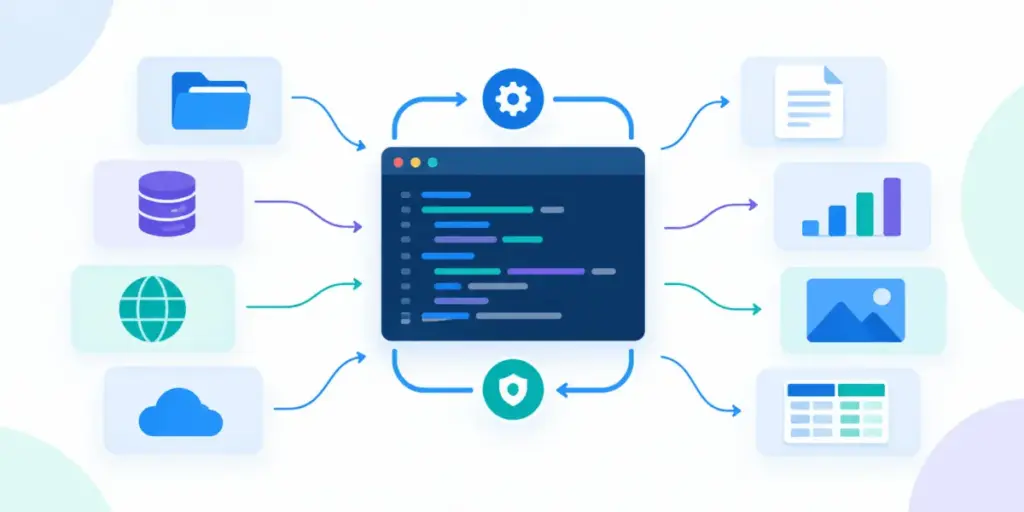
Industry analysts and technical observers have long advocated for a layered architectural view of local AI stacks. Model serving, user interfaces, retrieval-augmented memory, workflow automation, and infrastructure management operate best as entirely separate layers. In this modular approach, each component is a container that can be replaced, upgraded, or reconfigured independently without risking disruption to the rest of the system.

Five specific containers stand out for their ability to eliminate operational friction in a home lab environment, spanning core AI functions as well as essential underlying management tasks.
At the center of any local AI environment is the model runtime. Software packages like Ollama serve as the operational engine room of the entire stack. This runtime handles the complex process of pulling, loading, and executing local models while exposing a standardized HTTP endpoint on port 11434. Because every other container in the lab communicates directly with this unified endpoint, higher-level tools do not need to understand the underlying mechanics of how specific model architectures are loaded into memory.
Official container distributions generally ship in distinct variants optimized for different hardware profiles, including CPU-only configurations, NVIDIA graphics processing units managed via the NVIDIA Container Toolkit, and AMD hardware utilizing specialized tags. The single most critical installation detail involves persistent data storage through named volumes. Because AI models are exceptionally large files, recreating a container without a dedicated named volume forces the system to re-download gigabytes of data from scratch. Furthermore, an unmanaged container risk losing specific model tags that may have been deprecated or moved upstream since the initial download. While GPU pass-through provides significant performance advantages, it remains entirely dependent on the capabilities of the underlying host operating system, functioning reliably on Linux and Windows environments running the Windows Subsystem for Linux, while Mac implementations rely on native execution or CPU inference within containers.
Once the underlying model runtime is operational, interacting with it exclusively through a command-line terminal quickly loses its appeal for daily productivity. The interface layer addresses this gap by bridging the raw runtime and the human operator. Applications like Open WebUI provide a polished browser-based interface complete with multi-user management, chat history preservation, file upload capabilities, and seamless connections to local model servers as well as external application programming interfaces.
Deploying these interface platforms typically relies on containerized infrastructure configured with persistent volumes to preserve user accounts, chat logs, and uploaded documents across system restarts. Without persistent storage configurations, every container update resets the environment back to a blank login screen. Additionally, administrative security keys must be explicitly defined and preserved to prevent user sessions from being abruptly invalidated whenever the container lifecycle resets. Optional image variants also exist to bundle runtime dependencies directly into the interface container, though maintaining a decoupled architecture where the runtime and interface run as separate services generally offers greater flexibility for maintenance and troubleshooting.
As home lab operators begin moving beyond casual experimentation, the demand for contextual knowledge retrieval inevitably arises. Standard chat models possess vast parametric knowledge, but they remain fundamentally blind to private documents, personal notes, and internal project files. Bridging this gap requires an external vector database, such as Qdrant, which specializes in storing high-dimensional vectors and executing rapid similarity searches.
While casual conversational testing requires no database infrastructure whatsoever, introducing private document retrieval transforms the AI stack from a novel toy into a genuinely useful daily tool. Vector databases act as the searchable memory consulted by the system, operating entirely independently of the language model itself. These databases typically expose dedicated ports for REST application programming interfaces and high-performance remote procedure calls, alongside persistent storage mounts that ensure indexed document collections survive routine system reboots. Watching collection metrics populate via administrative dashboards offers immediate confirmation that document ingestion pipelines are functioning correctly before queries are submitted to the model.
Managing the complex interplay of files, background tasks, and data pipelines across a local infrastructure requires a dedicated automation spine. As home labs grow, documents dropped into designated folders require automated embedding, model endpoints need scheduled health checks, and generated summaries need routing to accessible storage locations. Workflow automation platforms like n8n provide visual environments to orchestrate these intricate processes smoothly.
Typically deployed via container orchestration configurations alongside the rest of the stack, workflow engines manage routine operations while defaulting to lightweight embedded databases or scaling to robust external relational databases as workflow complexity expands. Because these automation engines frequently store sensitive integration credentials and proprietary workflow definitions, securing their underlying storage volumes with regular backups and restricting their network exposure strictly to local boundaries is an essential operational requirement.
As the number of active services in a home lab climbs, routine administrative overhead quickly becomes the dominant maintenance task. Handling frequent container restarts, inspecting container logs, verifying volume health, tracking pending image updates, and clearing out orphaned containers from previous testing cycles requires efficient oversight. Comprehensive control panels like Portainer CE provide a centralized browser-based management interface for these exact infrastructure chores.
Deploying a management control panel typically involves mounting the host system’s Docker socket directly into the administrative container, granting the platform deep visibility and control over every container running on the machine. While this level of privileged access makes the control panel exceptionally powerful, it also demands rigorous security practices. Management interfaces should be strictly isolated to trusted local networks and never exposed directly to public internet ports. Treated as a secure administrative console, a management platform transitions from an optional luxury to an indispensable tool the moment an infrastructure failure occurs and administrators need to quickly identify which specific service requires intervention.
Architecting a sustainable home AI environment begins with a disciplined approach to scaling. Core functions can be broken down into distinct operational pillars encompassing model serving, user interfaces, knowledge retrieval, workflow automation, and infrastructure management. Initial deployments can begin lean with foundational serving and interface containers, establishing a stable working environment within a single afternoon.
As usage demands evolve, operators can incrementally introduce specialized memory databases, workflow automations, and management dashboards precisely when project requirements dictate their necessity. Managing the entire ecosystem through unified orchestration configurations ensures that individual services can easily communicate using predictable internal hostnames rather than volatile network IP addresses. Utilizing persistent named volumes ultimately separates fleeting experimental setups from robust local infrastructure capable of withstanding routine updates and system maintenance, laying the groundwork for a reliable, long-term artificial intelligence lab.